Income & Spending Chart Rounded Totals (Q Mac)
Hello - I use Quicken Classic Premier version 9.0 on a Mac. I downloaded the upgrade today. On the Income and Spending charts, the total is no longer displayed in dollars cents, but is displayed as a rounded up or down number - $10,466 is 10K or $8,345 is 8.4K. This feels imprecise to me. Is there an option to display the total in dollars and cents as it used to be?
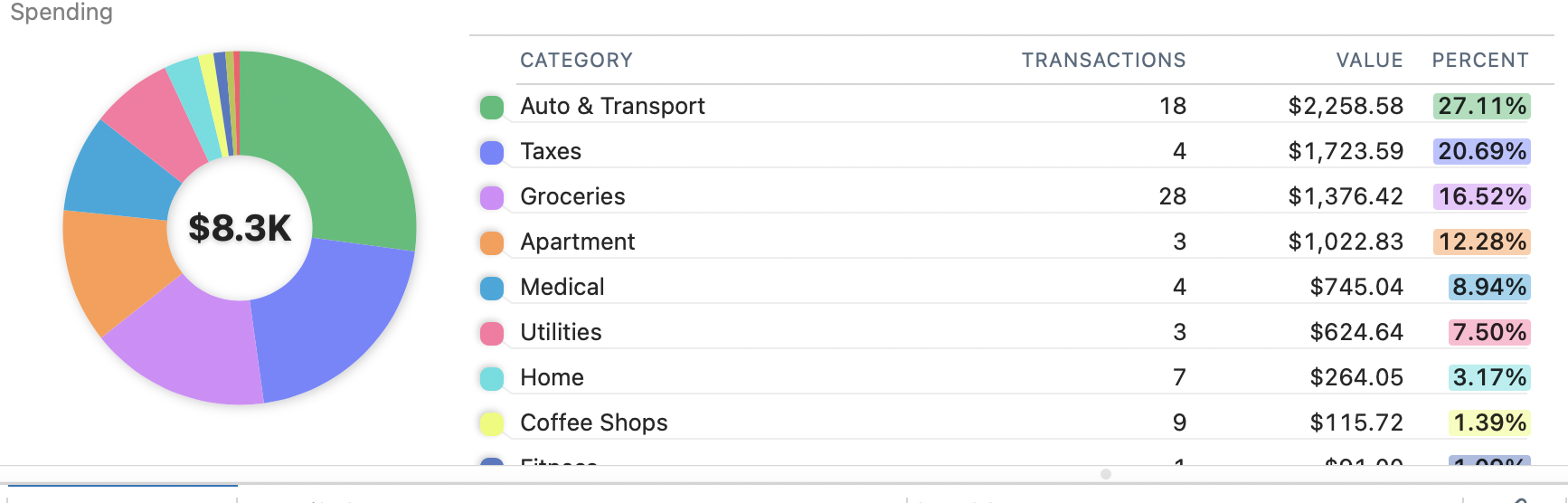
Thank you - Barbara
Best Answer
-
I suspect this is a deliberate design decision to keep the graph cleaner.
You can hover over the rounded amount and it will show you the actual amount with dollars & cents.
0
Answers
-
I suspect this is a deliberate design decision to keep the graph cleaner.
You can hover over the rounded amount and it will show you the actual amount with dollars & cents.
0 -
Thank you so much for your reply. Yes, I do see that hovering reveals the actual number. It would be nice if there was the ability to toggle between display options. For home budgeting, I watch the dollars and cents and would prefer precision as the default. The rounding feels sloppy to me. Maybe an upgrade will provide that option. Thanks again for the info.
0

