I'm getting the OL-297A error from UBS Fin Serv for the past few days, and can't download transactions. What's up?
Hi @AbeK,
Thanks for reaching out to the Quicken Community!
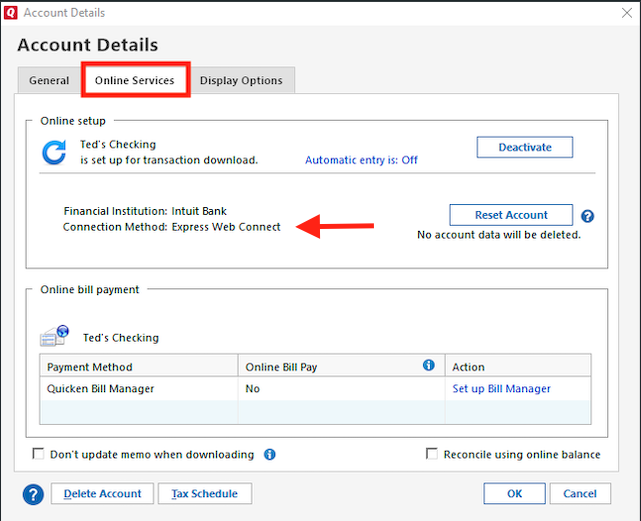
After reviewing this internally, I could not find the error in your account. Could you please confirm the connection type: Direct Connect or Web Connect? To check:
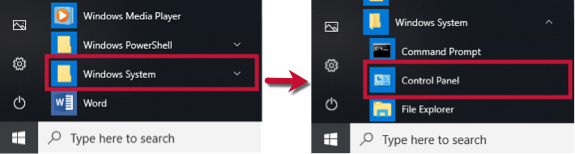
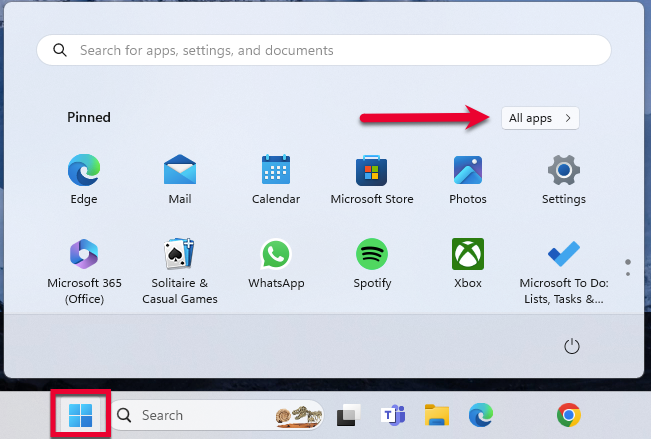
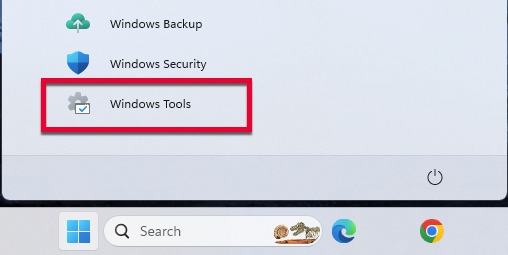
I also recommend following the steps in our support article for OL-297-A by updating your internet security settings:
Select Network and Internet, then Internet OptionsGo to the Advanced tab Scroll down to the Security section Verify that TLS 1.2 is checked
Click Apply, then OKTry updating your accounts in Quicken again
Let us know how it goes. I look forward to your reply!
Hi @AbeK, I just wanted to follow up since I haven’t heard back from you. I’m checking in to see if you still need assistance.