Vanguard OFX Error: 16503 [Edited]
The connection to my Vanguard accounts was working fine until last week. Now I cannot connect at all. I deleted the connection and tried to redo it, but that is not doing anything different.
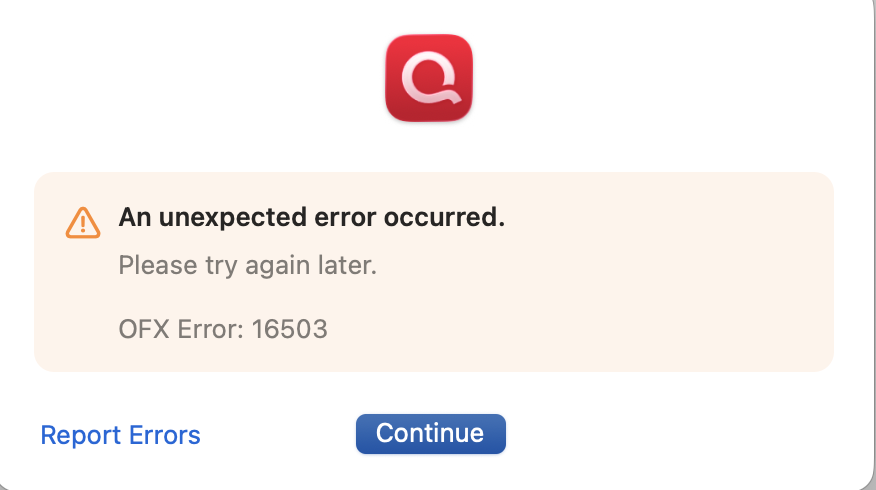
Error 16503
Is there any way to fix this or do I just give up?
Comments
-
Hi @Seth300,
Thanks for taking the time to reach out to the Quicken Community.There are several reasons you might see this error when updating your accounts, including:
- A temporary server issue
- Online services are activated incorrectly
- Incorrect or outdated login credentials
I recommend waiting 24 hours. If the error persists after that, I suggest following the steps below:
If you have not yet signed up for the bill payment service provided by your financial institution, but have enabled that service in Quicken, you will get this error. Make sure that your account settings in Quicken match the services currently provided by your financial institution. To do so:- Open the register for the affected account.
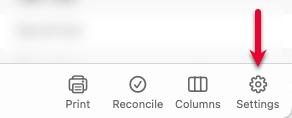
- Click the Settings button in the bottom right corner.
- In the Account Settings screen, click Bill Pay.
- In the Bill Pay tab, review if the Bank Bill Pay status is set to On. If you don't have Bill Pay enabled with your bank, but the status in Quicken is On, you will need to turn it off.
If the steps above do not resolve the issue, I recommend checking our support article for further assistance:
I hope this helps!
Quicken Carlos
Make sure to sign up for the email digest to see a round up of your top posts.
0 -
This has also been an issue for me over the past few days.
0 -
Hi @CRhelp,
Thanks for joining this thread and letting us know you’re experiencing the same issue.
If you haven’t already, I recommend trying the troubleshooting steps shared above and letting us know the results. That information can help us better determine what may be causing the issue.
Thank you! I look forward to your response.
Quicken Carlos
Make sure to sign up for the email digest to see a round up of your top posts.
0 -
I followed the steps, there is no tab for bill pay under the settings of this account. There is a tab for bill pay under my checking account however.
This is likely because the Vanguard account is an investment account.The recommendation did not solve my issue, I am still having the same problem.
0 -
Hi @CRhelp,
Thank you for your reply and for letting us know that you are still experiencing this error.
I’d like to ask a couple of questions to better understand why this issue is occurring:
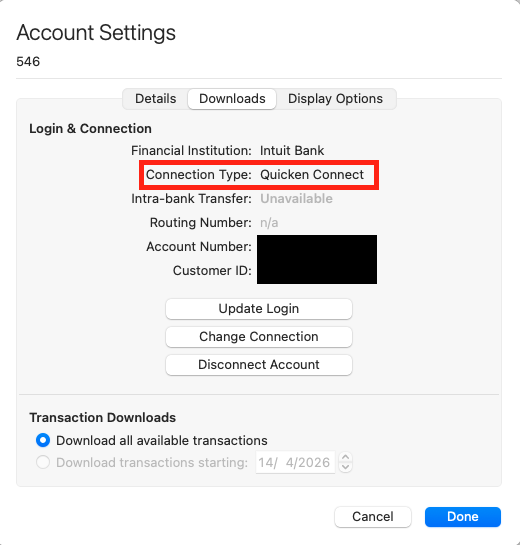
- Is the connection type Direct Connect? If so, have you already contacted the financial institution?
- When was the last time the account worked without errors?
To check the connection type:
- Open the account in question.
- Click the Settings option in the lower-right corner.
- Select the Downloads tab.
I look forward to your reply!
Quicken Carlos
Make sure to sign up for the email digest to see a round up of your top posts.
0 -
Direct Connect, worked until roughly 10 days ago without errors. I haven't contacted the institution yet, as I won't be able to find the right person to solve this specific problem.
0 -
Thanks for following up!
When contacting the financial institution, we always recommend asking to speak with someone in online banking or connected services. Generally, the first person you speak to won't know how to help, but asking for someone who deals with third-party connections usually helps!
Thanks again!
Quicken Alyssa
Make sure to sign up for the email digest to see a round up of your top posts.
0 -
also an issue, same timing as others here. have tried all the things, nothing is working.
0