I want to store my data locally only. How do I remove my current online data and just keep it local?
Hello @jef76,
Thank you for posing this question.
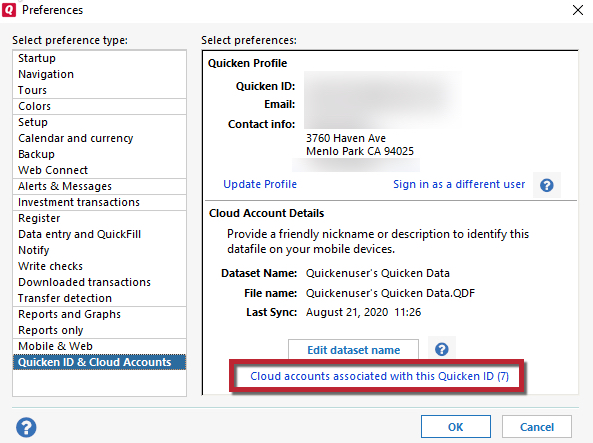
You can delete datasets that you no longer want to sync to the Cloud. Please note that Quicken requires that at least one dataset be synced to the Cloud. You can open a new empty file, turn sync on, and then delete the dataset from your main data file.
You cannot delete the dataset that is currently open. There will be an asterisk next to the one that cannot be deleted.
To get back to your original file, go to File and click on the second file near the bottom of the menu.
Let us know how it goes!
@jef76,
Just checking in, we haven't heard back from you in a while.
Do you still need assistance?
Thank you!
Hello again,
Checking in once more before this thread is closed.
Let us know if you still need assistance.
Due to the lack of response, I went ahead and closed this post.
If you still require assistance, please feel free to start a new post.