I email invoices to my customers and in the last day or so, my emails are not going thru.
Hi @DvBUA,
Thanks for reaching out to the Quicken Community!
To better understand the issue with the invoice email not being received by your customer, I have a few questions so I can provide the best troubleshooting steps:
I look forward to your reply.
No error received. It tells me the email was sent.
Issue started within the last week.
I tried sending it to my email and it never came thru.
Happening with all emails sent from Quicken to any of my customers.
C:\Users\umpyr\OneDrive\Documents\Quicken\BACKUP\Young's Quicken Data 1.2..2025
I have backed up to this for a long time and my emails always went out.
I know also back my data to Quicken online.
Thanks for your reply and for answering the questions above. Your responses are very helpful.
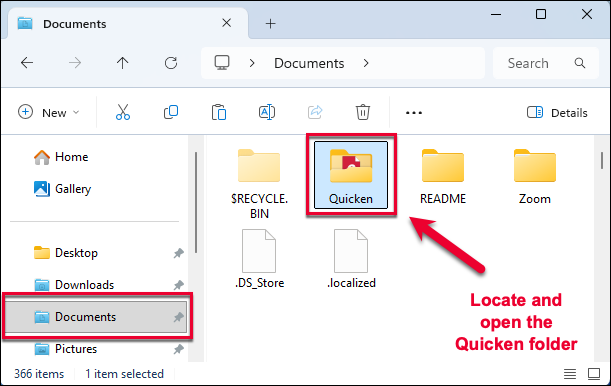
Since the file is stored on the cloud (OneDrive), I recommend moving the file out of the OneDrive folder.
OneDrive is Microsoft’s cloud storage service, which automatically saves files from your Documents folder to the cloud. While this works well for most files, Quicken data files should be stored locally on your computer rather than in a cloud-synced folder.
Think of it this way: Quicken needs the data file to remain in one stable location. OneDrive may sync or move the file in the background, which can sometimes cause errors, missing transactions, syncing issues, or file corruption.
To move your data file out of OneDrive:
If the issue persists after moving the file, I recommend restoring a backup from before the issue started.
Let me know how it goes.
Hi @DvBUA, I just wanted to follow up since I haven’t heard back from you. I’m checking in to see if you still need assistance.
Hello again @DvBUA,
I am checking in once more before this thread gets closed. If you need assistance, let us know.
Due to inactivity, this thread is being closed. If you still need help, please create a new post