I downloaded my bank info but it didn't give me a start date . My fiscal year is 6/1.
It started in mid-may so I can't breakdown my starting balance with carry overs.
Is there a way to eliminate and start over with a start date?
Hi @GCF Treasurer,
Thanks for reaching out to the Quicken Community!
The amount of historical data that can be downloaded is determined by the financial institution and is typically limited to the last 90–200 days. As a result, Quicken cannot specify a custom start date when downloading transactions automatically.
However, there are a few workarounds that may help. Before proceeding with any troubleshooting steps, I recommend creating a backup of your data file.
Option 1: Delete older transactions
You can manually delete any transactions prior to 6/1. After doing so, adjust the Opening Balance transaction as needed to ensure your account balance is correct as of the start of your fiscal year.
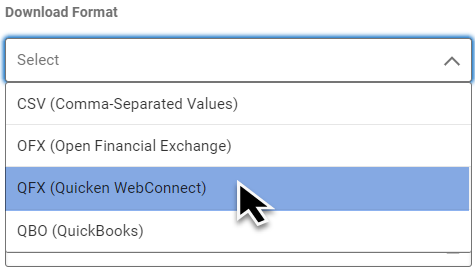
Option 2: Import transactions using a QFX file
If your financial institution supports QFX (Web Connect) files, you may be able to download transactions for a custom date range and import them into Quicken.
To do so:
Once the account has been added, I suggest turning off automatic transaction entry for the account beginning on 6/1. This will allow you to review downloaded transactions before they are entered into the register and help you identify any duplicate or unwanted transactions.
After that, you can reconnect the account for automatic transaction downloads moving forward.
To change the connection method:
I hope this helps! Let me know how it goes.
Hi @GCF Treasurer, I just wanted to follow up since I haven’t heard back from you. I’m checking in to see if you still need assistance.
Hello again, @GCF Treasurer.
I am checking in once more before this thread gets closed. If you need assistance, let us know.
Due to inactivity, this thread is being closed. If you still need help, please create a new post.