Since the end of April, the dividend payment transactions from my Merrill account have not been downloading to my account. How do I turn that back on?
Hi @wmoretz142,
Thank you for reaching out.
I recommend following the steps in our support article below to determine whether your downloaded transactions are present but not appearing where you expect them to be. Please complete the steps in the order listed:
If the issue has only occurred once, one of the following common scenarios is likely the cause:
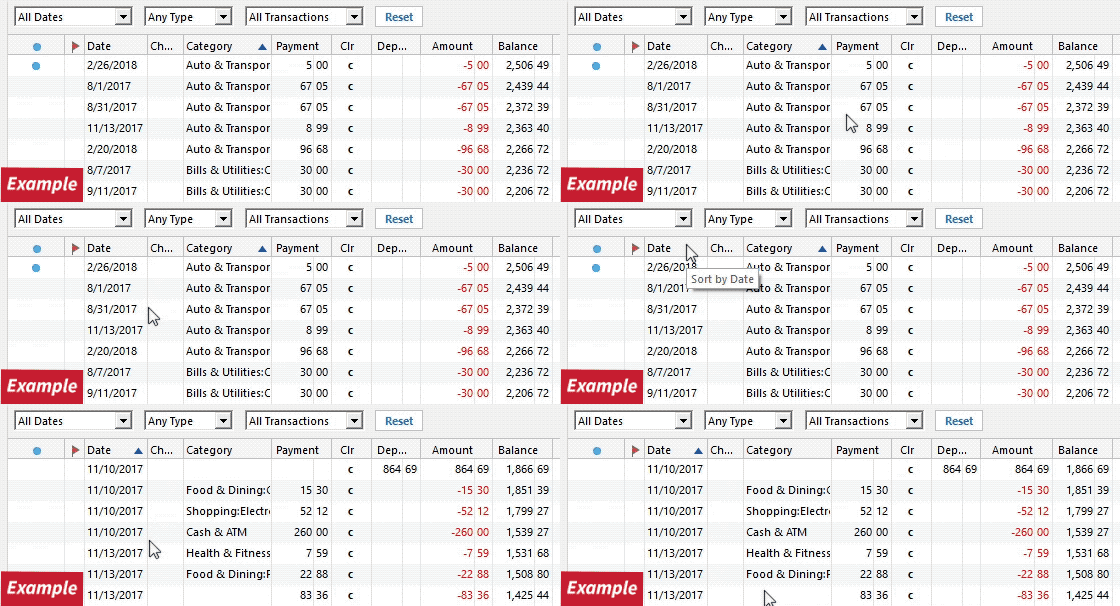
1. Has the sort order been changed in the register? Confirm that the Sort Order in your account register is by Date; just click the top of the Date column in your account register. It's likely the transactions are in your register, just not where you thought they'd be.
2. Click the Reset button at the top of the register. This will confirm that there's no filtering in your account register.
3. Try refreshing your login session: To do this, go to Help > Refresh Sign in. After completing the log-in process, trying running a One Step Update again.
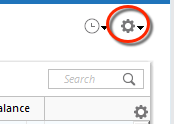
4. In the affected account register, click the Actions (Gear) icon > Edit Account Details > Online Services, and verify the connection method.
5. Go to Actions (Gear Icon) > Register Columns > Check Downloaded Payee in the account register. This allows you to search by Payee to confirm the transactions haven't been renamed unexpectedly.
6. Click All Transactions in the Account Bar and search for the missing transactions. If you find them in the wrong account, select the transaction(s), right-click, choose Move transaction(s), select the correct account, and click OK.
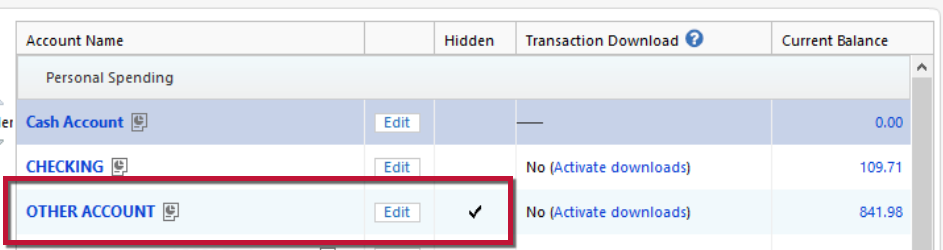
7. Go to Tools > Account List and check Show Hidden Accounts at the bottom left. Confirm the missing transactions haven't been added to a hidden account by clicking on the name of any account that appears with a check mark in the Hidden column.
Please let me know how it goes.
Just checking in; we haven't heard back from you in a while.
Do you still need assistance?
Thank you!
Hello again,
I'm checking in once more before this thread gets closed. If you need assistance, let us know.
Due to the lack of response, I went ahead and closed this post.
If you still require assistance, please feel free to start a new post.