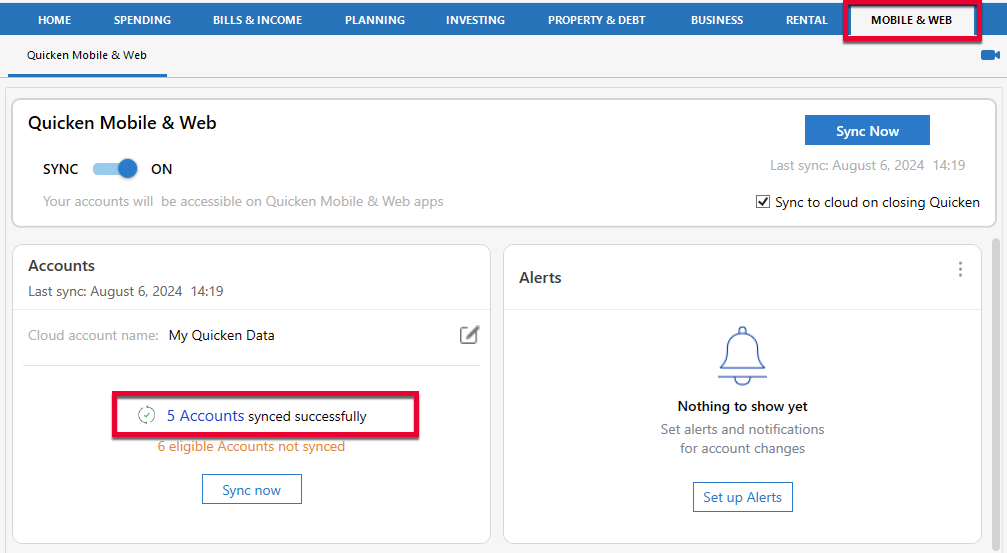
The last 2 transactions I entered on the mobile app for my Sam's Club Mastercard have failed to sync to the desktop after repeated sync attempts. My 2 other credit cards are syncing.
What can I do to fix this? Thanks.
Hi,
I'm sorry to hear that the previous steps didn't resolve the issue.
As a next step, I'd recommend resetting your Quicken Cloud data through the desktop application. This process deletes the cloud data associated with your currently open data file and immediately re-syncs it. Your cloud data is not permanently deleted.
1. Go to Edit > Preferences.... 2. Select Mobile & Web in the left pane. 3. Click Reset your cloud data in the Quicken Mobile & Web pane.
4. In the Reset Your Cloud Data window, leave the preselected option for "No, just reset my Cloud data", type yes into the box, and click Reset. 5. Wait for the Reset process to complete and then try Cloud Sync again. Note: A full Sync/Reset process may take a while to complete.
Once the sync has finished, please re-enter the transaction in the mobile app and sync it with the desktop again to see if the issue has been resolved.
I look forward to your update.
Hi @Ellary Kahan,
Thank you for sharing what you're experiencing.
I recommend removing the affected account from Quicken Mobile & Web Sync and then adding it back by following these steps:
In the desktop program:
Please let me know how it goes.
That didn't work.
Fixed. Thank you.
I'm glad to hear the issue has been resolved!
If you have any additional questions, please don't hesitate to reach out.