One Step Update runs with out any errors and the "Online Balance" updates, but no transactions download for my BOA (Bank of America) credit card. Tried deactivating, resting as well as creating a new file.
Hi @Ptran1995,
We appreciate you taking the time to post in the Quicken Community.
This issue has been escalated, and our Support team is actively working toward a resolution. At this time, we do not have an estimated time of resolution (ETA). I recommend monitoring the Community Alert, as it will be updated as soon as new information becomes available.
Community Alert:
I hope this helps!
Hello @Ptran1995,
Just wanted to check in and update the discussion.
Since the last post, the alert posted above has been marked as resolved. If you’re still encountering the issue, we recommend reaching out to Quicken Support for further assistance.
Thank you!
Hello again,
Checking in once more before this thread is closed.
Let us know if you still need assistance.
It was working for a few days and this morning I received the CC-506 error again. Will check again tomorrow.
This is the same problem I just posted with my Navy Federal Credit Union credit card.
I went through the deactivate/reactivate process for my BOA accounts and as of this morning everything is working as it should.
Happy to hear this issue is resolved!
Thanks for following up to let us know!
Thank you for chiming in!
Are you still having this issue with Navy Federal Credit Union, or has it since been resolved?
Let us know!
Still having this issue. I was able to get it to work last month, but now this month it is happening again. I have deactivated my account, and reactivated it, I have also reset it, and resigned in to Quicken, and nothing is working. The online balance for my BoA Credit Card is updating, but no new transactions are downloading. I even tried a creating a new Quicken file, and no luck.
Thank you for following up, though I am sorry to hear that you are still experiencing this issue.
We had an open alert for this issue, which has since been closed. You said that you tried creating a new file and had no luck. To confirm, did you open a new Quicken file, add your Bank of America accounts, and still not see the transactions there? If so, you'll need to reach out to our Support Team so they can gather log files and see whether the bank is sending the information. If I misunderstood what you meant, continue with the steps below.
We do have a Support Article that addresses missing transactions. From the article:
Be sure to follow these steps in order:
1. Go to Edit > Preferences > Downloaded Transactions. The option Automatically add to banking registers needs to be unchecked.
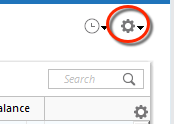
2. Refresh your online account information by clicking the Actions Gear Icon on the upper right of the register, and select Update Now. Follow the on-screen instructions to complete the update.
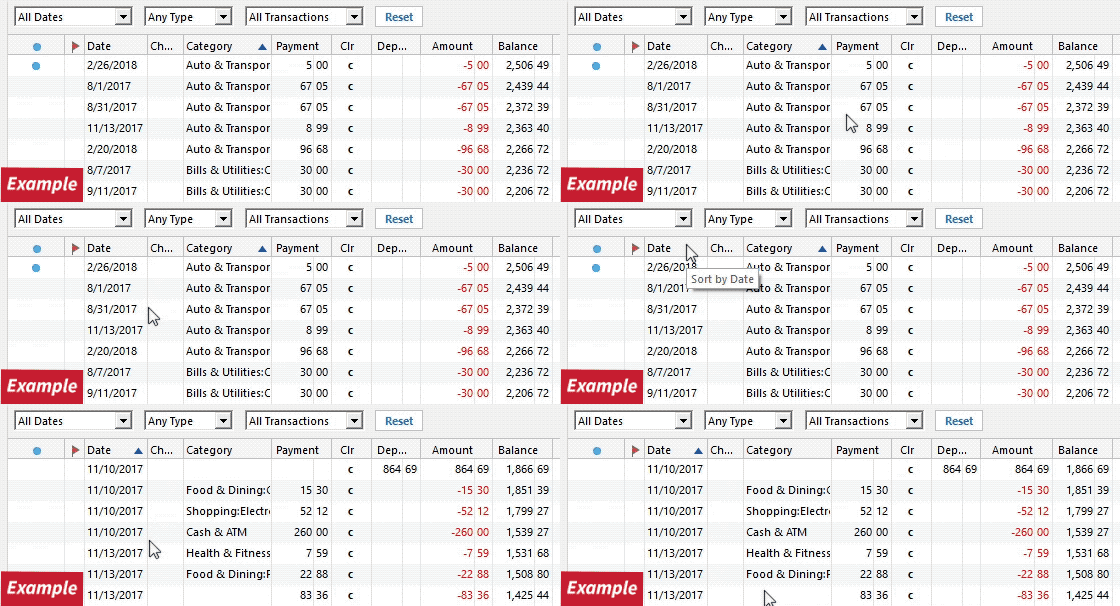
3. Confirm that the Sort Order in your account is by Date; just click the top of the Date column in your account register. It's possible the transactions are in your register, but not where you thought they'd be.
4. Click the Reset button at the top of the register. This will confirm that there's no filtering in your account register.
5. Try refreshing your login session: To do this, go to Help > Refresh Sign in. After completing the log-in process, trying running a One Step Update again.
Please open the article linked above in blue for the complete steps.
Let us know how it goes!