How do I add a second to my cloud account?
Hi @rpraiswater1, Welcome to the Quicken Community, and thank you for your post!
If you're looking to share your Quicken data with someone else, I recommend following the steps outlined in our Support Article on Using Data Sharing in Quicken Classic on the Web.
The Data Sharing feature lets you securely share your Quicken data with a trusted family member or third party through Quicken on the Web. Shared users sign in using their own Quicken ID and password, so you never have to share your login credentials.
Before using Data Sharing, please keep the following in mind:
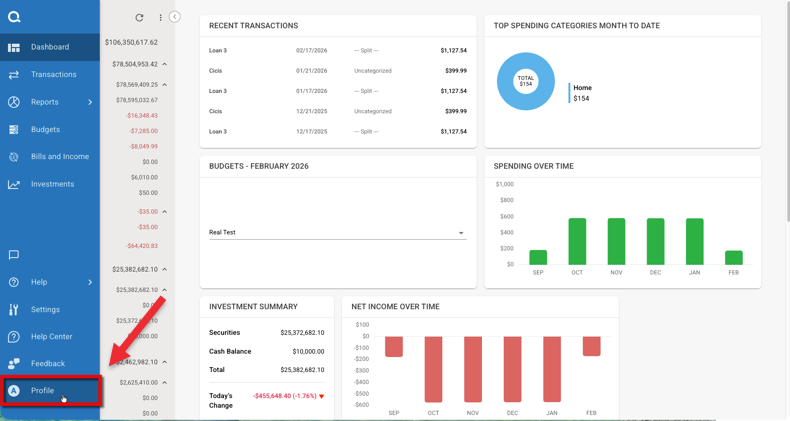
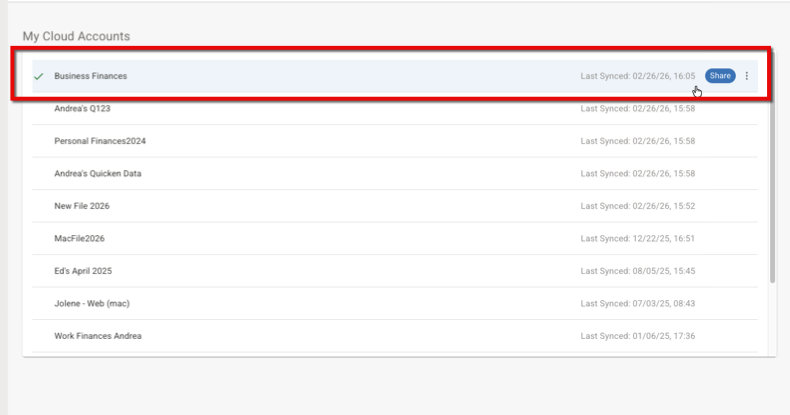
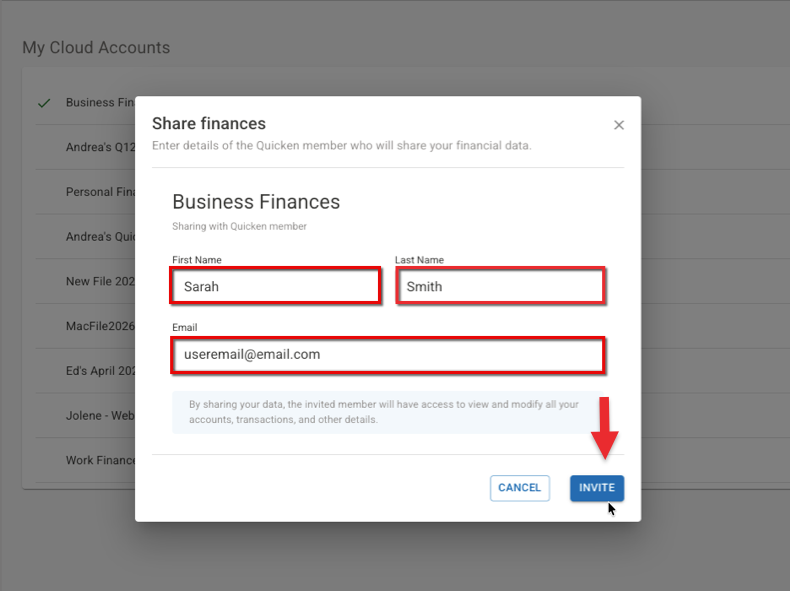
To share your data file:
The invited person will receive an email notifying them that they've been granted access. They can then sign in using their own Quicken ID.
Important: Anyone you invite will be able to view and modify all of the accounts, transactions, and other information in the shared data file.
I hope this helps!