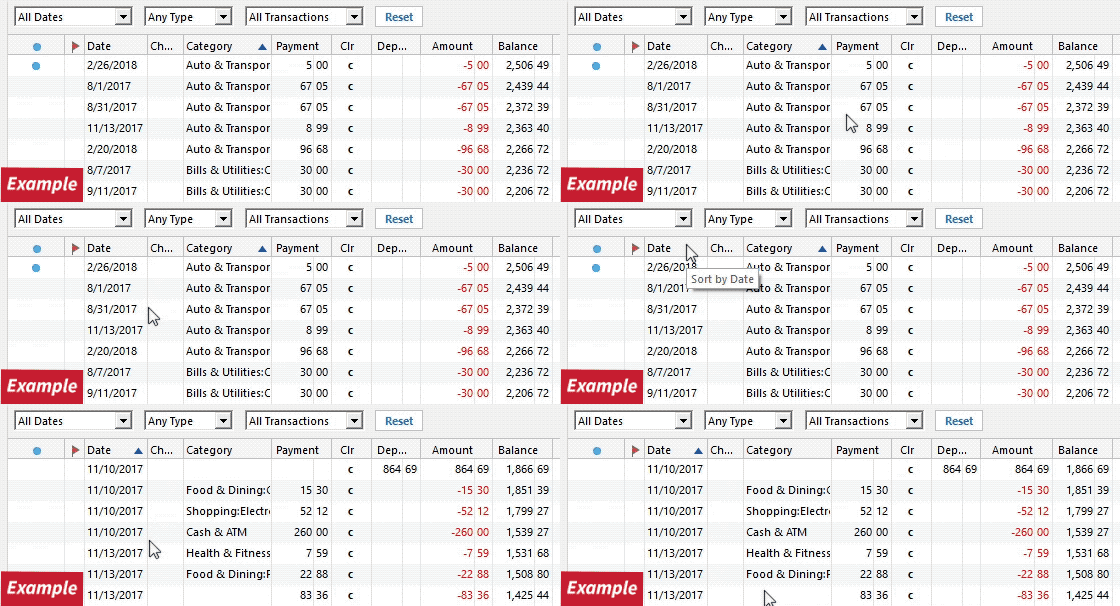
How do I fix this?
Hi @Admartin,
Thank you for reaching out. I’d suggest checking the following to make sure the transactions are in the file but may be hidden by a filter:
1. Confirm the Sort Order: Make sure the Sort Order in your account register is set to Date. You can do this by clicking the Date column header at the top of the register. It’s possible the transactions are already in your register but not appearing where you expected them.
2. Reset any filters: Click the Reset button at the top of the register. This will confirm that no filters are being applied. If you don’t see a Reset button, it means there is currently no filter applied to the account.
3. Check All Transactions: Is it possible the transaction was moved from one account register to another? Click All Transactions in the account bar and search for the missing transaction. If you find it in the wrong account, you can move it to the correct one by selecting the transaction(s), right-clicking, and choosing Move transaction(s). Then select the correct account and click OK.
4. Restore a backup: If the issue started after the latest update, you can also try restoring a backup file from before the update.
Please let me know how it goes. I hope one of these steps helps you locate the missing information!
Just checking in; we haven't heard back from you in a while.
Do you still need assistance?
Thank you!
Hello again,
I'm checking in once more before this thread gets closed. If you need assistance, let us know.