OSU is not showing investment accounts in the summary. All account updates and downloads come through. All accounts are checked for the summary.
I have read that there is possibly a bad file in QData.
Looking for advice
Fran C
[Edited - Readability]
Is there an update coming out for Quicken to resolve the OSU summary not showing investment accounts? [Removed - Duplicate Post]
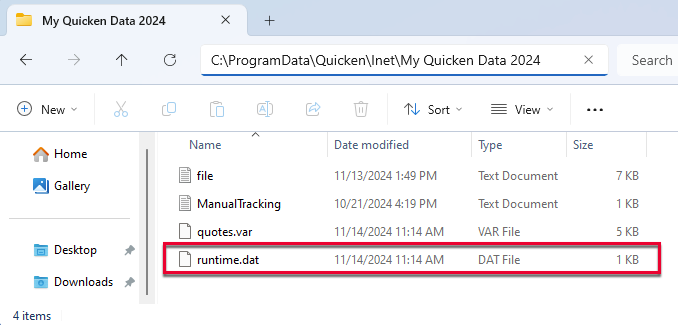
Hi @Franniedc, Thanks for posting to the Quicken Community and for providing details about the issue you’re experiencing. Since the accounts are downloading transactions but are not appearing in the One Step Update Summary, I suggest trying the following steps:
I hope this helps! Let me know how it goes.
Carlos
thank you for the feedback. for the same amount of work I uninstalled quicken and reinstalled.
that did the trick. had to use a different browser than chrome. Used Edge since for some reason the exec file would not come over correctly with chrome.
Problem solved, all accounts show in OSU summary.
fran
Hi @Franniedc,
Thanks for coming back and sharing what worked for you. I’m glad to hear that uninstalling and reinstalling Quicken resolved the issue. Your update may also help other users who are experiencing the same problem.
Thanks again for letting us know what worked! If you run into any other errors or issues, please don’t hesitate to reach back out to us here in the Quicken Community.
We’re happy to help!