Starting last week, 2 things started. Vanguard would not update, said there was a connection error. And Pentagon Federal Credit Union asked me to activate my 4 accounts every time I ran one step update. I ran Validate and Repair file, to no avail. Nothing changed. Saw that another person was having a similar problem in July 2026 and followed the steps that Quicken Carlos recommended:
- Do you currently have a VPN or antivirus software running?
- If you are using any VPN, firewall, or antivirus software, it could be affecting the One Step Update process and causing the performance issues. It is recommended to disable these services and then retry the One Step Update to see if the problem persists.
- Is Cloud Sync enabled under Edit > Preferences > Mobile & Web?
- Is Pending Transactions enabled under Edit > Preferences > Pending Transactions?
- If so, I suggest turning them off, then running a One Step Update.
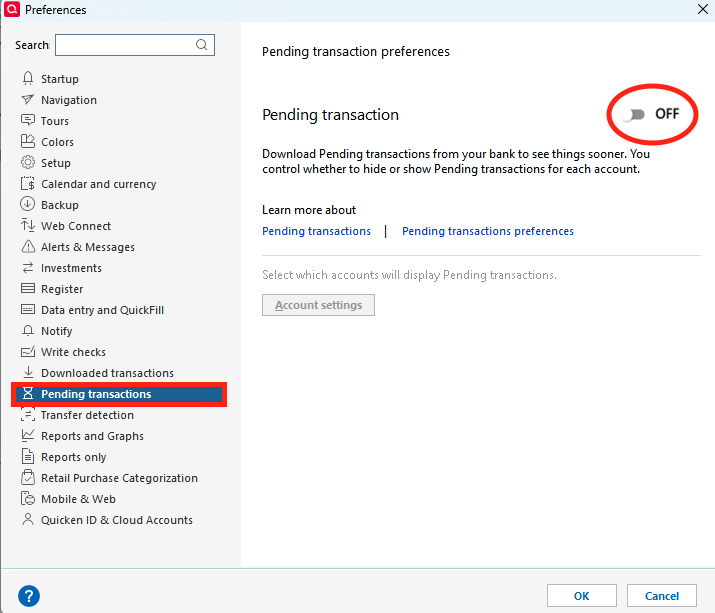
I have none of the above. And nothing has changed in my computer or network configuration.
I then ran Super Validate. Well, that made things worse. Now when I run One Step Update, even after unchecking Pentagon and Vanguard, it gets to the point where it says it completed the download, but pops up the window to Add Account for Pentagon and freezes. There is nothing I can do but pull up the task manager and end the task.
Finally, this evening I ran One Step Update and it won't run at all. It pops up the window that it is in progress but all the accounts say Waiting, Quotes and investment information Receiving, but the wheel is not turning to show progress.
I am running Quicken Classic Business and Personal Ver. 69.53 Build 27.1.69.53 on Windows 10 Home.
I have been using Quicken since the 90's.
Therefore, I have not downloaded transactions in over a week.
Please help!