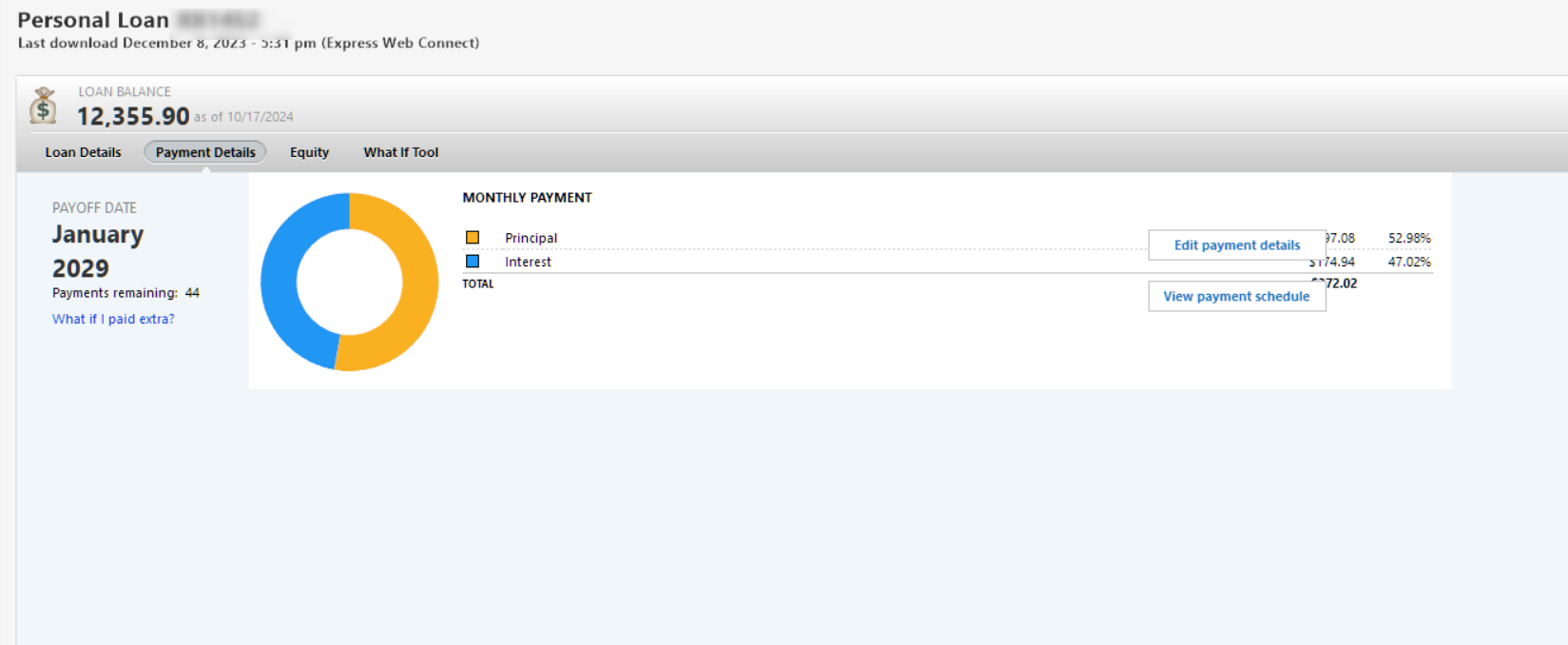
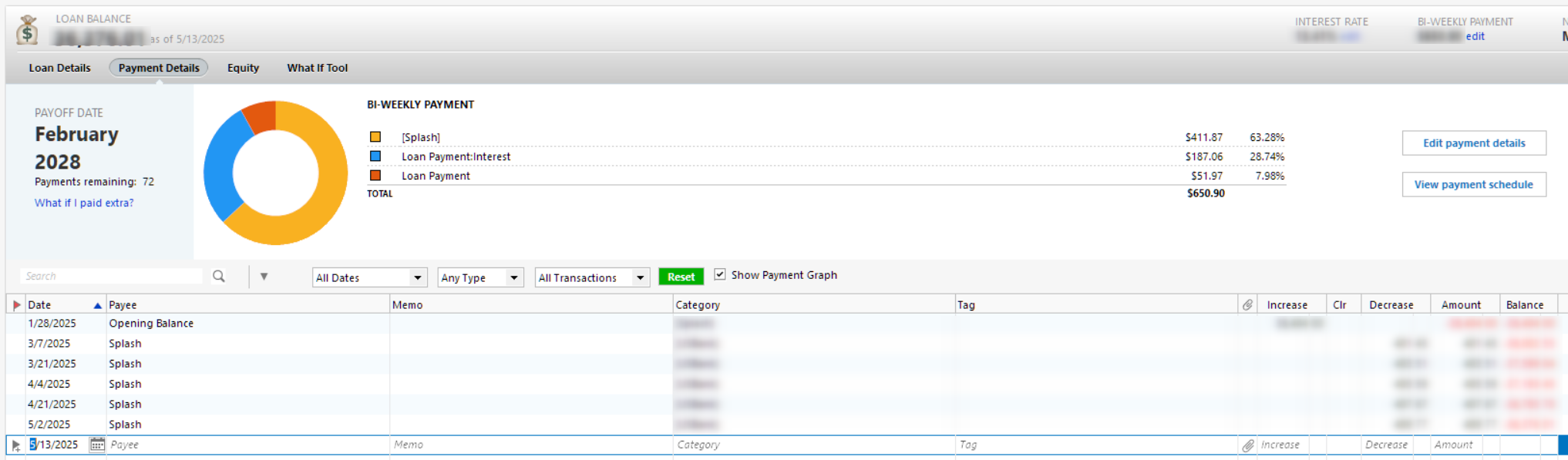
Loans-Some have the register, some don't???

Good day,
Not all
my loans have a register to track spending, etc.
But not all do, as you can see.
Is there some way to have this shown, clicking somewhere, settings?
Thanks!
Comments
-
@SeanLake it looks like the first loan is an online loan where you are connected and download transactions from your lender. Online loans do not have payment registers. If you want detailed tracking with a loan payment register, you need to disconnect the loan from the lender and convert it to a "manual loan".
1 -
@SeanLake to fully convert an online loan to a manual loan, you should:
- Make a backup of your data file.
- Create a new manual loan account and enter loan details.
- Deactivate the online loan account under Edit/Delete Account > Online Services > Deactivate.
- Transfer transactions from the online loan to the manual loan account.
- Delete the old online loan account once everything is set up.
This ensures you can manually track payments and adjust details as needed
1 -
Thanks ya all! I appreciate that.
0 -
Yeah, I paid these all off via consolidation, so YAY, they're all paid off. Now just one payment LOL.
0 -
Oh, CaliQkn
now when you say "Transfer Transactions, I assume you mean manually copy and paste?0 -
@SeanLake use the "Move" command. Highlight all the payments and then right click the transactions. Select the move command and select the new loan account. If you get prompts just click "OK".
0 -
@SeanLake please make sure to make a backup before you create the new loan. Just in case you need to go back.
0
Categories
- All Categories
- 6 Product Ideas
- 34 Announcements
- 249 Alerts, Online Banking & Known Product Issues
- 19 Product Alerts
- 266 Welcome to the Community!
- 301 Before you Buy
- 1.5K Product Ideas
- 55.8K Quicken Classic for Windows
- 16.9K Quicken Classic for Mac
- 1K Quicken Mobile
- 834 Quicken on the Web
- 129 Quicken LifeHub