Planner width adjustable

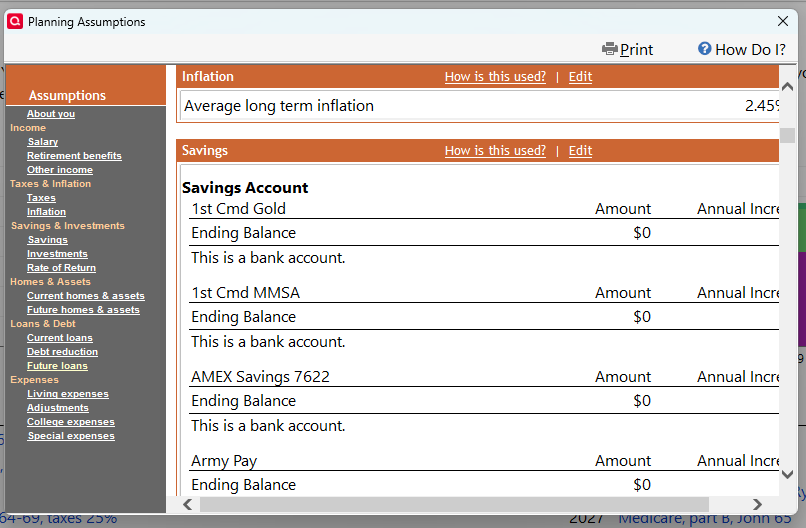
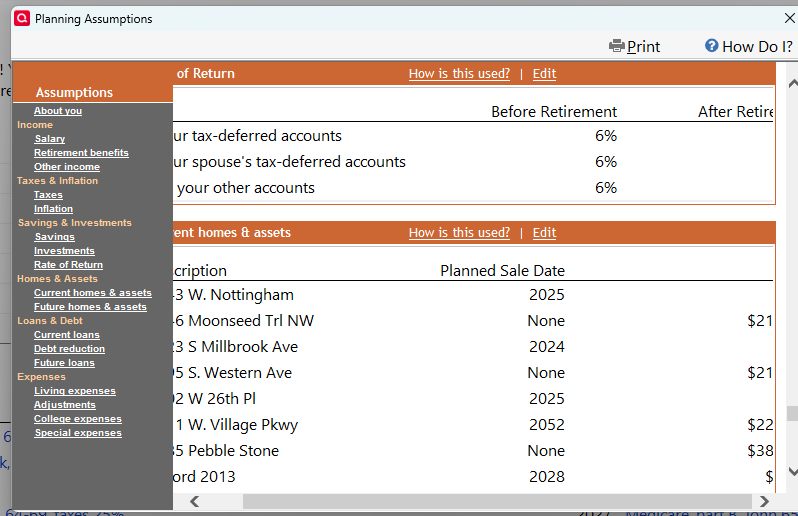
I wish the Quicken Planner width would be adjustable. Cannot see inflation above unless using slider bar, just to see the % at the end of 2.45%. Also below, you cannot see return - after retirement, even with slider bar all the way to the right.
Comments
-
Are you using View / Use large Fonts or any other Windows setting "to make text larger on screen" greater than 125%?
0 -
@jsnider47 - it looks like you are using Large Fonts. If you click on View and deselect "Use Large Fonts", you will be able to see the full screens.
0 -
Thanks, Yes, Large Fonts. With no large fonts, works to see full screens. But with Lifetime Planner and Tax Center, the font is then small. My solution, I changed to Quicken regular fonts, then in Windows, System, Display, made Scale at 125% - so I see regular font at large size on computer screen, AND see full Quicken Planner screens that Quicken has available. Thanks again.
0 -
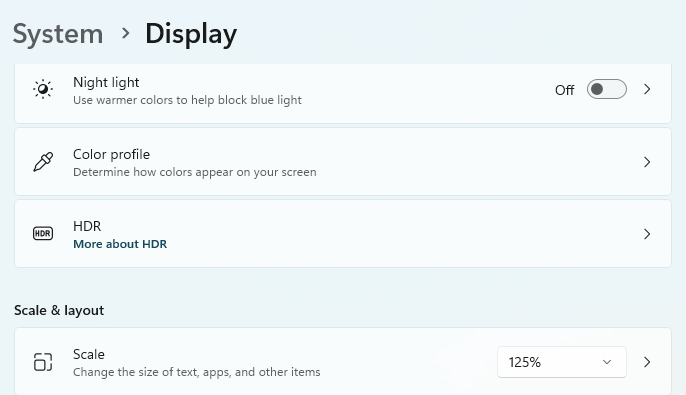
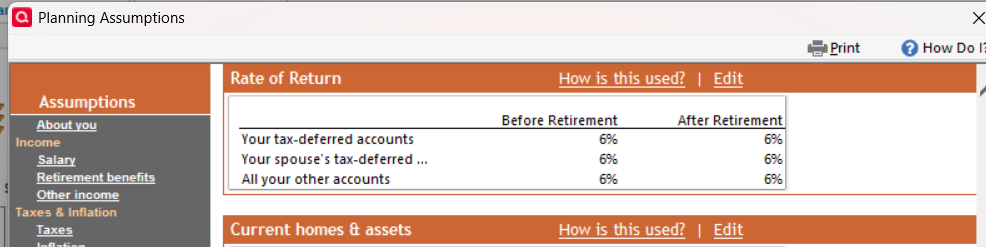
So it works this way.
0 -
Thanks for posting this workaround solution. Hope that helps other users in the same situation.
As far as your Idea is concerned, I agree. These windows have existed mostly unchanged ever since the 1980s and are in urgent need of an overhaul, to make them compatible with all sorts of screen resolutions, from a small laptop to a large hi-res 4k monitor.
This should be added to the programmers' (already large) workload.
So, everybody who reads this: Please vote on this Idea. Locate the big yellow box near the top of this webpage (or page 1 for long discussions) and click the "Up" triangle under the voting count.

Wait a moment for the vote count to be registered and updated before you continue.
The little triangle changes from black to grey after you have registered your vote.
Adding extra comments helps, but does not automatically increment the vote count. Every vote counts!1
