Transaction Download Simplification for Managed Investment Accounts?

I am using Quicken Classic Premier on Windows. When I set up my managed brokerage account the first transaction download asked me if I wanted to keep track of the share lots sold or use an average. I selected to the track lots sold. As long as I have not sold anything I can use the Accept All button to download all transactions. However if I have sold anything, the Accept All button will not work for sold transactions and I must Accept each sell transaction and then Yes to the track share lots question (this is for each sell transaction). As the account has grown this has become more and more inconvenient. Since account is managed I don't need this detail since the managing company provides this info each year for taxes. Is it possible to change this procedure to discontinue the share tracking and ease the download experience?
Comments
-
@Galaxie click on Edit → Preferences → Download transactions, and then click on "Settings" to the right of "Lot assignment after Investment download" -
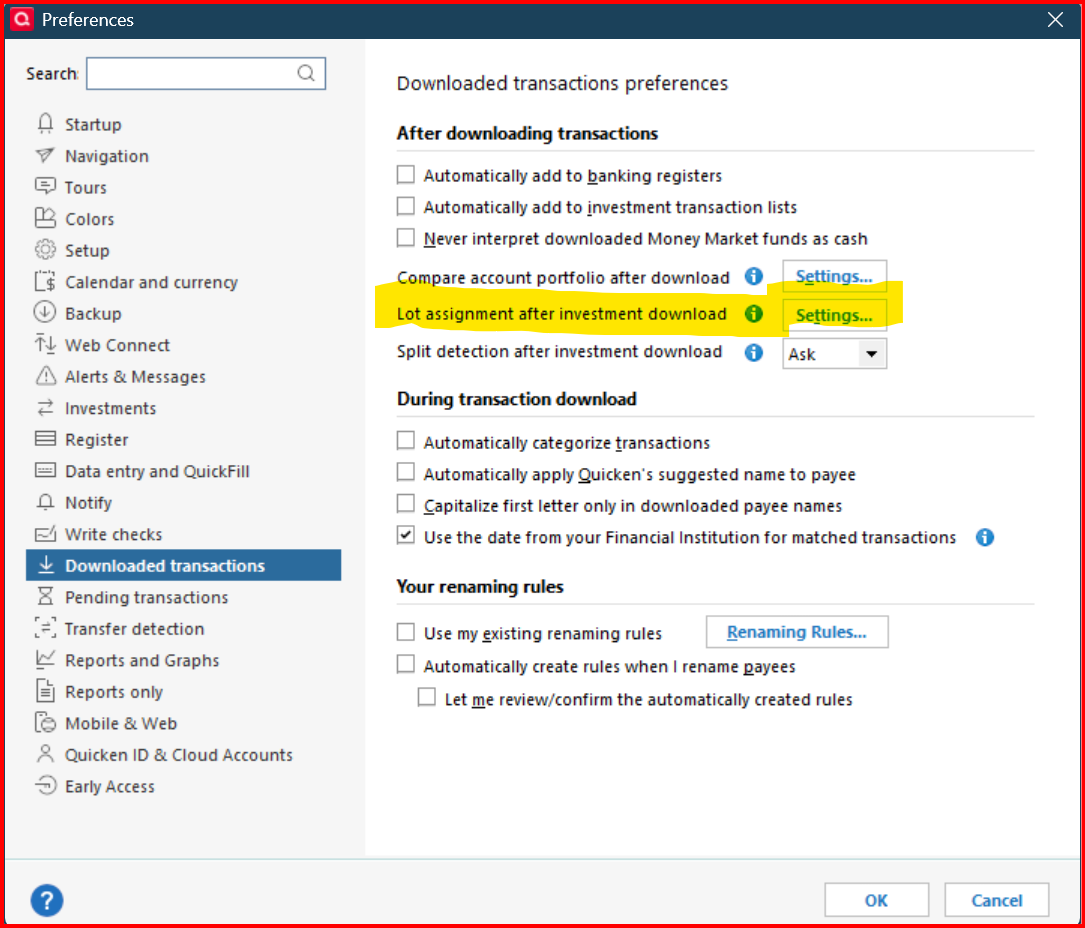
A small window will open with some lot assignment options -
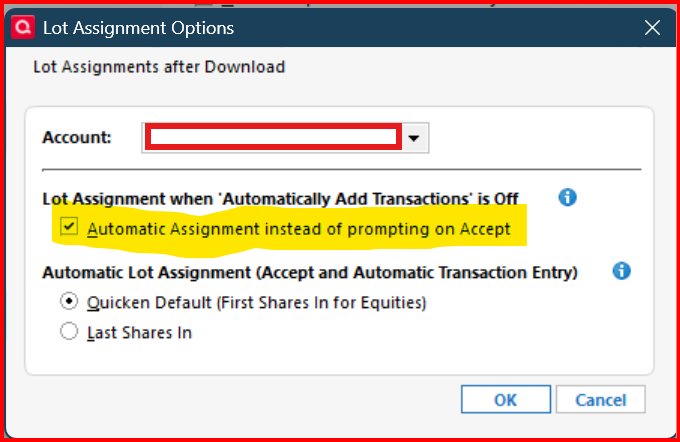
In the drop down box, select your managed account and then check "Automatic Assignment..". Do this for each of your managed accounts that you want Quicken to automatically select lots when "Sold" transactions are downloaded. Once these settings are establish for each managed investment account, you will be able to select "download all" for investment sale transactions.
0 -
Awesome. thank you very much
0