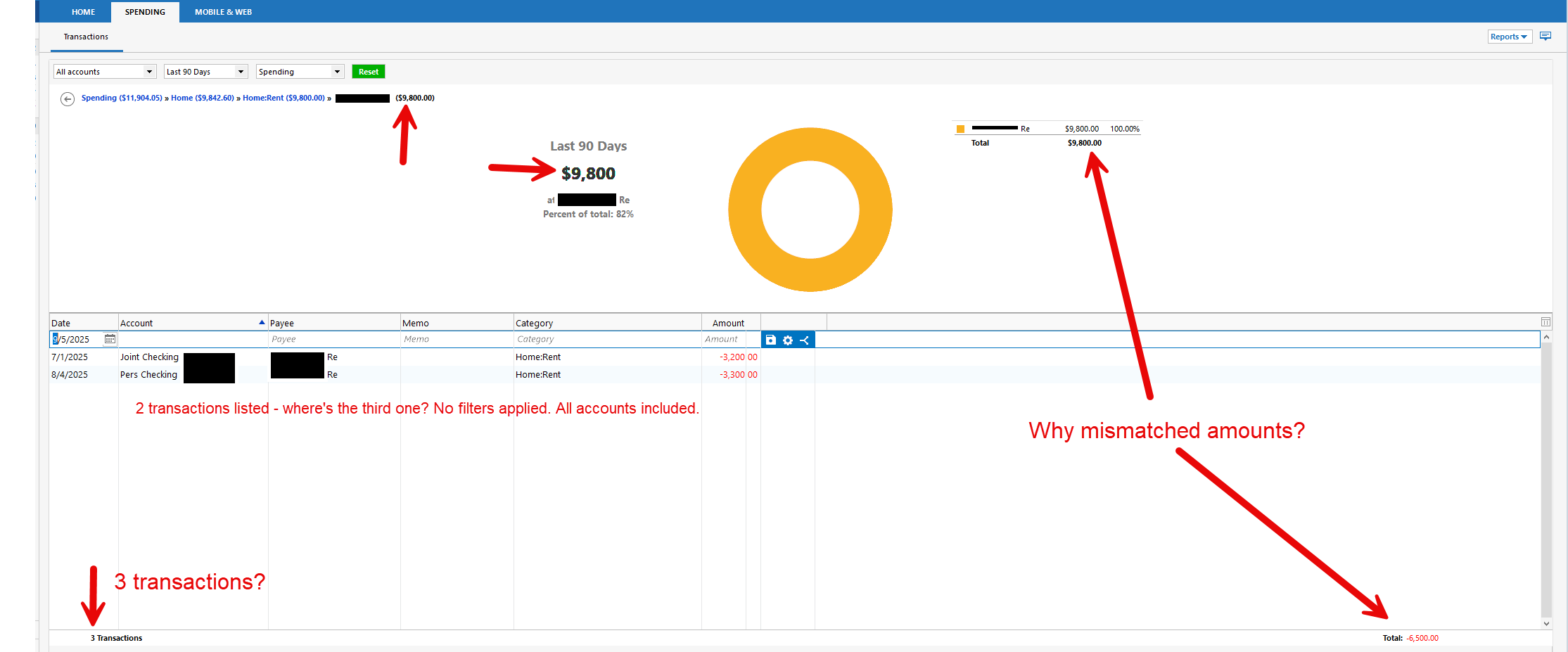
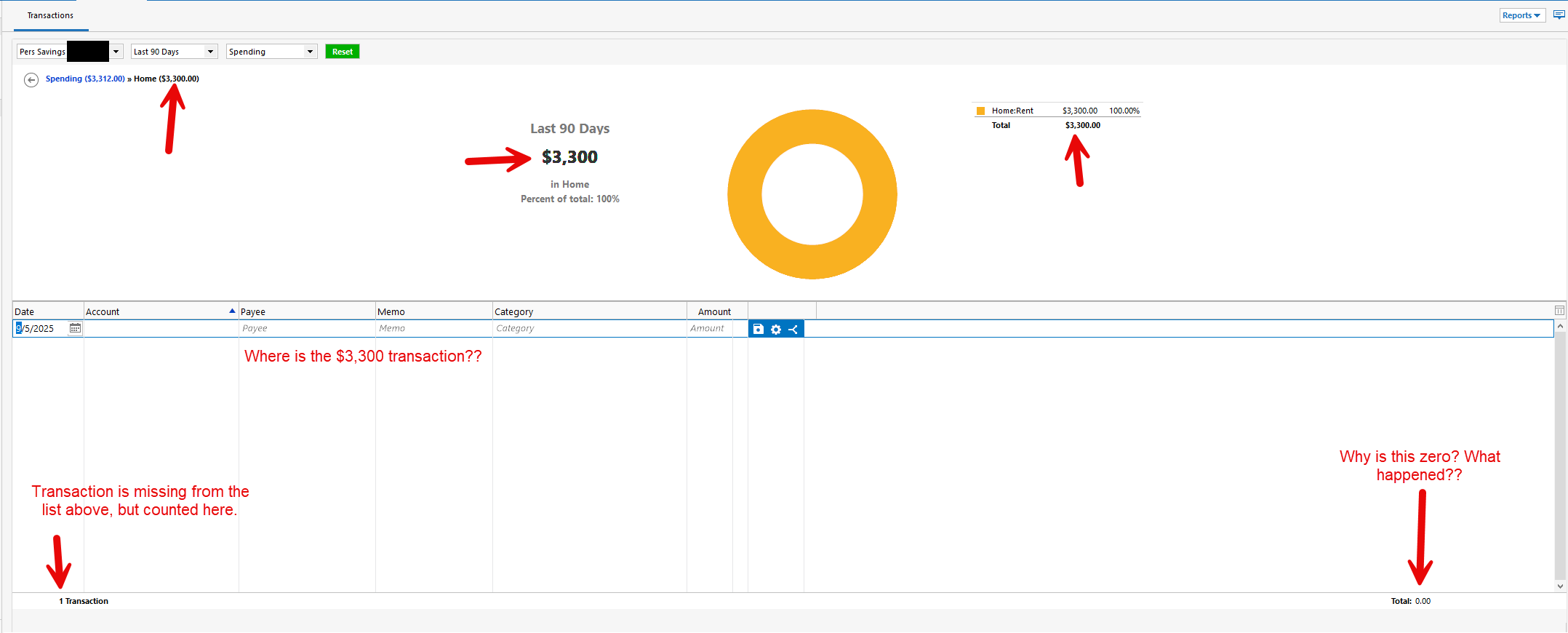
Spending tab missing transactions, balances do not match

Best Answer
-
I'm not experiencing that issue so it' probably not a systemic Quicken issue. First, and easiest, troubleshooting step to try is Validate/Super Validate on your data file(s). However, next and more likely the issue, I would try uninstalling and reinstalling your Quicken program software.
But, if you do want an answer from "Quicken IT support care", you'll have to contact Quicken Support.
2

Answers
-
Even better picture — is this product trustworthy??
 0
0 -
I'm not experiencing that issue so it' probably not a systemic Quicken issue. First, and easiest, troubleshooting step to try is Validate/Super Validate on your data file(s). However, next and more likely the issue, I would try uninstalling and reinstalling your Quicken program software.
But, if you do want an answer from "Quicken IT support care", you'll have to contact Quicken Support.
2 -
Validating the data file made those transactions appear. Thank you for this answer!
1