How to turn off "Use Online Bill Pay" when writing a check

REvelyn01
Member ✭✭✭
Hi,
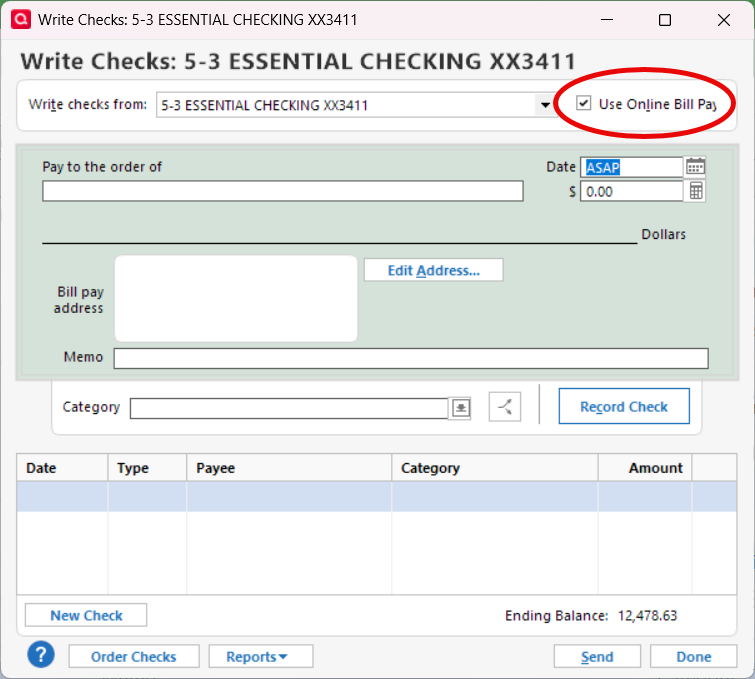
Is there a way to make the default for "Use Online Bill Pay" checkbox to be unchecked ?
Everytime I write a check, I have to uncheck that box.
Tagged:
0
Answers
-
Is this checking account enabled and used for Quick Pay, Check Pay? If so, consider disabling it (Edit Account Details, Online Services tab: Online Bill Pay "Go to Settings". Select and disable account on next panel)
The only other option I can find (but I'm not sure if this works) is in Edit / Preferences / Write checks: Uncheck "show Check Pay option …"
0 -
Thanks… I deactivated the bill pay as you suggested - it worked.
0

This discussion has been closed.
Categories
- All Categories
- 6 Product Ideas
- 34 Announcements
- 253 Alerts, Online Banking & Known Product Issues
- 19 Product Alerts
- 265 Welcome to the Community!
- 301 Before you Buy
- 1.5K Product Ideas
- 55.8K Quicken Classic for Windows
- 16.9K Quicken Classic for Mac
- 1K Quicken Mobile
- 834 Quicken on the Web
- 129 Quicken LifeHub