Order Checks

Harland Clarke
Ordering from them is filled with problems with no real solution.
I use Quicken for my personal checking account. For years I ordered checks - three per page - classic style - no problem.
Recently I went to their site, as directed by your website.
Under personal checks no three per page, so settled on one per page - showed a picture - and it looked like it would work.
Got the checks three weeks later and they turned out to be a book of checks for hand writing. Of course impossible to use in a printer 100% compatible ??
I called Harland and they were helpful - it was my fault I should have ordered business checks. How was I supposed to know?
They sent me new checks ( three/page ) like I wanted.
Solved the problem - not really. Directions on alignment are not good. worked for 2 hours and got it sort of ok, but not like it used to be. Can't adjust the individual entries on the printout, only the whole group as one.
Finally got it to sort of fit, but the memo line is too close to the bank code and can't be individually adjusted.
[Removed - Speculation]
What's next? Order checks from an alternative source? Will they be compatible? Or cancel my membership - buy an alternative system, or just write the few checks I do by hand.
If I've got a problem you have a worse one. I'm just one subscriber.
Les Sussman
SAHI2LES
Comments
-
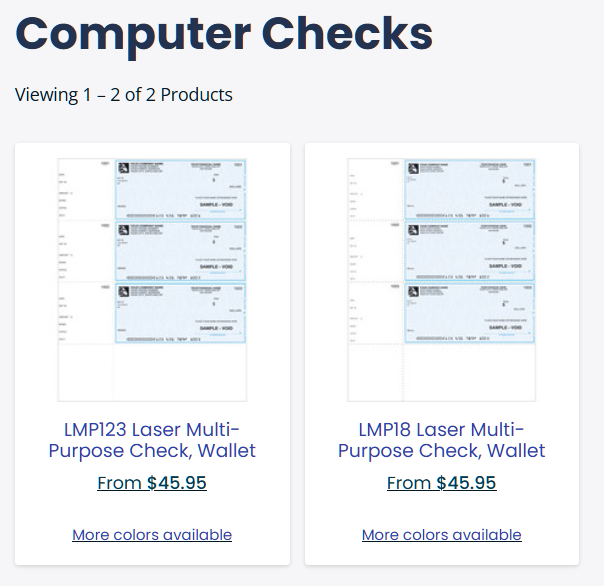
I went down the path from the link in QWin itself to order checks. I narrowed the selection to the two below. I wonder what the difference is and what the LMP number means.
Quicken user since version 2 for DOS, as of 2025 using QWin Premier (US) on Win10 Pro & Win11 Pro on 2 PCs.
0 -
I should have ordered business checks. How was I supposed to know?
On the checks page, it says
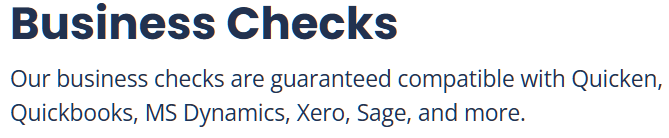
It doesn't make the same claim for personal checks.
Quicken user since version 2 for DOS, as of 2025 using QWin Premier (US) on Win10 Pro & Win11 Pro on 2 PCs.
0 -
Printing checks, ordering Quicken-compatible checks from Intuit or other companies
Click File / Printer Setup / For printing checks to select the correct Check Style.
For 3-per-page personal size checks choose "Wallet Checks (Check 21 ...)", not "Wallet Checks" (unless you still use some very old stock from many years ago). Date and Amount fields will not align properly if you choose incorrect type. Memo text should print just above MICR code line
For 3-per-page business size checks choose "Standard Checks", not "Voucher Checks".
For 1-per-page business size checks with 2 stubs choose "Voucher Checks".
Canadian users need to select between 2 layout styles, e.g., old style "Voucher" vs. new style "Voucher - Image ready".
You may have to scroll the list of check styles up or down to see all available styles.
Also be sure to choose and test the proper selections for how to print a partial page in your printer … the settings to choose (e.g., horizontal vs. vertical feed) may depend on the make and model of printer that you use.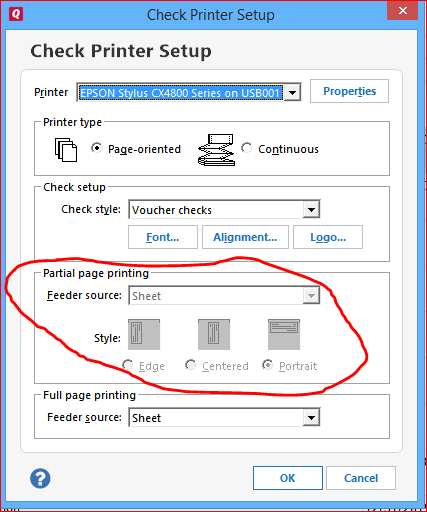
Laser / inkjet sheet-fed printers: in Windows Printer Properties select paper size 8.5x11", standard paper, 100% size. Do not use any "Auto detect" or photo print settings.If you have problems printing partial pages, you can try to use form leaders to feed your printer with a proper 8.5x11" sheet while printing a partial 1- or 2-checks page in normal portrait orientation.
See for an example of form leaders. Check your local office supply store, search on the Internet or order from Intuit.Quicken US version only: For a review of Quicken - compatible check styles and perhaps to order new check or envelope supplies, please see and (the website talks about checks for use with Quickbooks but the same style checks also work with Quicken). Feel free to order from Intuit or any other check printing company that offers Quicken/Quickbooks - compatible checks
My 2cents' worth:
I use Voucher Checks (1 business size check + 2 stubs on an 8.5x11" sheet). My printers do not have a manual feed tray or 2nd paper tray that can easily be reconfigured to feed partial pages (1 or 2 checks left from a 3-checks-per-page sheet), so for my occasional check printing needs Voucher Checks are easiest to use.
When making a purchase decision for a new supply of check forms and considering your own check stock to use, consider how easy or difficult it is to feed special forms or odd-size partial pages into your printer.0


Categories
- All Categories
- 6 Product Ideas
- 34 Announcements
- 253 Alerts, Online Banking & Known Product Issues
- 19 Product Alerts
- 265 Welcome to the Community!
- 301 Before you Buy
- 1.5K Product Ideas
- 55.8K Quicken Classic for Windows
- 16.9K Quicken Classic for Mac
- 1K Quicken Mobile
- 834 Quicken on the Web
- 129 Quicken LifeHub