unable to view community alerts: why?

I'm trying to view a community alert and it tells me there's a permission problem. I try to Ask a Question and in the list of areas in which I can ask a question, I cannot select product alerts. I've been a user of quicken for about 40 years, and subscribing since they made me subscribe. Is there more money I'm supposed to be paying in order to see product alerts?
Comments
-
when I sign in to quicken.com and look at my account, I can see that my subscription renewed on nov 24, 2025, with next renewal happening nov 24, 2026, but in About Quicken it says that my subscription expired on Nov 24, 2025. Looks like my quicken classic and the quicken community think my subscription has expired, but my quicken account (and my credit card statement) say otherwise.
0 -
AFAIK your subscription level has nothing to do with forum permissions, except perhaps that because it thinks your sub has expired it might be limiting you to only certain areas. You can't buy better access to the forums other than to be a subscriber.
As for the discrepancy in your subscription status, try logging out of your Quicken account in the Quicken app and on the forum and then logging back in again. Often that will reset such things.
0 -
As far as the permission problem accessing an alert or discussion in the Community is concerned, the item you're trying to look at may have been archived.
If you could give us the failing URL, a Superuser like myself or a community moderator can look it up for you and give you more information.I hope, you've been able to refresh your Quicken ID in your Quicken program on your PC or Mac (PC: try Help / Refresh signin)
0 -
Thanks folks. I noticed Refresh signin just now and that did indeed update the subscription status in the desktop app. However the most recent alert from the Trending Alert box on the community homepage is https://community.quicken.com/discussion/7967888/updated-11-10-25-pnc-bank-direct-connect-and-pnc-web-connect-missing-transactions/p1?new=1 , and it gives me a permission problem (even does it just now while it was trying to convert the URL into something helpful in this message). On the other hand, I just was able to navigate to the alerts, and view the one about one step update again messing up paycheck reminders. So maybe this is fixed?
0 -
That post you linked to is an archived post, so as @UKR said it's no longer publicly viewable. The last post in that thread indicates the connection issues with PNC were resolved. If you left your PNC accounts connected via Direct Connect you shouldn't need to do anything except update to the latest Quicken Windows; if you disconnected your accounts you should be able to reconnect them after updating the software. You'll need a PIN from PNC to reconnect.
0 -
Thanks Jon. I was only referring to that alert because it's one that's on the home page of the quicken community for me. I don't actually have a PNC account.
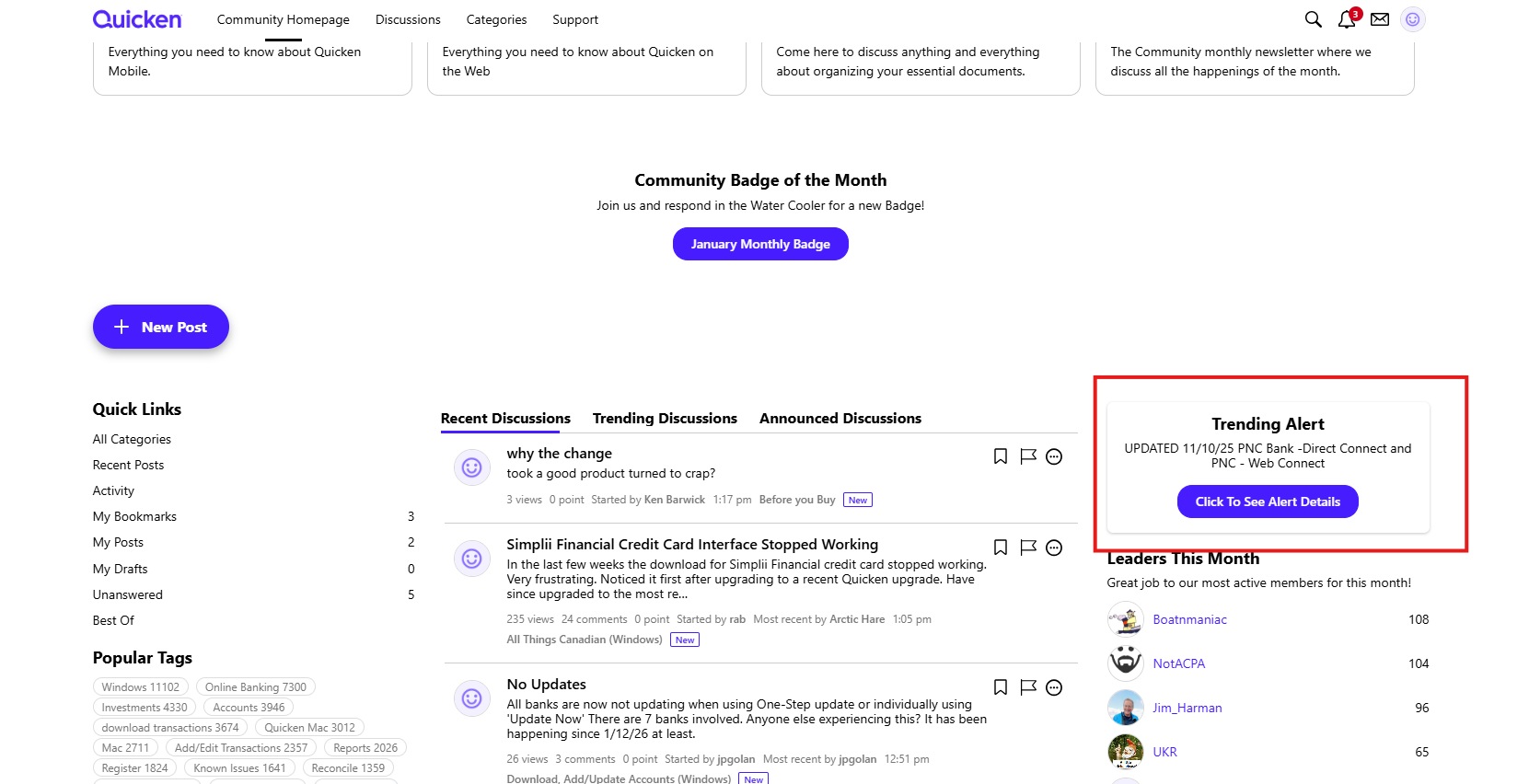
It'd be great if the software on which this community is based were more clear about things like this, and didn't surface on the home page content that has been archived.
0
