Real Estate escrow account file

Hello all. I use Quicken Classic at a legal office as an escrow account (most often it is used for real estate transactions), so I don't have the typical categories like groceries, utility bills or the like. Each category is instead a transaction - a purchase, sale, refinance, estate planning, etc. The file was started in 2013, and over the years the file got so large that it was unwieldy, so we started a separate new file.
Since it's an escrow account, it is audited from time to time, and must be reconciled to the penny.
But there are many many categories that still have money in it that I have to disburse. It is an escrow account so the money does not belong to us. Sometimes a buyer or seller or whomever doesn't cash a $2.00 check, so I have to chase them down and get them to cash it. There are many many many of those transactions. When we are audited, each transaction should show that each transaction is $0.00, meaning that all funds are disbursed for that transaction.
So, for the transactions that are not reconciled to $0.00, do I have to copy all the debits and credits to the new file so that they will then reconcile to $0.00 once the checks are all cashed? What's the best way to do this?
I hope all this makes sense!
Cheers,
Sandy
Comments
-
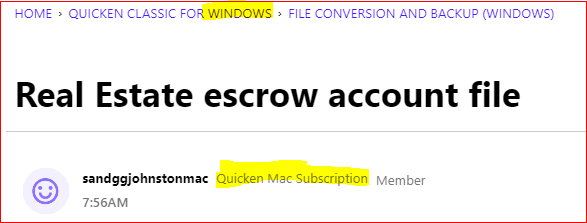
I'm not quite sure whether you are using Quicken for Windows Classic or Quicken for Mac Classic. This discussion was created in a Community Category for Windows yet your Community user profile indicates Mac.
So, here's an answer from a Windows user's point of view:
Are any of these transactions marked "cleared" or "Reconciled"? This is indicated by a "c" or "R" in the Clr field.
Since you're not downloading transactions from the bank, I would assume your answer to be "None of the transactions are marked cleared or reconciled." Correct?One idea that comes to mind, to help you whittle down the file to a more manageable size would be to
- sort the register by Category (which, I assume, represents a client name)
- block-select all transactions belonging to one category where the Running Balance at the last transaction shows 0.00
- right-click one of the highlighted transactions. In the popup menu select "Reconcile status", "Reconciled".
This will change all selected transactions and put an "R" into the Clr column. - Set up the Filter fields at the top of the register to show only Unreconciled transactions. The filter removes all transactions marked "R" or "c" from the view. It does not physically remove any transactions from the register. It just hides them from view, making it easier for you to work only with unreconciled transactions. Setting the Filter back to show All Transactions restores the register view.
- Repeat this process until the only transactions remaining in the filtered view are those with a non-zero balance.
- When done, clear the Filter setting to show All Transactions and sort the register to "by Date in ascending order"
Now you can create a backup of your data file. It may be advisable to occasionally create additional backups while you're working on the above task.
As a next step, you can create a Year End Copy of the data file. This essentially splits the data file into two parts:
- A new Archive file containing only the reconciled transactions prior to the selected cutoff date, e.g., 12/31/24
- Your current data file will now contain only unreconciled transactions prior to and after cutoff date and reconciled transactions after cutoff date.If the process worked as expected, you now have an active (aka current) data file, reduced in size to only those clients you still need to actively work with, plus a few clients which you were able to close out and reconcile to a 0.00 balance in the time since the cutoff date.
___________________
BTW, I recently read something about checks dated older than 6 months ago and banks refusing to cash these old checks. If that's correct, you could cancel and write off these checks and wouldn't have to run after the clients to cash them.
Please do check this with some legal experts … you might be able to save yourself and your company some time and money …0

Categories
- All Categories
- 18 Product Ideas
- 34 Announcements
- 246 Alerts, Online Banking & Known Product Issues
- 19 Product Alerts
- 518 Welcome to the Community!
- 682 Before you Buy
- 1.5K Product Ideas
- 55.7K Quicken Classic for Windows
- 16.8K Quicken Classic for Mac
- 1K Quicken Mobile
- 834 Quicken on the Web
- 127 Quicken LifeHub