Performance vs Portfolio Value

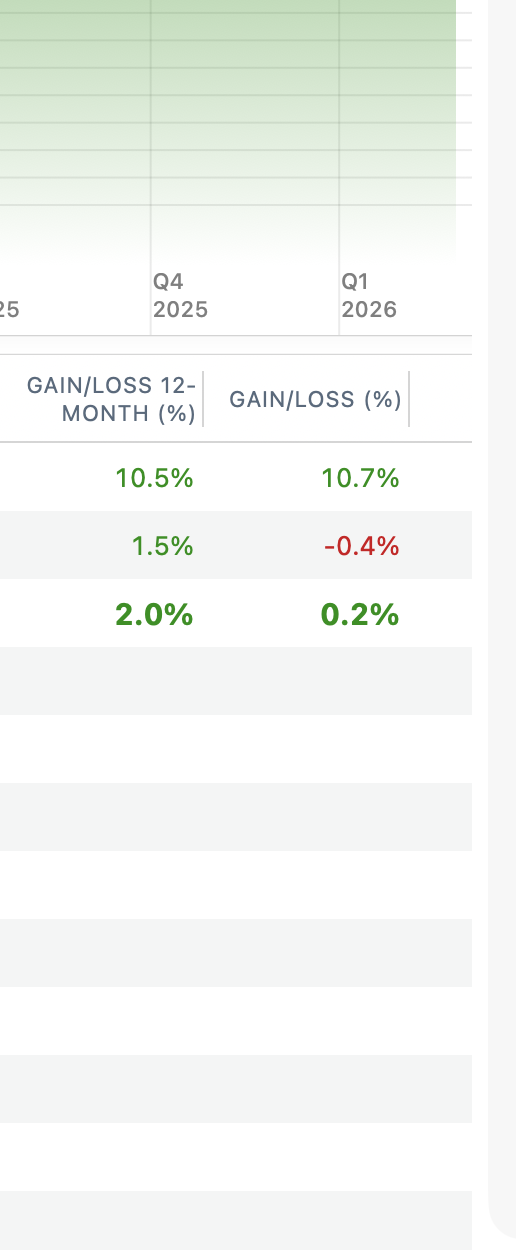
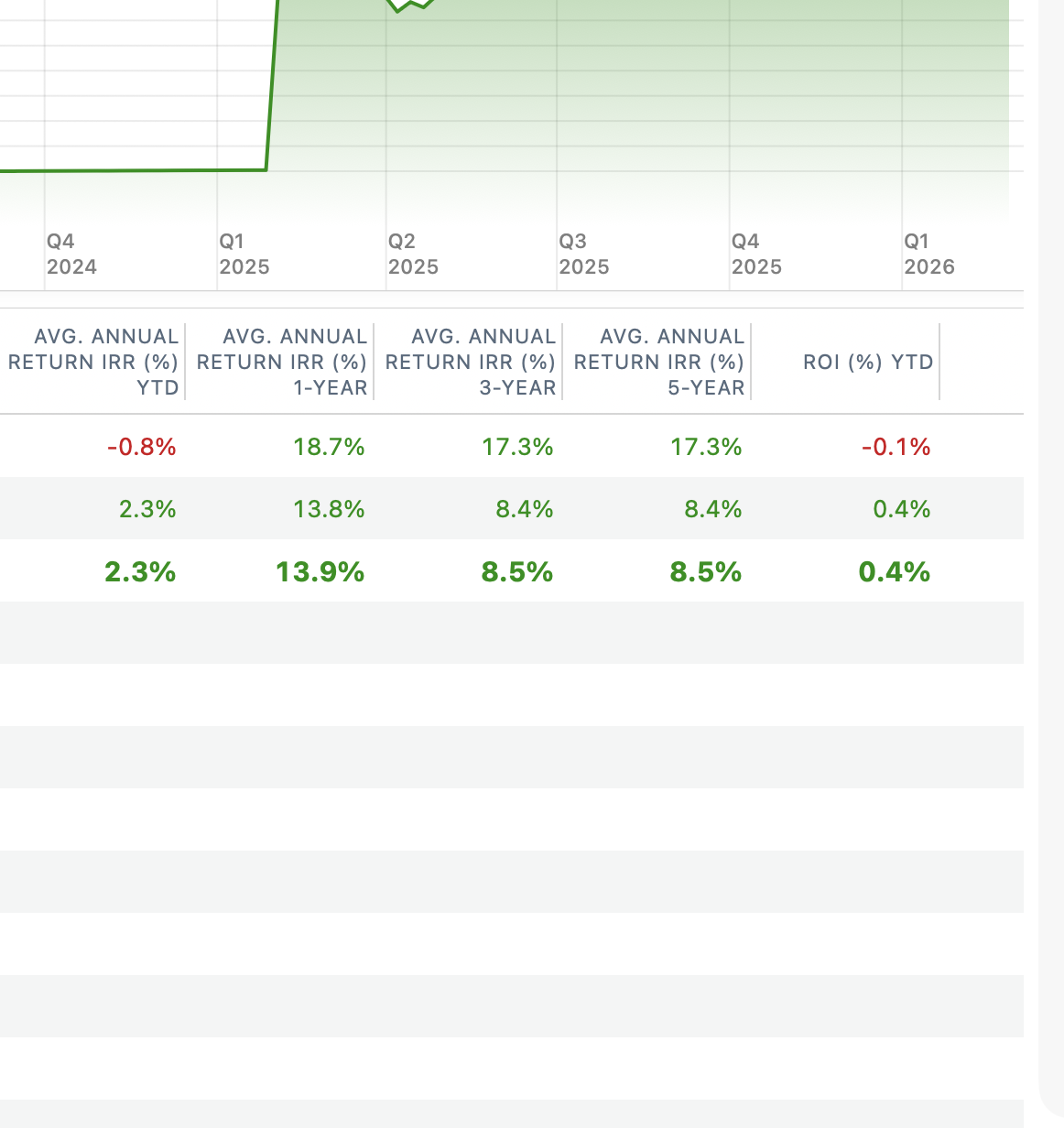
I've spent hours upon hours trying to figure out why Quicken didn't show correct returns on my investment accounts. It has been showing less than a half percent return when I knew that wasn't correct. I spent hours over the past few months looking through transactions trying to find why it wasn't correct. This morning I noticed the tab that allowed me to change from the default Portfolio Value to Performance and finally I saw a number that made sense.
I recently moved to a new financial advisor and know from the online tool my portfolio was up about 8% since moving in January of 2025. The first screen shot is the Portfolio Value which was what I've been looking at the last year and I knew was wrong. The second is the Portfolio view which is correct.
What is the difference between the 2?
Answers
-
You (understandably) left the axis out of your graph, so I can't be sure. But it appears you went from$0 to the current holdings.
When you switched to the new advisor in 1/2025, did you move to a different brokerage? How are those shares added in? Add Share placeholder transactions? Did you enter the cost basis into those?
If you don't have the cost basis entered into those initial shares 1/25, Quicken won't be able to get accurate gain loss info for them.
That is just a thought based on the info you provided.
1 -
Thanks John!
You are correct, started at zero. I changed careers late in life and rolled a 401K I had been funding for 30 years to the advisor. For decades I've been a Quicken user and didn't really pay attention to the investment portion of Quicken but I'd like to have it a bit more accurate now.
I liquidated my 401K and rolled it into the advisor as a pretty big chunk of cash. For the initial transactions in Quicken I entered two lines that were "Payment/Deposit" and the catagory was "Adjustment".
What can I do to fix it, I really only care about results from 1/25 going forward.
0 -
Hi, again, @MJ1218
This shouldn't be too hard to resolve. You just have to scroll back to your transactions around 1/25 to see what is going on. Note that there are a few ways to add in securities into your account:
Add Shares: This adds the shares in without affecting your cash balance, and has no cost basis info unless you specifically edit the transx and enter the cost basis. If you don't, Quicken will assume the transactions came out of the thin air-you got them for free. I suspect that is why your gain/loss data is wrong.
Buy Shares: This also adds shares, but will reduce the cash balance accordingly. This buy will affect the cost basis as it shows a purchase price.
I am not there to see your data, but I suspect you transferred the cash into this account when you liquidated your 401k. And when setting up the account for brokerage, it simply added in the missing shares. So, you have the cash in transfer, and then an adjustment to reduce the cash balance back to zero (so your portfolio wasn't 2x at that point. Is this what happened?
If so, you can handle this a few different ways: change the Add Shares to Buy transx for each fund with the amount on that acquisition date. Or, you can leave them as add shares, and edit the cost basis info with the same amount on the acquisition date. Then, you can get rid of the adjustments.
If your Quicken data file shows a transfer from your old 401k to this brokerage showing the cash transfer, then I would use Buy transactions.
Let us know what you are seeing. Good luck!
0 -
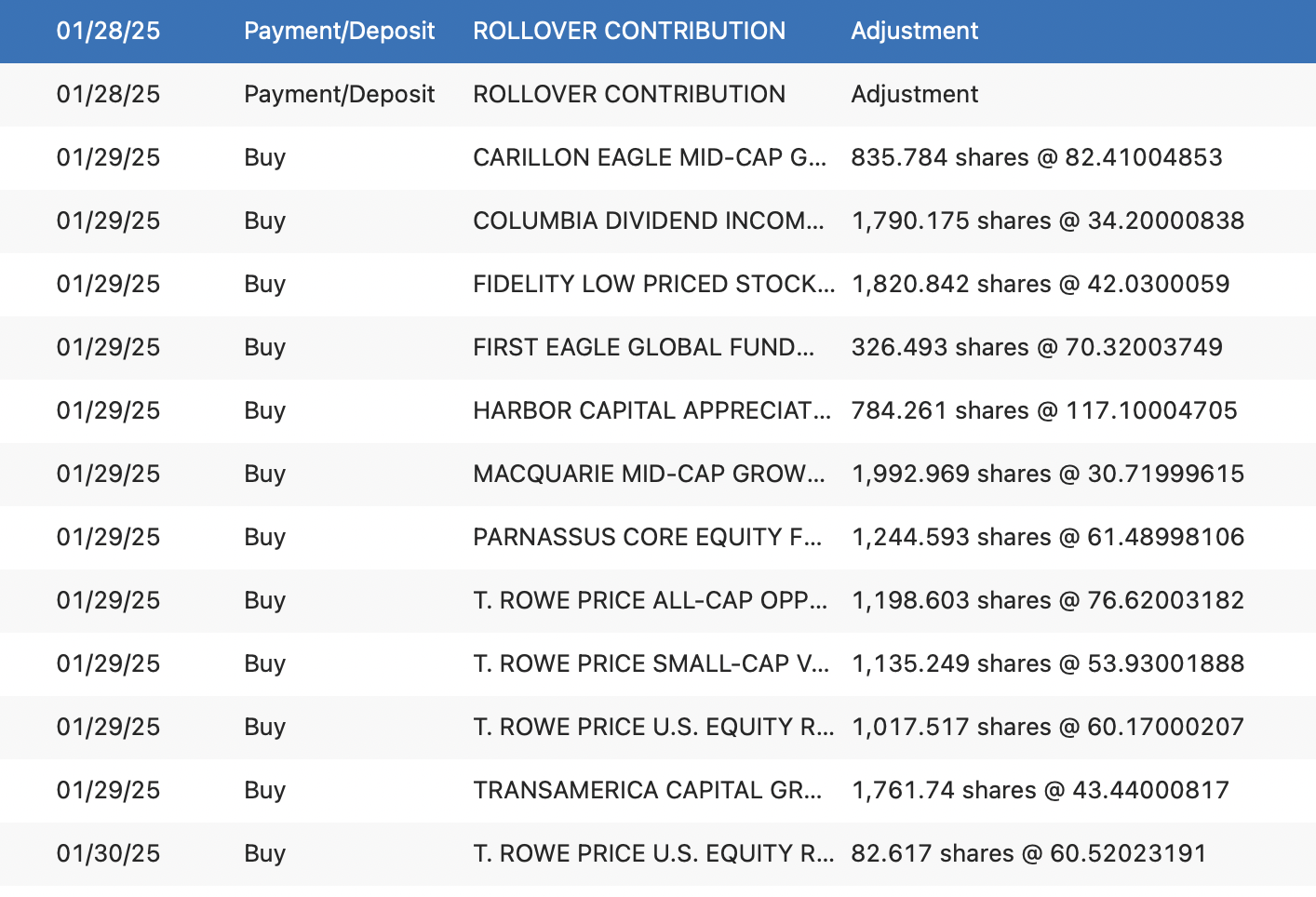
Here is the beginning of the new account, came in as cash then there were some purchases of new funds shortly after.
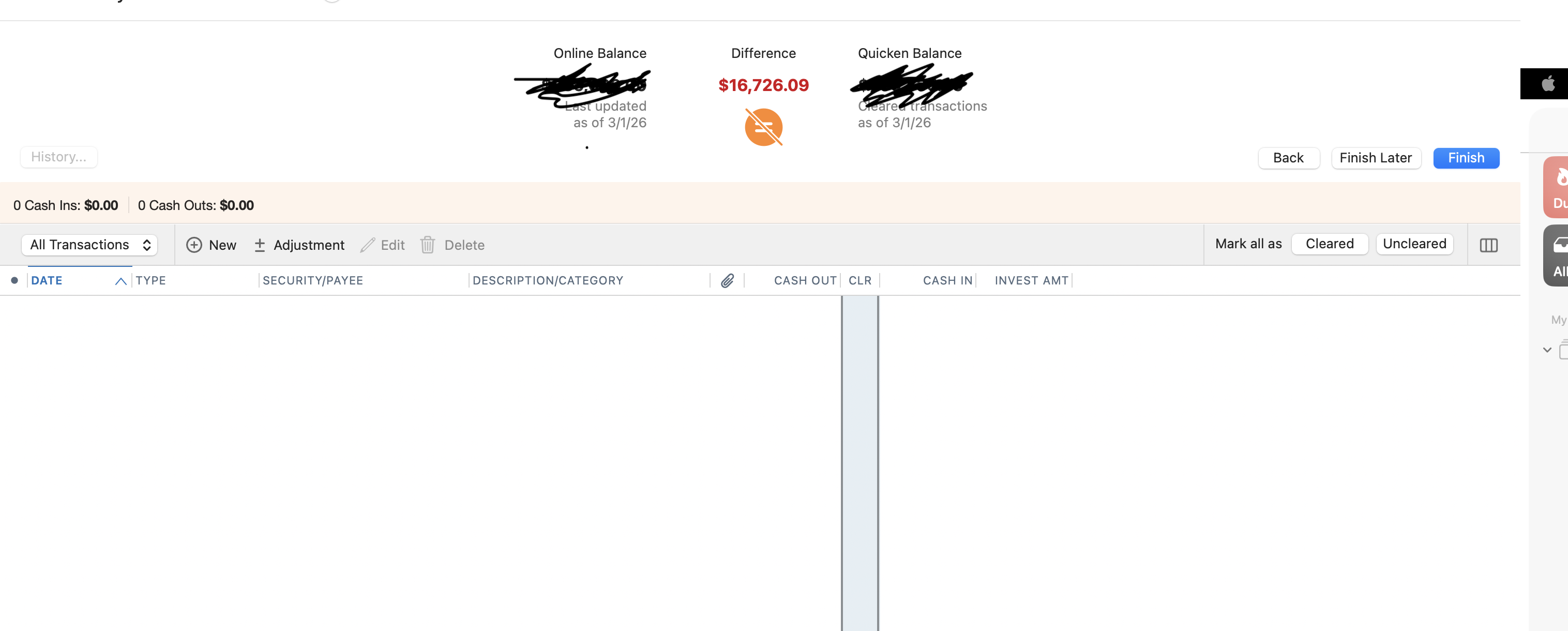
One other issue I have is that when I reconcile I have a difference of about $16K which is a small portion of the portfolio held in cash which I use to pay fees. In the downloaded transactions it shows as "FDIC Insured Cash Account" but I don't have a security with this name. If I add an adjustment for the amount and check it then my account shows as "reconciled" by adding a transaction for negative $16K but then my cash balance is off by this amount. I'm guessing this is related to the initial deposit and buys also.
I REALLY appreciate your help, this has been making me crazy for months!
 0
0 -
That $16,729.09 is the balance my online account shows as "Cash" and it's the number my register shows….
 0
0 -
Hi, again, @MJ1218
Let's worry about the reconcile balance later and get your securities correct first. :-)
Thanks for the screenshots-they help. This isn't an initial cost basis issue as those initial transactions are all Buys-so the cost basis is there. My next question is if these Securities (tickers) are setup to download the price histories? That might be the missing link.
Before we do anything, File:Save a Backup just to be safe, although you likely won't need it.
You will then want to navigate to Window:Securities and navigate to the first fund listed and double click it (Carillon Eagle Mid-Cap). Make sure the correct ticker is there. It might not be, so it isn't getting the daily prices downloaded. It is pretty self explanatory how to enter the ticker/get prices.
Look into that, and repeat for each fund if needed. Just make sure you use the correct ticker for the share class you have!
Let me know how it goes.
0 -
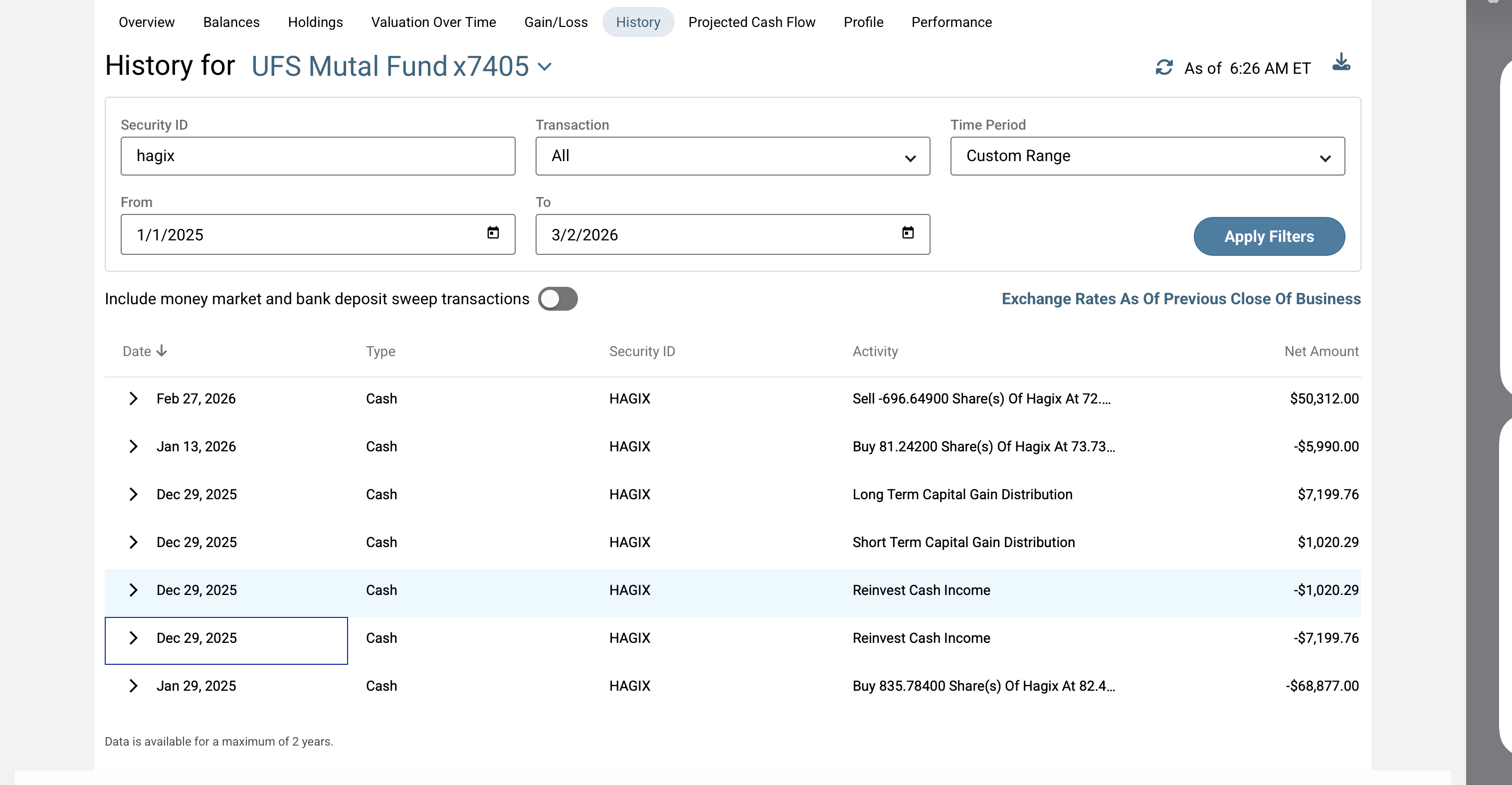
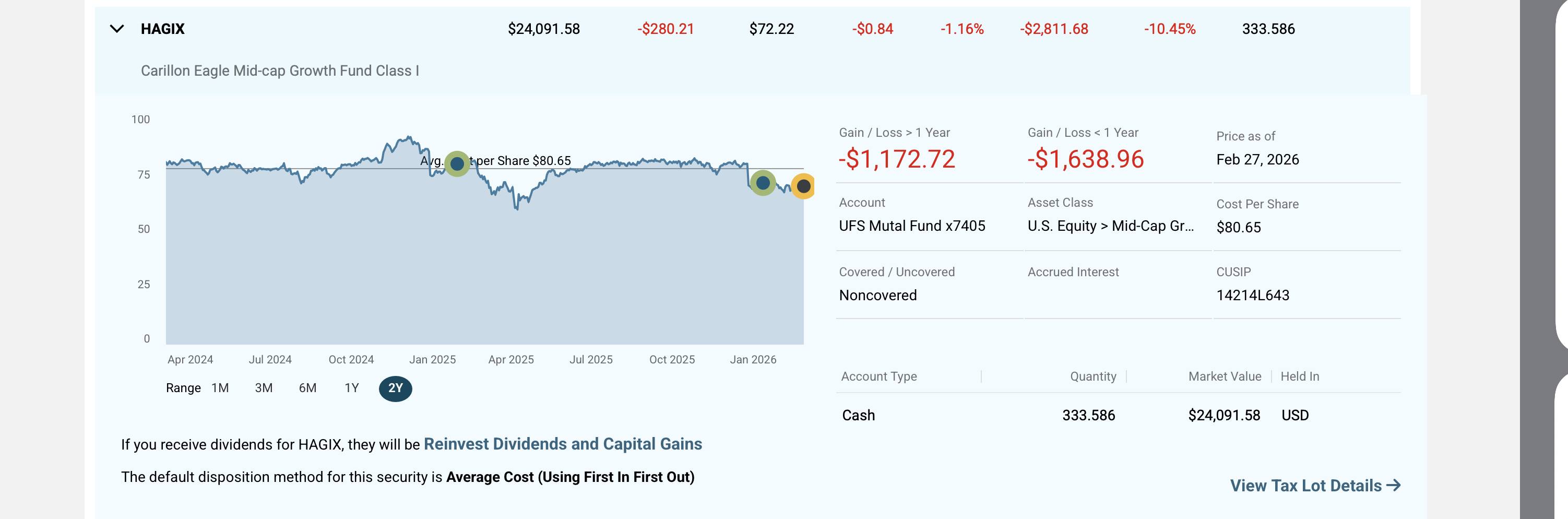
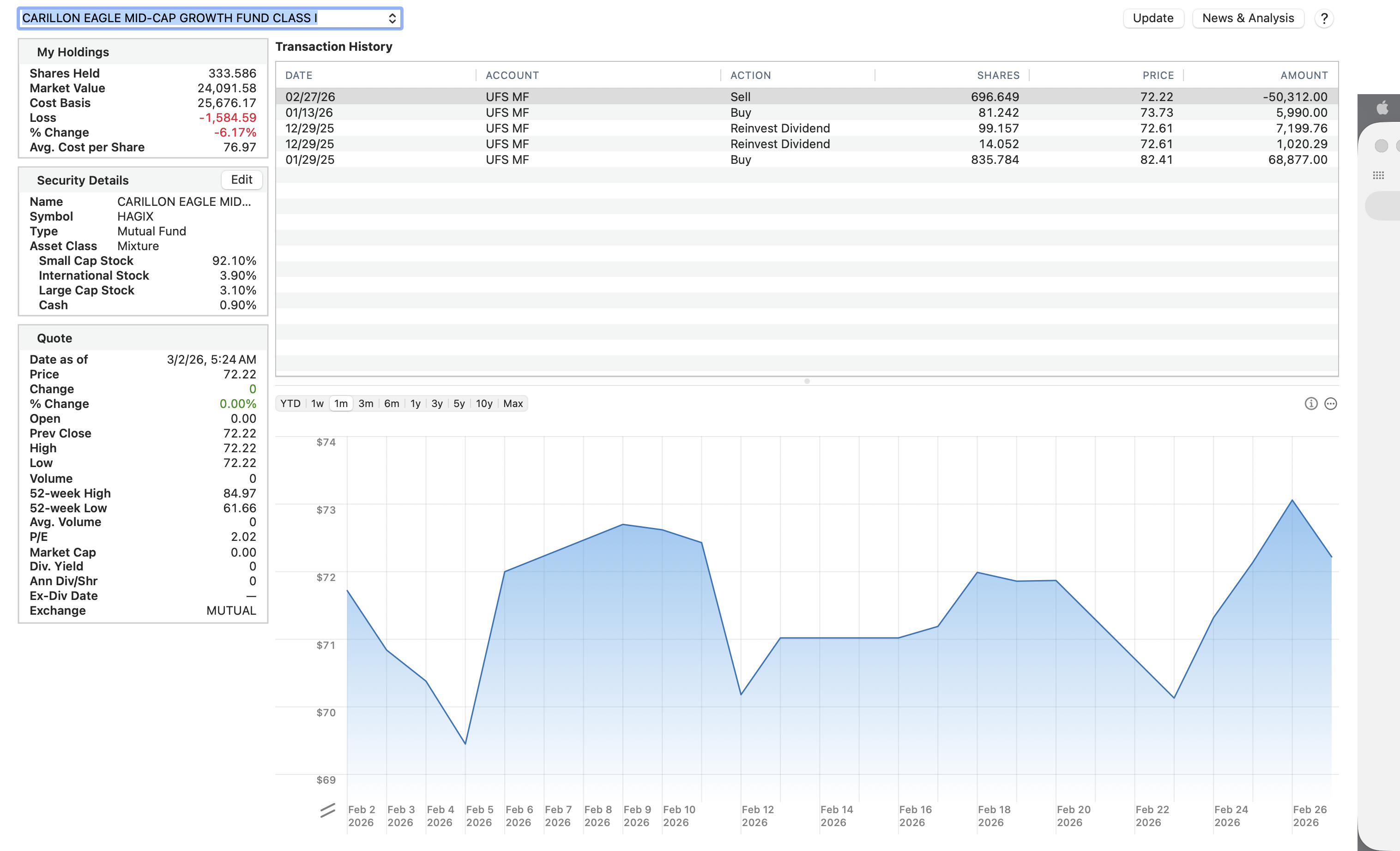
They all appear be downloading correctly. One thing that I notice is that the average stock prices aren't the same in Quicken and on my account online. Not drastic difference, mostly a difference in cents, a couple are dollars.
I'm attaching all information I have for the Carillon Eagle Mid-Cap both online and in Quicken, do you see anything here that helps?
 0
0 -
I am glad the security prices appear to be downloading correctly-what caused me confusion is you clipped the top of your graph off so it appeared a steady line like your portfolio wasn't changing.
Your HAGIX fund appears correct: you had the initial large purchase when it was trading higher than it is now. (I actually own this fund, but now in a different share class (retirement account) and see a similar small % loss for a similar date range.)
Your Avg cost per share appears correct in Quicken (cost basis/shares held). The difference you are seeing between the QMac and the UFS website is the different date range-the website is likely calculating for the 2 year period you have selected.
Note: the ST/LT Capital Gains distributed in Dec (to pay taxes for fund) will be neutral to you: you get more shares as the share price drops to equal out your NAV.
I can't speak for your other funds. It might be perfectly correct that your particular holdings are showing small % gains/losses as you really haven't held these funds that long. The IRR calculations you noted will likely be totally different. And, I don't know what UFS means by "your portfolio is up 8%".
If all your share balances, subsequent transactions (and thus, your cost basis), and price histories are correct, then likely the gain/loss you see is correct for the time period you are examining. Remember: you reset all these values when you transferred in this $ from you other account. It doesn't mean you haven't done well.
If your portfolio balances are displaying correctly, then we can move on to getting that reconcile issue corrected.
0 -
My cost basis looks correct but I can't understand what the Portfolio numbers are showing me. Why is that percentage so low? I sent you a DM with the actual numbers if that helps.
0 -
I sent you a DM. Check your messages.
0
