Unable to edit splits on a manual bill prior to payment (Q Mac)

I have several manual bills with splits that are enrolled in the payee's autopay. The scheduled payment amount, and the splits, are fixed amounts. When I receive the actual bill I can edit the total amount, but not the splits. Editing the instance only allows me to change the total amount of the bill. This causes an Uncategorized amount equal to the difference between the scheduled amount and the actual amount to be automatically entered which I have to remember to go back and change after the fact. Why can't I edit the splits for the pending bill prior to the payment date without editing all the instances of the bill?
Comments
-
Bill reminders aren't actual transactions, so they can't be changed to be different than the other future reminders. When you receive the bill & need to make changes to reflect the actual transaction occurring this month, select the Mark as Paid option to turn this months reminder into a transaction, then you can edit it as needed.
1 -
That works. Thanks for the tip.
Quicken Mac Subscription, Quicken user since 20050 -
Just want to add that the same applies to Quicken for Windows users.
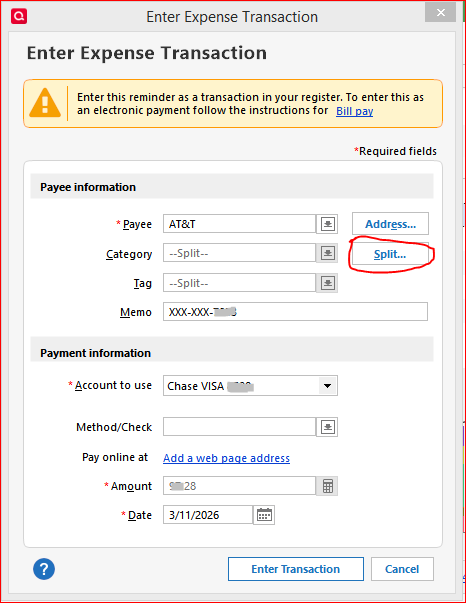
Record / Enter the scheduled reminder early, to turn it into a real register transaction. While doing so, you can update the Split transaction dialog to meet your needs.
 0
0
