Add option to have the Reminder automatically enter on a specific day of the month

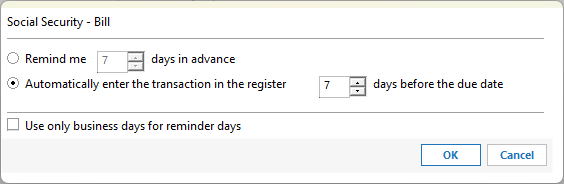
Instead of having to change this number every month, add an option to have it enter on the 1st of the month as I like to have it done or a selected day of the month others might need.
I change this for my wife and myself every month as well as the bills that come on the last day of the month.
Quicken Premier.
Comments
-
That feature does exist
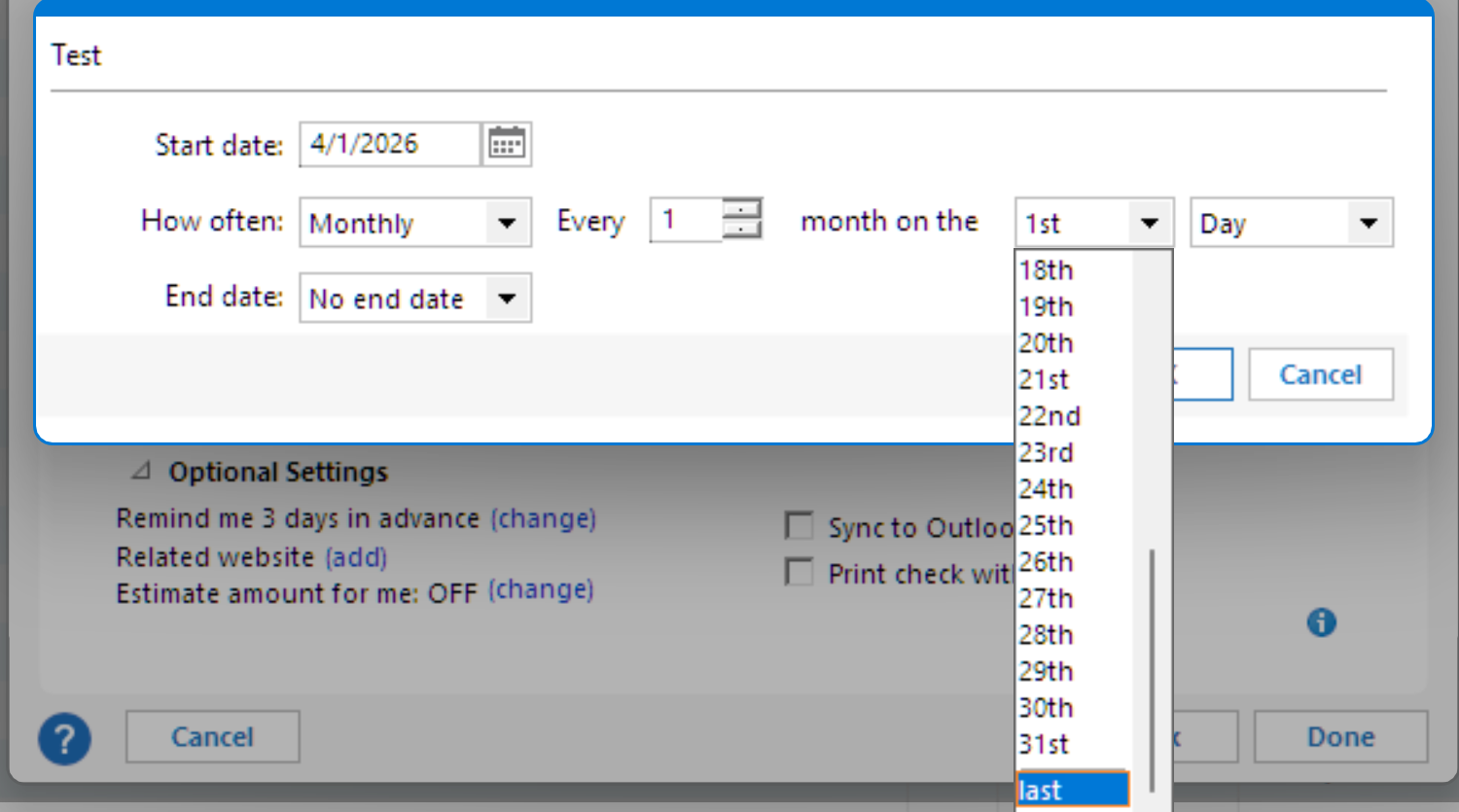 1
1 -
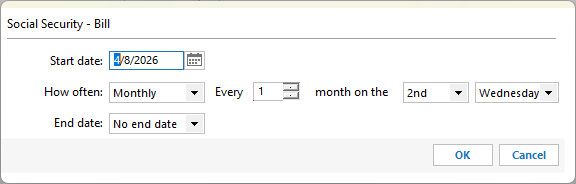
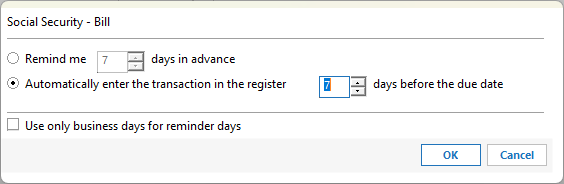
Social security is deposited the 2nd Wednesday of the month. This requires me to alter the Automatically enter the transaction in the register days every month.
I am asking for a way to pick a specific day of the month, in my case I like the transactions to all enter on the 1st of the month.
Member since 1984.
Quicken Premier.0 -
Since there's no method available to set Automatically enter on the 1st day of the month
the only other currently available alternative is to- set the Due Date (Start Date) to the 1st of the month and
- Automatically enter 0 days ahead
as @RalphC suggested.
Of course, you could set Automatically enter to [xx] days, where [xx] is number of days which always comes out as close to or just before the 1st of the month … if you can live with a little fudge factor.
Your suggestion to add a new Remind me or Automatically enter function, to set a fixed day of month sounds like a good alternative idea to me. I'll vote for that and hope that there'll be enough votes and comments to make it come true soon.
1 -
Thanks UKR, I have been doing the change to xx days for a lot of years. I keep hoping that since Quicken is an automated system I could this part automated.
Member since 1984.
Quicken Premier.0 -
Creating this Idea in the Community is a step in the right direction.
While we wait for other Quicken users to read this discussion and comment and vote on it,
while we wait for the vote count to reach enough votes for Quicken management to consider this Idea for implementation,
while we wait for the change to be programmed, tested and eventually implemented in a future release …
there really isn't much we can do but try to work around the issue.
For example, it might be less work every month to make a one-time change and set the "Automatically enter [xx] days …" to a number which makes the transaction enter somewhere around the 1st of the month, plus or minus a couple of days, and watch the transactions trickle in over time every month.0 -
Since there's no method available to set Automatically enter on the 1st day of the month
Looks to me like there is.
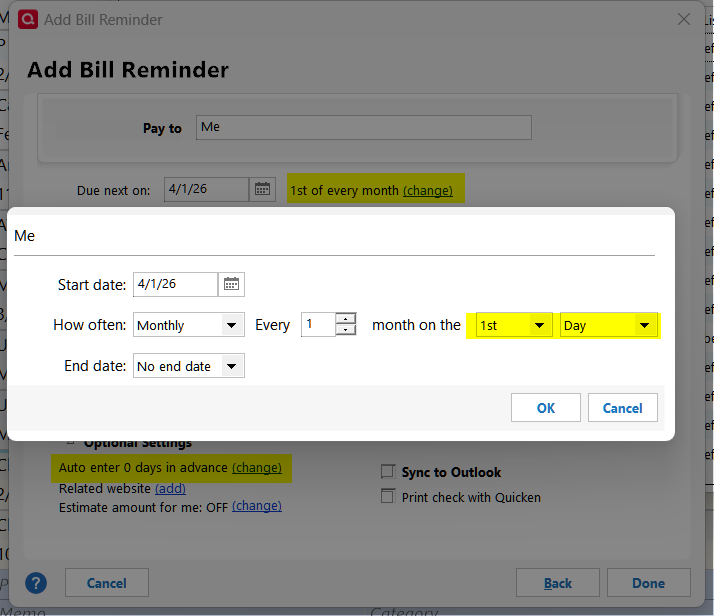
Quicken user since version 2 for DOS, as of 2025 using QWin Premier (US) on Win10 Pro & Win11 Pro on 2 PCs.
0 -
That's a workaround, as originally also suggested by @RalphC
But that's not what the OP really wants.
The OP wants to be able to keep the original Due Date, e.g., 2nd Wednesday of the month.
In addition to that, the OP wants to be able to schedule every reminder to Automatically enter on exactly the 1st day of the month. Currently, that's not possible with variable due dates, e.g., 2nd Wednesday of the month, because the due date falls on a different date every month.Therefore, an update to Quicken is requested, to add a new feature to Scheduled Reminders:
In addition to "Automatically enter [xx] days in advance" or "Remind me [xx] days in advance"
add Automatically enter on the [xx] day of the month" where [xx] is 1 … 31 or "last".
The same applies to Remind me on the [xx] day of the month.0 -
One person wants to warp Q into his own unusual usage? Does not seem like a reasonable idea to me.
Quicken user since version 2 for DOS, as of 2025 using QWin Premier (US) on Win10 Pro & Win11 Pro on 2 PCs.
0


