UPDATE 11/25/26
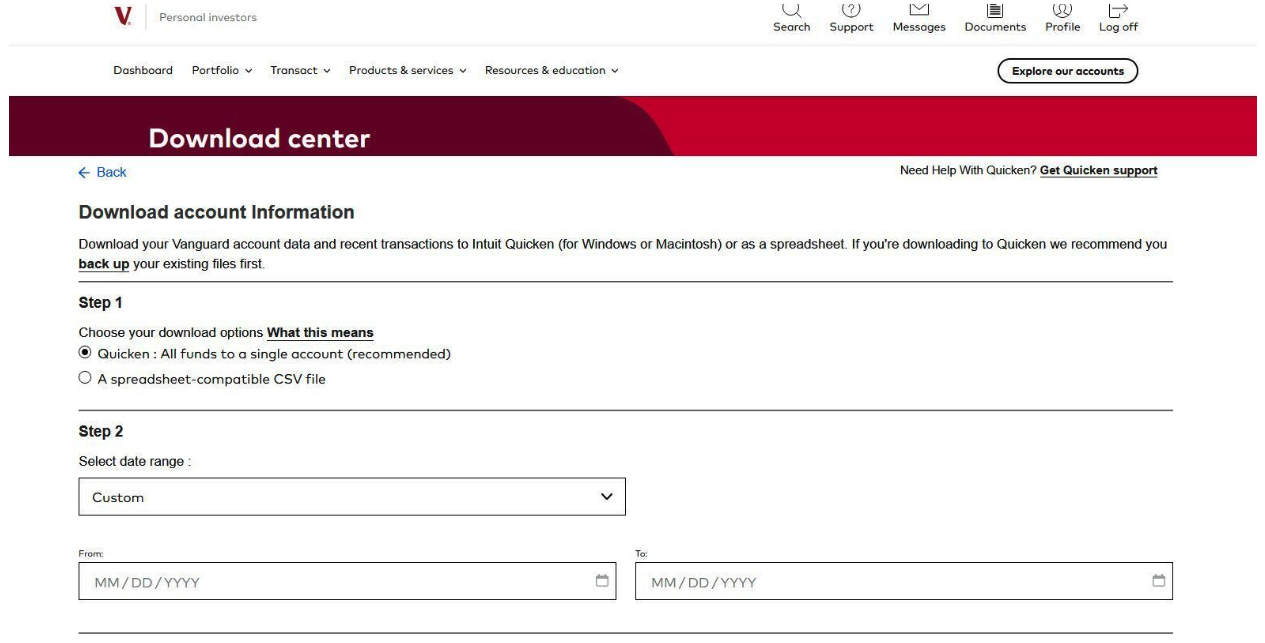
To download your transactions, navigate to your financial institution's Activity page and follow these steps:
- Select Download in the upper-right corner.
- Choose Quicken, all funds to a single account (recommended).
- Select the desired date range. Please note that the download is limited to a maximum of 18 months of transaction history. We recommend selecting Custom to specify the exact date range you need.
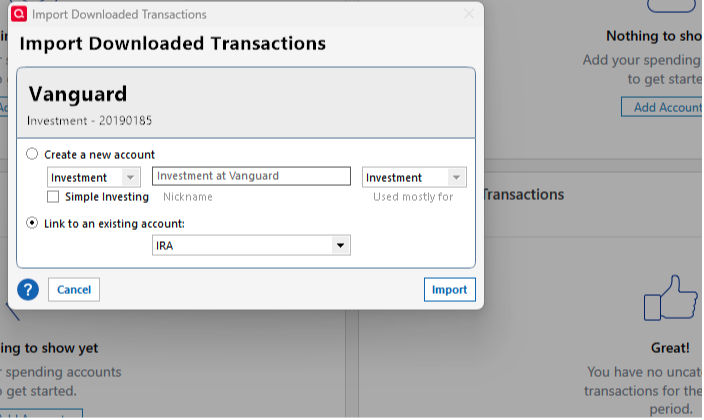
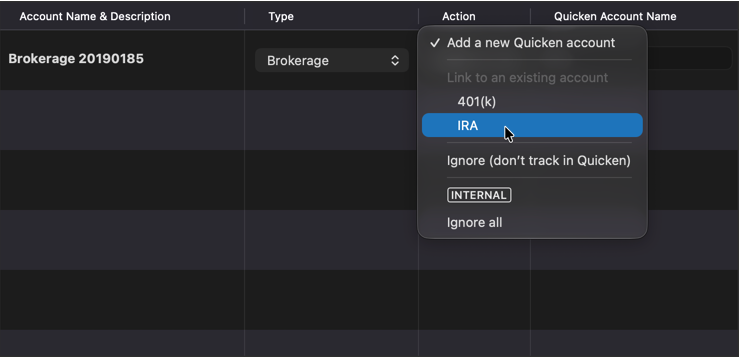
- Select the accounts you would like to import and click Download.
A few things to note:
- Importing these transactions will not create duplicates.
- This process will not change your account's existing connection method or connection settings in Quicken.
We are getting multiple reports that customers using Quicken for Mac, trying to connect their Vanguard accounts are getting an OFX-16503 Error. For Quicken for Windows users, they will instead see an OL-295 error.
Our team continues to work closely with Vanguard to resolve this issue as soon as possible. While we don't have an estimated timeline for a resolution, we'll share any new information as soon as it becomes available.
To be notified of updates, please click the bookmark ribbon located in the upper-right corner. If you do not see the bookmark ribbon, make sure you are signed in to the Quicken Community.
Thank you for your patience!
[Ticket #12671101/CTP-19232]