Agreed. It should and was always. This check was entered in the register and printed. It was cashed. Problem discovered as it did not show up during account reconciliation. Sorted every which way and remains missing. Ended up adding it AGAIN manually.
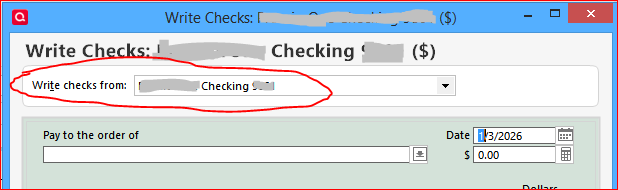
When creating the check transaction, in the Write and Print Checks dialog, did you select the correct Checking account? This check transaction may have been recorded in another account register by mistake.
Hello @Quickrock,
We haven't heard back from you in a while. Do you still need assistance? If so, could you please provide the answer to @UKR's question?
Check back and let us know! Thank you.
Hello again,
Checking in once more before this thread is closed. Let us know if you still need assistance.
Thank you!
Due to the lack of response, I went ahead and closed this post.
If you still require assistance, please feel free to start a new post.