Quicken assumes that if you have no unreconciled transactions, then you have no need to go to the Reconcile dialog. It presents this dialog box:

However, my goal is to get to the Make Credit Card Payment dialog box whether I have unreconciled transactions or not:

My methodology that I have used for decades is that I download and automatically reconcile transactions just about daily, so my registers being already reconciled at statement time is typical. But if a new statement has cut, I want to visit the Make Credit Card Payment dialog and enter that payment. Even though I don't actually write a hand written check, this dialog box takes me to my checking account with the full balance already entered. I just adjust the date to the due date (when the automatic draft will occur) and hit enter .. done.
Here's what I have to do now to get there: Ctrl-R to reconcile, get the "No uncleared" dialog, OK that, modify an existing transaction in the register to be uncleared, dismiss the dialog box that asks if I want to change a reconciled transaction, save the transaction, ctrl-R again to get to reconcile, mark the transaction I changed to cleared, finish the reconcile and then I get the desired "Make Credit Card Payment" dialog. Whew! Sure that's just a few seconds, but it sure would be nice if the "No uncleared" box had a "Reconcile Anyway" button in addition to "OK".
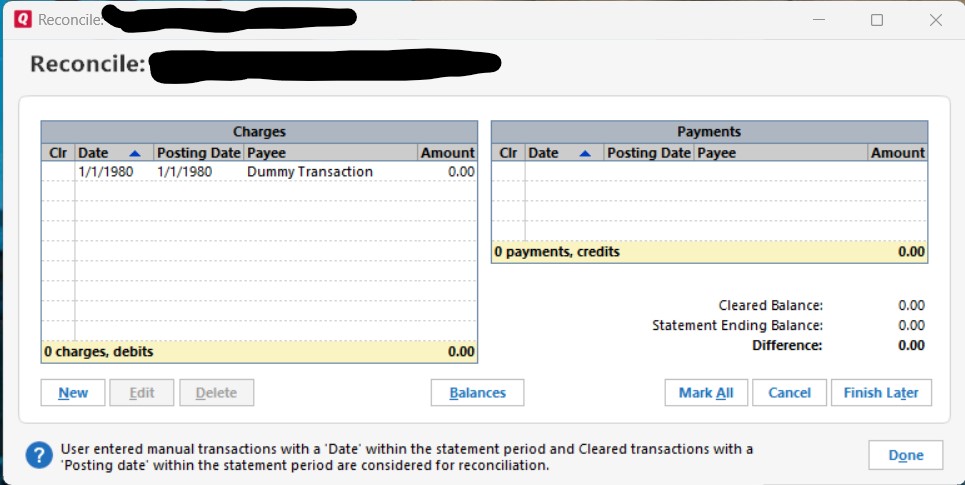
One workaround I've used is to create a dummy transaction of $0 with a date years into the future. Thus, that register will never have no uncleared items. That works, but is a little clumsy. Anyone know of a better way to proceed to the "Make Credit Card Payment" dialog?