no transactions are downloading
debstx
Quicken Windows Subscription Member ✭✭
since March 25 none of my transactions for three different credit cards have downloaded. I do not get an error message. When I look at my credit cards there are numerous transactions listed but none have appeared in my Quicken accounts.
0
Best Answer
-
I reset both cards and they appear to be working. Thank you
1
Answers
-
Please provide some additional information:
- Which credit cards? Please provide the specific card names (such as say Citi Costsco, not just Citi).
- Directly below the Account Name shown above the Account Registers, what does it show for the last download date and time and what is the connection method that is shown? Or is there no information shown there?
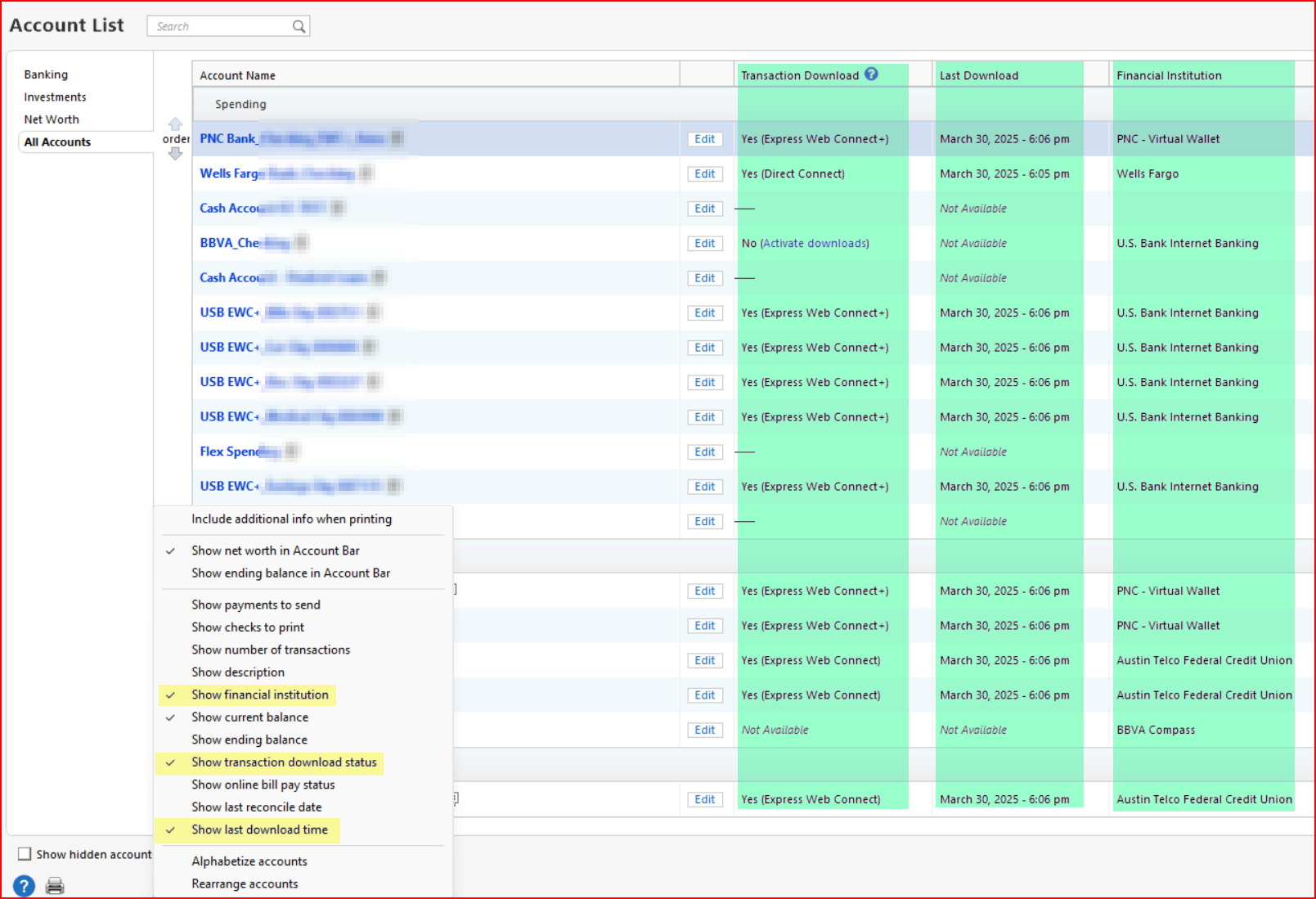
- In Tools > Account List: For the affected cards, what is shown in the Transaction Download, Last Download and Financial Institution columns? If you do not see these columns, click on the Option button at the bottom left of Account List make sure the yellow highlighted options are checked.
Quicken Classic Premier (US) Subscription: R65.15 on Windows 11 Home
0 -
I reset both cards and they appear to be working. Thank you
1
This discussion has been closed.
Categories
- All Categories
- 56 Product Ideas
- 36 Announcements
- 225 Alerts, Online Banking & Known Product Issues
- 22 Product Alerts
- 703 Welcome to the Community!
- 671 Before you Buy
- 1.2K Product Ideas
- 53.7K Quicken Classic for Windows
- 16.3K Quicken Classic for Mac
- 1K Quicken Mobile
- 812 Quicken on the Web
- 111 Quicken LifeHub