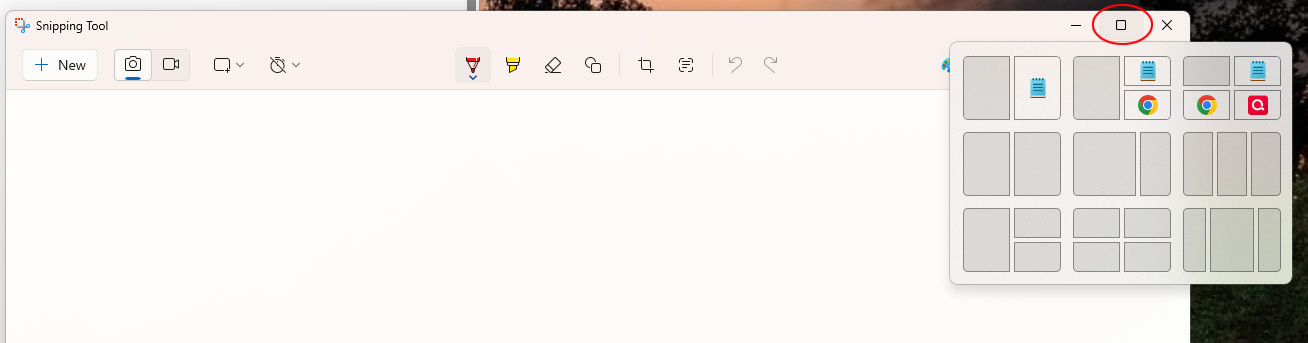
i upgraded my PC to Windows 11 last year and got a wide screen curved monitor. one of the Windows 11 feature I really like is that when I hover my mouse over the "maximize" button at the upper right hand corner of any window, it brings up a menu where I can choose where I want the window to display on my screen, and then I can choose what other app window(s) I want to display next to it.
For whatever reason, when I do this with Quicken for Windows, and only Quicken for Windows, this doesn't happen. Please enable this feature within your app, thanks!
Screenshot below is an example in a different app where the hover menu comes up normally.
I'm using Quicken for Windows Classic Deluxe, v R63.21, Build 27.1.63.21.
Thanks,
Andy

