Portfolio View is including separate account shares - RESOLVED
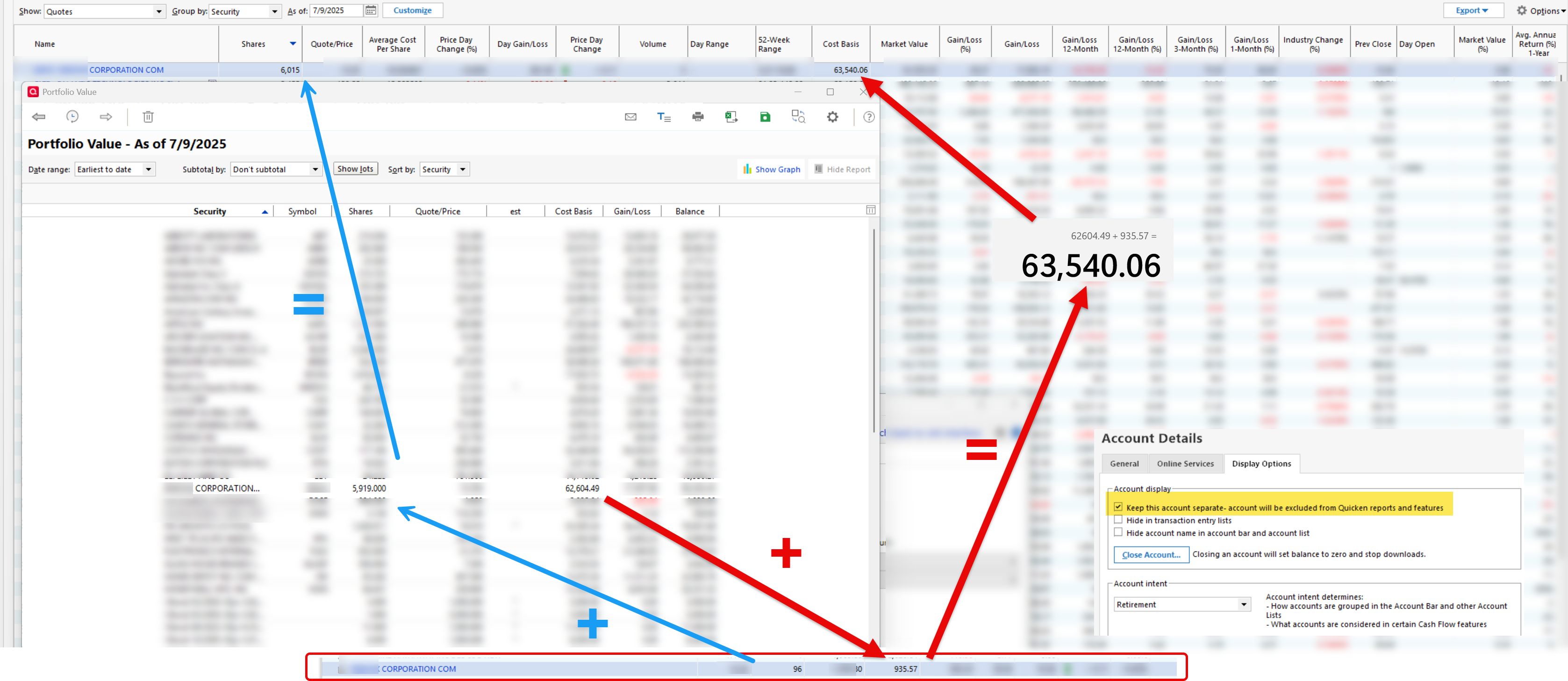
I am looking at my portfolio view and see that my largest holding is off the number of shares in my son's account that is supposed to be kept separate. It appears that all of his holdings are included in my portfolio. There are a few other investment accounts for my kids that are correctly being excluded. His account was created around the first of the year so it is relatively new.
Looking at previous threads, this stock has never split so that would not be responsible.
I have run a validate on my file and also have unchecked the "Keep this account separate" and then checked it again and it still is including shares from that account.
I would prefer not to do a Validate with the option to rebuild investing lots (scared of that).
I would also like to not move transactions to a new account.
Any suggestions? Does anyone else have this issue? If so, then maybe they can fix this if others are reporting the same issue.
Thanks.
Best Answers
-
I think new accounts and securities are automatically added to Portfolio views.
Click on the Customize button at the top of the Portfolio view and select the Accounts tab.
Select the Separate checkbox at the bottom and look for the account in the list. If it is checked, un-check it to exclude it from the view. If the account is also hidden, you must also check the Hidden box at the bottom to see it in the list.
You must repeat this for other views where you do not want the account to be included.
QWin Premier subscription1 -
You're (@Jim_Harman) a godsend! That worked. I just assumed that based on the account settings it wouldn't show. Appreciate it!
0
Answers
-
I think new accounts and securities are automatically added to Portfolio views.
Click on the Customize button at the top of the Portfolio view and select the Accounts tab.
Select the Separate checkbox at the bottom and look for the account in the list. If it is checked, un-check it to exclude it from the view. If the account is also hidden, you must also check the Hidden box at the bottom to see it in the list.
You must repeat this for other views where you do not want the account to be included.
QWin Premier subscription1 -
You're (@Jim_Harman) a godsend! That worked. I just assumed that based on the account settings it wouldn't show. Appreciate it!
0
Categories
- All Categories
- 56 Product Ideas
- 36 Announcements
- 225 Alerts, Online Banking & Known Product Issues
- 22 Product Alerts
- 703 Welcome to the Community!
- 671 Before you Buy
- 1.2K Product Ideas
- 53.7K Quicken Classic for Windows
- 16.3K Quicken Classic for Mac
- 1K Quicken Mobile
- 812 Quicken on the Web
- 111 Quicken LifeHub

