I am unable to download transactions from Fidelity only. I get a message that Quicken is unable to establish an internet connection. Did Quicken make a systems change since I had no issue 6 days ago. Is anyone else having this issue ?
Hello @Gary,
Thanks for reaching out!
It sounds like you may be receiving an OL-297 (or OL-295/OL-296) error. These errors typically occur when your computer is unable to establish an internet connection with Quicken. Please note, these errors do not mean the computer has lost internet connection, simply that Quicken cannot establish an internet connection. Also, you may be able to sign in to your bank's website successfully, but still receive the error in Quicken due to Quicken being unable to establish an internet connection.
Below are some troubleshooting steps that you can attempt to resolve this issue. You can find these instructions and more information in this Support Article. It is always recommended to save a backup before proceeding with any troubleshooting steps.
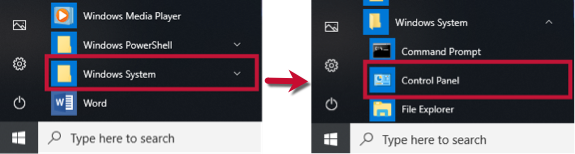
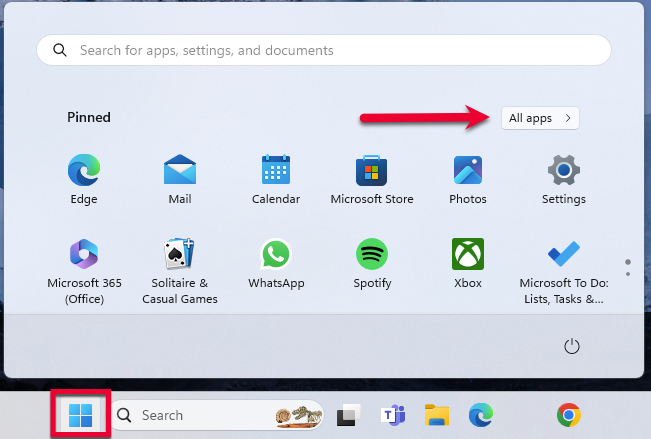
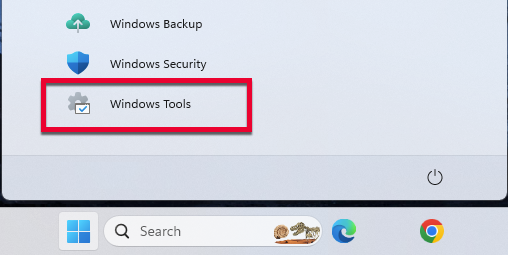
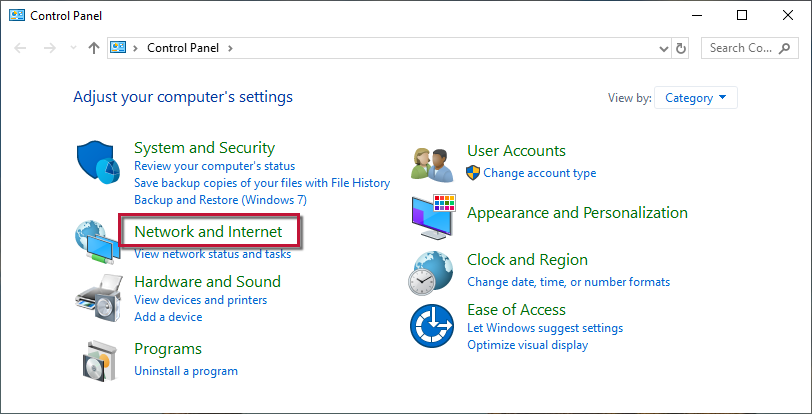
Then, go to Windows Tools and select Control Panel.
If updating the Advanced settings does not resolve the error, follow the additional steps below.
If only one bank is showing this error, it's likely a temporary issue; if this is the case, wait until the next business day and then try to update again.
In the meantime, make sure the settings are correct for accepting cookies.
...then Internet Options.
I hope this helps!