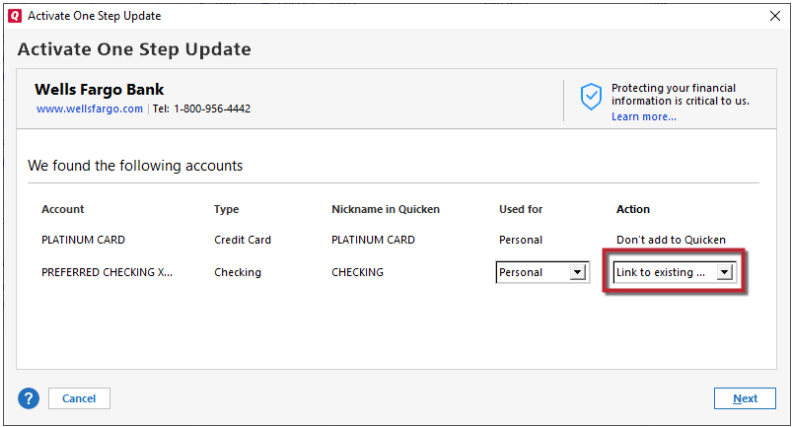
When l log in to fin inst, it shows a list of accts, but all say Don't add to Quicken.
[Edited - Readability]
Hello @Peter Large,
Thank you for letting us know you're encountering this issue. If you are seeing "Don't add to Quicken" when trying to add/reconnect an account, that means that Quicken still thinks the account is connected.
To resolve the issue, first, backup your Quicken file. Then deactivate the problem account. Once it is deactivated, navigate to Tools>Add Account and follow the prompts. Once you get to the add/link screen, make sure to carefully link the account to the appropriate nickname in Quicken.
Please let me know how it goes!
I have not seen a response from you. Do you still require assistance?
Thank you!