Quicken not updating multiple Citi bank accounts

slovey
slovey Quicken Windows Subscription Member ✭✭

I have 3 accounts at Citi bank, all with different logins/passwords. One is my wife's MC, one a Costco Business Visa, and one a Costco Personal Visa. I can update the MC from Quicken just fine but not the two Costco cards. Citi Bank says they must be 3 separate accounts. When I try and turn on online update, it makes me try and log in to Citi Bank and then tells me the ID/Password are bad. I use a password manager and in fact all my entries are valid from Chrome, so I know they are right.

It seems the problem is that quicken won't allow you to have more than one id/password to an institution. I am getting tired manually updating the two Costco cards.

Any help is appreciated………..a frustrated user

Tagged:

Answers

  • @slovey what Financial Institution Name are you using to connect the CCs, and what is the connection method. Open your Account List (Ctrl-A) and what does it have for "Financial Institution" and "Transaction Download" for each of the CCs.

  • slovey
    slovey Quicken Windows Subscription Member ✭✭

    The MC shows Citibank and Express Web. Neither of the two Costco CCs show anything as they won't let me activate without logging in and both Costco CC cards get an error about the id/password combination not being good (which they are correct and working).

  • slovey
    slovey Quicken Windows Subscription Member ✭✭

    I tired to set up a new account under quicken for one of the Costco cards but still no luck

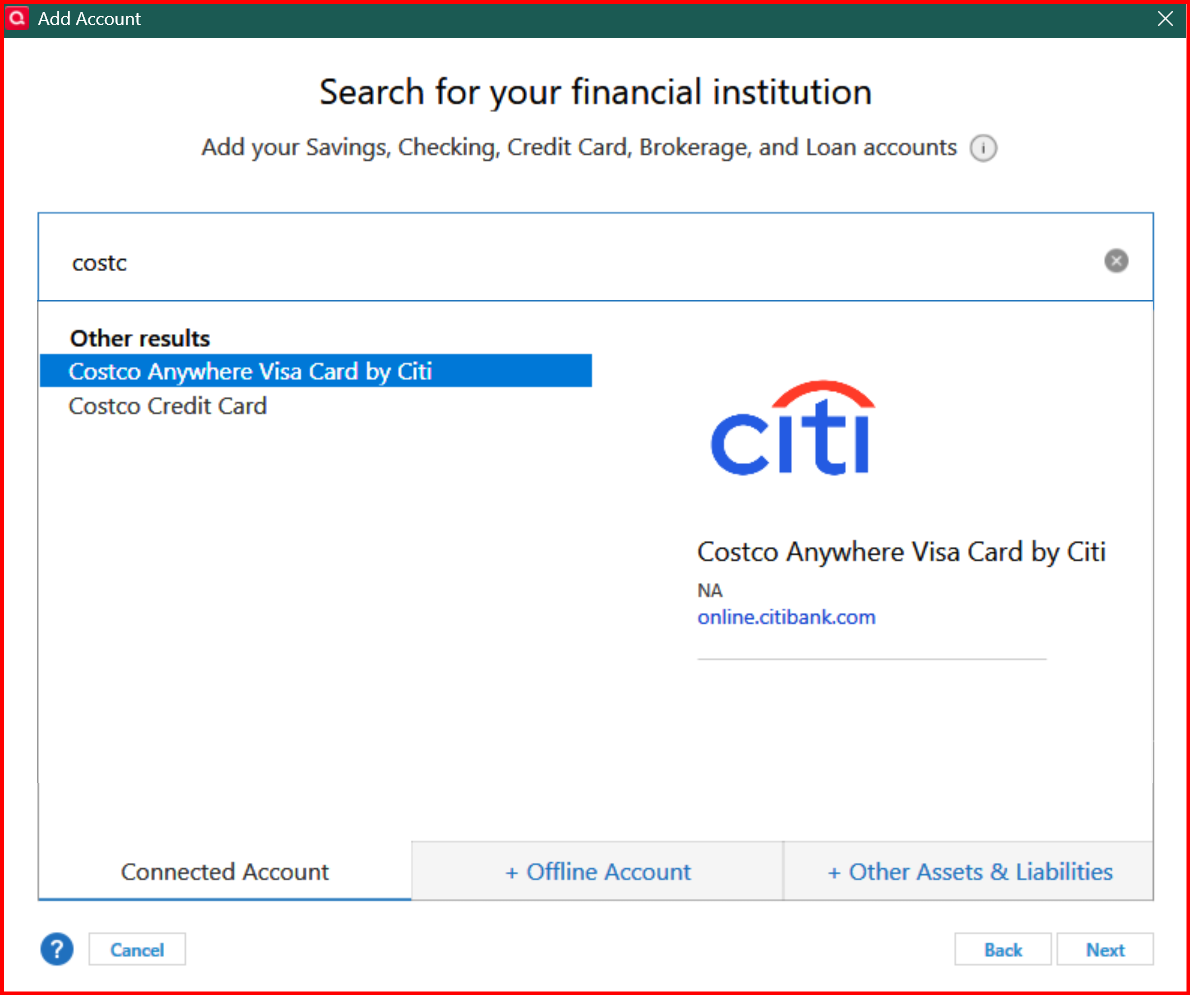
  • @slovey Have you tried setting up the Costco cards with this FI -

    image.png

    First make sure to deactivate (Online Services tab) and clear out the Financial Institution Name and Account Number (General tab).

    Then use "Add Account" to set up the two Costco cards.

  • slovey
    slovey Quicken Windows Subscription Member ✭✭

    Same issue occurs…when I get to the part of the process, it wants me to log into citi and i get the id/password problem. I use Roboform as a password manager so I know they are good. thanks for you help so far

  • [Deleted User]
    edited July 26

    @slovey are you getting a CC-503 error? If so, that usually indicates a signon or password error. But it can also mean that you are not using the right FI Name when you try to connect.

    If you already tried the "Costco Anywhere" FI, maybe try some others for Citibank. If you type in "citi" when adding an account, you will see a very long list of Citibank related accounts and CCs. Scroll through the list and see if any might be a candidate to use.

    Otherwise, my only other suggestion would be to create a test file and add those two Costco credit cards and see if you have any luck with making a connection. That at least will narrow down the source of the issue.

  • Boatnmaniac
    Boatnmaniac Quicken Windows Subscription SuperUser, Windows Beta ✭✭✭✭✭

    I use Citi Cards to update my Costco Visa Rewards card and my Citi MC Strata card. I have one log in that works for both cards. Selecting Citi Cards from Add Account defaults to setting up an EWC+ connection. I haven't had any connection or downloading issues with Citi Cards for quite some time.

    I used to use the Costco Anywhere Visa Card by Citi setup option but I found Citi Cards to be more reliable and trouble-free.

    Do you go to www.citi.com to view your Costco cards? If so, are both of your cards shown there?

    If not, you might need to link the card that is not shown there to that site. You can do this by doing a search in the website for Link Another Citi Card To My Account and then follow the prompts.

    Quicken Classic Premier (US) Subscription: R65.15 on Windows 11 Home

  • @Boatnmaniac thanks for the suggestions. There are a lot of Citibank connections listed and I have found when that is the case, it is hit or miss as to which one will work.

    @slovey hopefully one of FIs that Boatnmaniac suggests will work for you.

  • Boatnmaniac
    Boatnmaniac Quicken Windows Subscription SuperUser, Windows Beta ✭✭✭✭✭
    edited July 27

    There are a lot of Citibank connections listed and I have found when that is the case, it is hit or miss as to which one will work.

    Very true with Citibank accounts….very hit or miss.

    Another suggestion: If one Costco card works with one Citi financial institution but does not work with the other, try setting up the other with a different Citi financial institution. For instance, maybe set up one card with Citi Cards and the other with Costco Anywhere Visa Card by Citi might work. We used to be able to do that before Citibank replaced EWC with EWC+. I'm not sure if that would work anymore now that Citi uses EWC+ but it would be worth a try if Citi Cards does not work.

    Are different logins required for each of the 3 cards' online accounts? Some financial institutions with EWC+ do not permit downloads for different accounts that have different logins. This is a big issue for some people who want or need to set up multiple accounts with each having a unique login. I don't know if this is the case with Citibank but it might be. If this is the case, then perhaps it might be possible to get all 3 accounts linked to a common Citi.com online account? To do this might require your name be added to your wife's MC or adding her name to your 2 Costco cards.

    Also, regarding PWs: There are some special characters for PWs that can cause issues when trying to set up downloading. If your PW(s) include one or more of these special characters, try changing the PW(s) to something that does not include any of these:

    • Ampersand (&)
    • Left carat (<)
    • Right carat (>)
    • Backslash (\)
    • Forward slash (/).

    Quicken Classic Premier (US) Subscription: R65.15 on Windows 11 Home

This discussion has been closed.