Charles Schwab - some downloaded prices don't match the month end statement
I ran a YTD Balances report for the last 12 months for a Charles Schwab account. There are 4 or 5 months that the value reported in the YTD Balances report is different than the number on my Schwab provided month end statements - sometimes by a few dollars other times 30 or 40 dollars. The rest of the months - the two numbers are the same. The problem is caused by a difference in the price downloaded for some of the ETFs. There are 9 ETFs in the account - there were four that had a price difference and 5 were the same for one particular month that I have researched. I'm downloading transactions and quotes after the market closes or before the market opens each day. The connection method is express web connect+ using Classic Premier on Windows 11. Is there a way to get reliable month end pricing?
Answers
-
Hello @uskedaddle,
Thanks for reaching out—before we jump into troubleshooting, I have a few questions to help narrow this down:
- For the months where there's a mismatch, are the same ETFs showing the wrong prices each time, or does it vary?
- If you check the Security Detail View for one of the affected ETFs, is the price on the final market day of the month actually off there too, or is it just showing incorrectly in the report?
- Are there any manually entered prices for those securities around month-end? Or are all the prices coming in via download?
- Are the affected ETFs more obscure or thinly traded? Sometimes price feeds don’t update properly if there’s low volume.
- Lastly, are you running the report with “quote/projected value” enabled, or “amount invested”? That setting can shift how those prices are interpreted.
Let me know what you see, and we can go from there.
-Quicken Jasmine
Make sure to sign up for the email digest to see a round-up of your top posts.
0 -
Jasmine,
I maybe need to clarify my original post a bit. When I originally discovered the problem, I was just matching on Market Value from the “Holdings” button on the transaction register. All of the share values were correct between my paper Schwab statements and what Quicken was reporting at month end. In digging a bit further, I determined that the issue was caused by differences in the share price between the Schwab paper month end statement and what Quicken reported for the month end date. I’m hoping to be able to use the numbers that Quicken provides to prepare a fiscal year (August – July) tax return and need to have the amounts tie out between Quicken and the paper Schwab statement since Schwab does not support any fiscal year reporting other than calendar year end
- For the months where there's a mismatch, are the same ETFs showing the wrong prices each time, or does it vary?[SH1]
- I looked at 5 months of 2025: July, June, May, April, January. Two of the months each had the same 4 ETFs that were off by differing amounts each month. The 4 that were off QUAL, VLUE, VGIT and BND. There was one month that there was a CD and Treasury that were off. There were two months that had no differences.
- If you check theSecurity Detail View for one of the affected ETFs, is the price on the final market day of the month actually off there too, or is it just showing incorrectly in the report?
- I’m not sure what report you are referring to – I pulled my numbers from the “Holdings” screen for the month end date from the transaction register. I also went into each security – the price shown on “Holdings” screen showed the same value as the “Edit Price History” for the month end date. When looking at the “Pricing History” there were entries for M-F but not the weekend (S-S) for the ETFs. The Treasury and CD only had 1 entry (last day of the month) for each month. With May being the exception because 5-31 fell on a Saturday. There was no entry for May for either the Treasury or CD – May was also the month that the Market Value and price were off for the Treasury and CD. Oddly enough VGIT and BND both had a price for 5-31 but none of the other securities had a price for 5-31. Those were the only two entries that I saw for any weekend.
- Are there any manually entered prices for those securities around month-end? Or are all the prices coming in via download?
- All prices are being populated via download
- Are the affected ETFs more obscure or thinly traded? Sometimes price feeds don’t update properly if there’s low volume.
- To my knowledge all securities are not thinly traded
- Lastly, are you running the report with “quote/projected value” enabled, or “amount invested”? That setting can shift how those prices are interpreted.
- Again, I’m not sure what report you’re referring to. I’m using the “Holdings” button off the transaction register to get my information
I have a detailed spreadsheet that shows both the Quicken and Schwab paper statement amounts. I would be willing to upload to you but would prefer not to post it to the forum.
Thanks for your help and efforts.
0 - For the months where there's a mismatch, are the same ETFs showing the wrong prices each time, or does it vary?[SH1]
-
Hello @uskedaddle,
Thanks for providing more information.
From what you’ve described, it does sound like the differences are tied to the price history data being provided to Quicken rather than anything in your register setup. Since all prices are downloading (and not manually entered), the discrepancy is most likely due to the market data provider Quicken uses, which can occasionally differ from what Schwab reports on their official month-end statements. This is especially noticeable with ETFs, Treasuries, and CDs, since pricing sources don’t always align exactly across institutions, and sometimes weekends/holidays cause gaps or mismatched values like you’ve seen.
To confirm whether this is purely a price feed issue (as opposed to something specific in your data file), I’d recommend creating a new test file, adding just the Schwab account, and then downloading the same securities. Once the data is in, check the month-end prices in that file against your statement. If the discrepancies show up there as well, that confirms it’s the data provider and not your Quicken file.
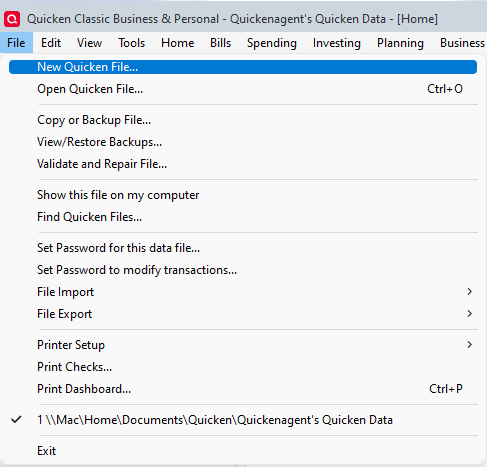
You can create a test file by navigating to File > New > Start from Scratch.
Let me know how it goes!
-Quicken Jasmine
Make sure to sign up for the email digest to see a round-up of your top posts.
0
Categories
- All Categories
- 56 Product Ideas
- 36 Announcements
- 223 Alerts, Online Banking & Known Product Issues
- 22 Product Alerts
- 702 Welcome to the Community!
- 671 Before you Buy
- 1.2K Product Ideas
- 53.7K Quicken Classic for Windows
- 16.3K Quicken Classic for Mac
- 1K Quicken Mobile
- 813 Quicken on the Web
- 111 Quicken LifeHub