Fidelity investments, One step update Setup
We have 2 identical Fidelity IRA's, we set both up for OSU successfully, My question is this,
the first one is direct connect, using zzz-fidelity investments-dc but the second is Express web connect, using Fidelity Investments,
I dont see that zzz option when setting up the express web account,
I would like to get the express account changed to direct connect.
Comments
-
Hello @MGB,
Thanks for your question!
The “zzz” prefix (e.g., zzz-Fidelity Investments-DC) indicates that this financial institution setup is being discontinued — it's no longer available in the list because Fidelity is migrating all accounts to a new connection method.
That’s why your second account only had the option to connect via Express Web Connect using Fidelity Investments.
You can read more about this change in this Community Alert here:
We understand this change may be a bit confusing, and we appreciate your patience during this transition.
Thank you!
-Quicken Anja
Make sure to sign up for the email digest to see a round up of your top posts.0 -
So Direct connect will no longer be an option going forward?
0 -
Also second question, i have tried to get the email digest but no matter what i do i neve get one, can you help?
0 -
Once migrated, yes, only Express Web Connect+ will be available.
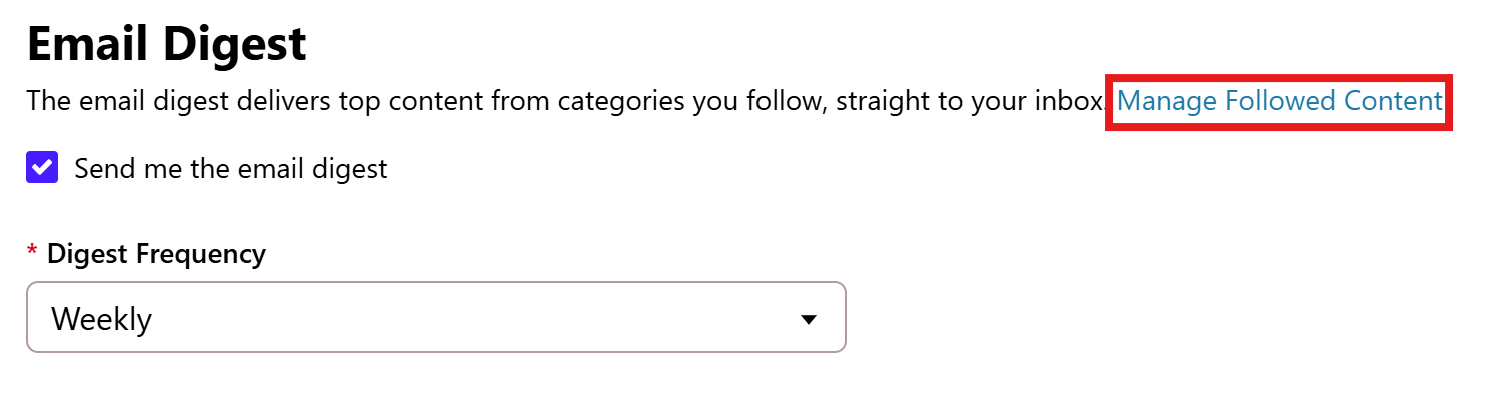
Can you go to your profile settings > Notification preferences and scroll to the bottom where the Email Digest checkbox is located. Make sure it's checked. Then click on Manage Followed Content (see below).
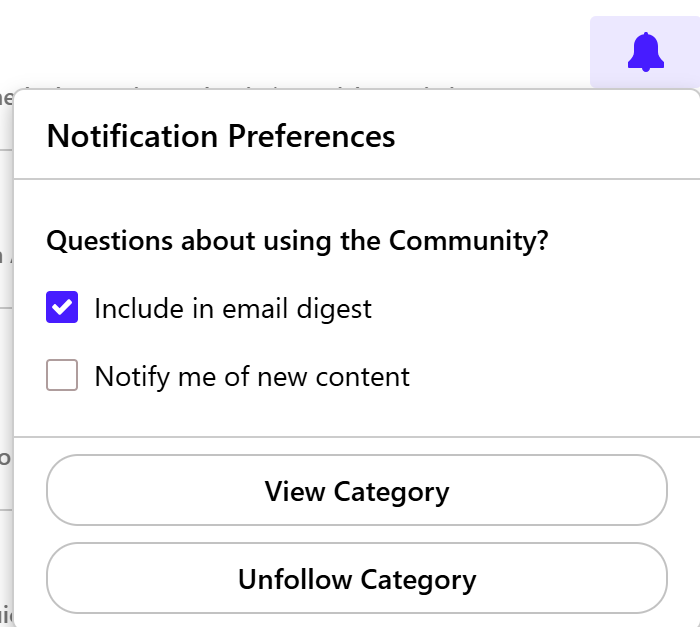
You will see a list of categories you follow, and check to make sure the notification bell for each category you wish to follow is blue.
If it is blue, you can also click on it and make sure the checkbox for "Include in email digest" is selected.
Hope this helps!
-Quicken Anja
Make sure to sign up for the email digest to see a round up of your top posts.0 -
thanks Anja, and followed content is empty,
Im new to site can you explain how to follow content
0 -
Yes, since it's empty, that would be why you're not receiving these emails.
To follow a category:
- Go to the Community Homepage and select any category.
- Choose any subcategory within that category you want to follow.
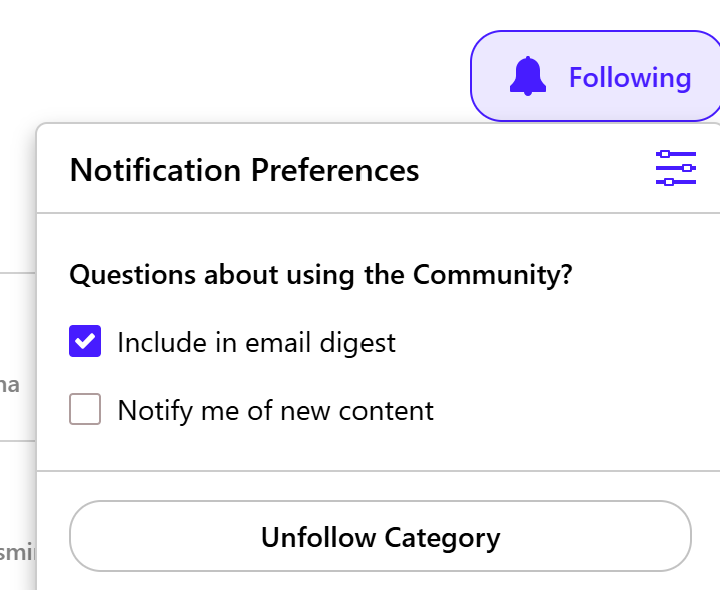
- In the top-right corner, you'll see a "Follow" button with a bell icon (mine already shows as "Following").
Once you click it, a dropdown menu will appear. Check the box for Include in email digest.
This should make it show up under Managed Followed Content as mentioned in my previous response, and you'll start receiving notifications based on your Email Digest frequency settings.
Hope this helps!
-Quicken Anja
Make sure to sign up for the email digest to see a round up of your top posts.0
Categories
- All Categories
- 56 Product Ideas
- 36 Announcements
- 223 Alerts, Online Banking & Known Product Issues
- 22 Product Alerts
- 702 Welcome to the Community!
- 671 Before you Buy
- 1.2K Product Ideas
- 53.7K Quicken Classic for Windows
- 16.3K Quicken Classic for Mac
- 1K Quicken Mobile
- 813 Quicken on the Web
- 111 Quicken LifeHub