Quicken Classic Premier
Windows 11 Pro
Version R63.21
Build 21.1.63.21
My advisor sent me the following yesterday and I was hopeful that I would finally be able to download transactions for my Altruist accounts. Unfortunately, when I follow these instructions, Quicken still creates the old and limited "Simple Investing" accounts that do not transfer transactions.
Anybody successfully created Altruist accounts using the new Plaid connectivity and can retrieve detailed transactions? If yes, please let me know the steps.
Thanks for any help.
*******
Plaid Core Exchange Overview
Altruist’s integration with Plaid Core Exchange makes it easy for account owners to link their Altruist accounts with thousands of popular financial apps, including budgeting tools like Monarch and Quicken.
Through this integration, account owners can securely share their account balances, positions, and transaction data from Altruist with over 2,600 Plaid-supported apps. Data sharing is fully tokenized, meaning user credentials are never shared with third parties.
Connectivity via Plaid Core Exchange
To connect your Altruist account, simply follow the prompts from within the Plaid-supported app (such as Monarch, Quicken, or another supported app). The connection is always initiated from within the destination app, not from within Altruist.
General steps:
- Open your Plaid-supported app and go to the section where you link a financial account.
- When prompted, search for “Altruist” [https://www.altruist.com/] in the list of available financial institutions.If you see multiple connection options for Altruist choose the one that maintains the Altruist logo. The alternative connection option works through MX screen scraping, and we do not support or recommend its use.
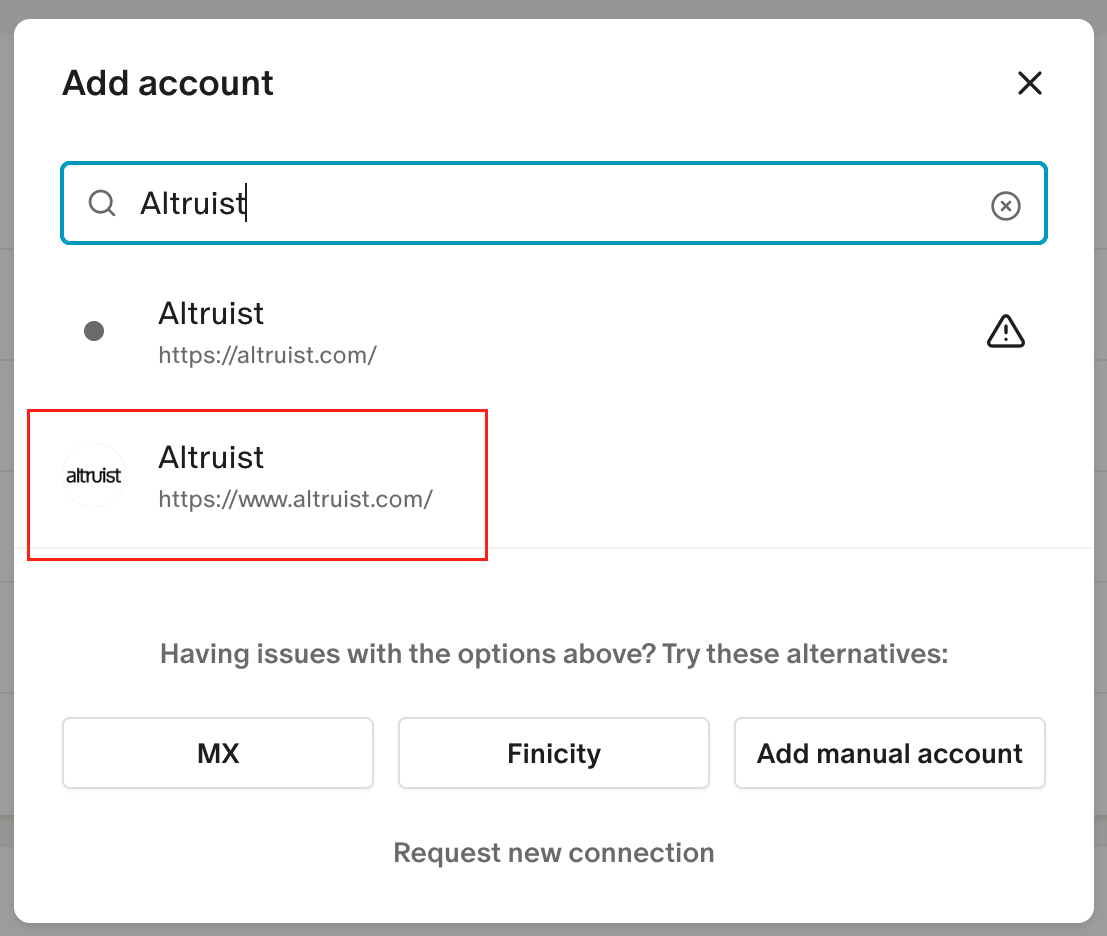
- Select Altruist and follow the secure login and authorization steps.
- Once connected, account balances, positions, and transactions will begin syncing automatically with the app.
Frequently Asked Questions
Q: What data is shared with Plaid Core Exchange?A: Altruist account, demographic, balance, holdings, and transactions data are shared with Plaid Core Exchange and, by extension, Plaid-supported apps.
Q: Are historical transaction records shared with Plaid Core Exchange?A: Transaction records for the previous 30 days will sync to Plaid Core Exchange and, by extension, Plaid-supported apps after initial connectivity has been established. Individual apps may limit the amount of Altruist transaction data they display.
Q: Are client credentials exposed to Plaid Core Exchange and Plaid-supported apps?A: No. Data sharing is fully tokenized, meaning user credentials are never shared with Plaid Core Exchange or Plaid-supported apps.
Q: Who can initiate connectivity?A: Owners or joint owners of the account can initiate connectivity from within the Plaid-supported app using their Altruist Client Portal login credentials.
Q: Are there any actions required within the Advisor Portal before the account is available to connect?A: The account must be assigned to a household before being available for connectivity via Plaid Core Exchange.
https://app.altruist.com/support/sso?startURL=/s/article/Plaid-Core-Exchange

