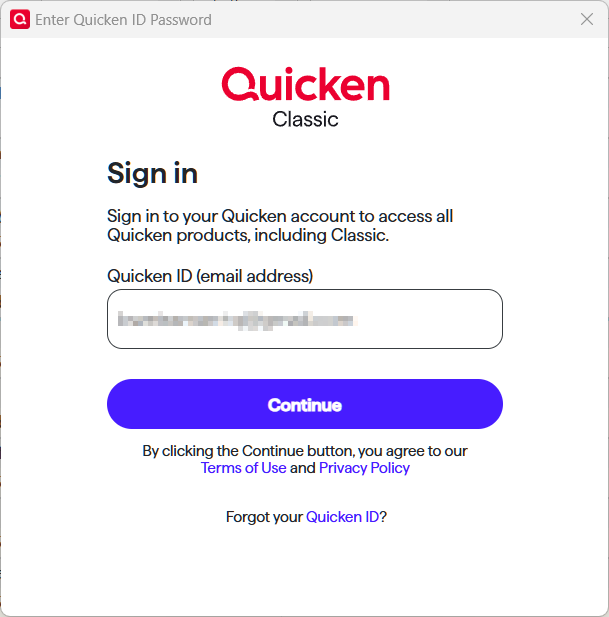
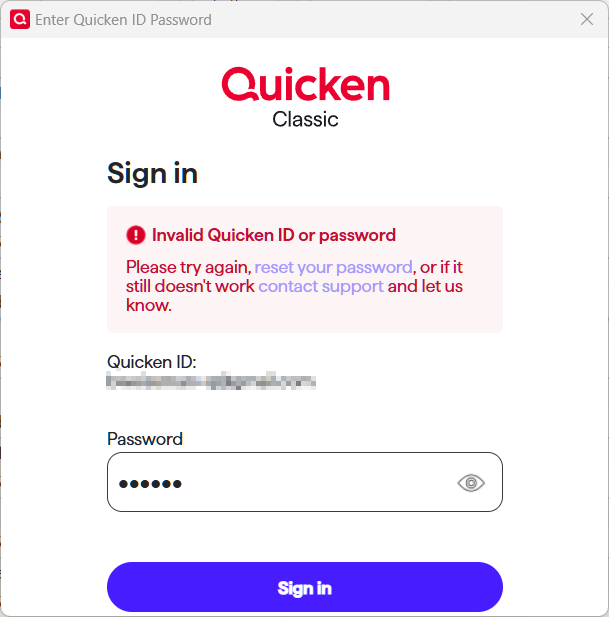
I am seeing this pair of dialogs for the first time today, which was a surprise. Are these legitimate Quicken dialogs, or am I being hacked?
@Rocket J Squirrel they look legit to me. Every once in a while I get prompted to sign in with my Quicken ID.
I asked Copilot "what what triggers Quicken to prompt a user to sign in with their Quicken ID?" This is what it came back with -
***************************************************************************************************************
🔐 Common Triggers for Quicken ID Sign-In Prompt
runtime.dat
QUSER.INI
If you're seeing the prompt every time you open Quicken, that’s not normal behavior. You might want to reset your Quicken ID settings via:
Edit > Preferences > Quicken ID & Cloud Accounts > Sign in as a different user Then type "yes" and sign back in.
I guess that still doesn't explain why you got the "Invalid Quicken ID or password". Otherwise, I wouldn't be too concerned with being asked to sign in with your Quicken ID.
I'm getting the same prompts as you. Seems suspicious to me as well. Why can't quicken just send an email for prompting one to update a password? They should let us know what is going on.
Okay, I restarted my computer and opened quicken again. this time it prompted me to sign in as normal and the system is working fine.
Hi @Rocket J Squirrel & @carefulkt,
Based on the screenshots Rocket provided, the prompts do appear to be legitimate Quicken sign-in dialogs.
@carefulkt —it sounds like your issue with the prompt has resolved after restarting, which is good to hear.
Also, as @CaliQkn mentioned, there are several common, legitimate triggers for a Quicken ID sign-in prompt—thank you for providing an accurate list.
For both of you, can you share where and when you saw these prompts? For example, did they appear right when opening Quicken, during One Step Update, after a software update, or at another point in your workflow? This will help us better understand the trigger.
Thank you!
I believe I saw in passing, but did not capture, a message detailing the requirements for the QID password (length, special characters, etc.) My long-time password which worked for years did not meet those requirements. So I think it changed out from under me requiring a compliant password.

![Photo of [Deleted User]](https://us.v-cdn.net/6031128/uploads/defaultavatar/nTYA6S0SVB4GN.jpg)
