One step update no longer working

Banst
Banst Quicken Windows Subscription Member ✭✭

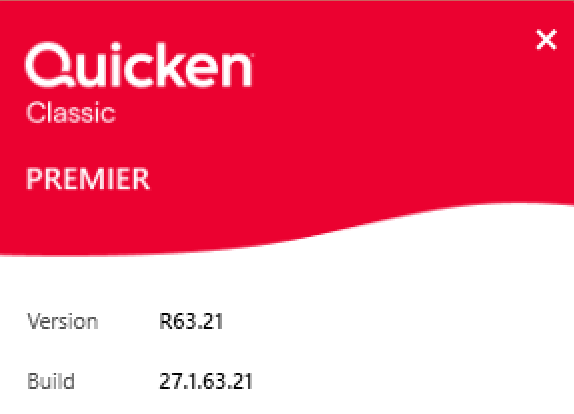
  • We like to know if you're on Windows or Mac, and what release you're on. (Not sure? Go to Help>About Quicken in Windows or Quicken>About Quicken in Mac). WINDOWS
  • image.png
  • If you're having an issue, when did it start? 4-5 DAYS AGO. Was it after a recent release, etc.? YES
  • Bank issues? Tell us the name of the bank and if you see any error messages. Fidelity and Vanguard
  • We'll always try to reproduce issues, so let us know what steps you took before you experienced the issue--we love screenshots! I have deactivated and reactivated each account and waited a day between each. I have also reset each account and signed the financial institutions authorization multiple times.

Please let me know how I can resolve this issue.

Comments

  • Quicken Anja
    Quicken Anja Moderator mod

    Hello @Banst,

    Thank you for providing these details. I have a few additional questions to help us narrow things down:

    • Where is your Quicken data file stored? Is it on your local hard drive (C: Drive) or a cloud-based/external drive (e.g., OneDrive, DropBox, USB, etc.)?
    • Are you using a VPN while updating your accounts? If so, does disabling it make any difference?
    • Do you have any antivirus or malware protection software running that may be interfering with Quicken? If so, have you tried temporarily disabling it to see if the issue persists?

    To start with, please review and follow this support article. This article provides more info on why transactions may not appear and includes step-by-step troubleshooting, including checking sort order, filtering, and verifying that transactions aren’t in hidden or incorrect accounts.

    Additionally, please be aware that we currently have an active Alert for Fidelity, though there is no ETA on resolution. While the investigation remains ongoing, please refer to this Community Alert for any and all available updates and information.

    Thank you!

    -Quicken Anja
    Make sure to sign up for the email digest to see a round up of your top posts.

This discussion has been closed.