I am trying to assist a client to upgrade his old Quicken v8 to a more modern version.
I have tried updating from Quicken v8 - Quicken 2004 trial. When doing this the data file requests a password even though there is no password set on the original file
The client has a copy of Quicken 2009. The upgrade instructions for this indicate the file should first be updated to Cashbook 2004 Trial which is included on the CD. This upgrade succeeds with no password prompt and the file opens correctly
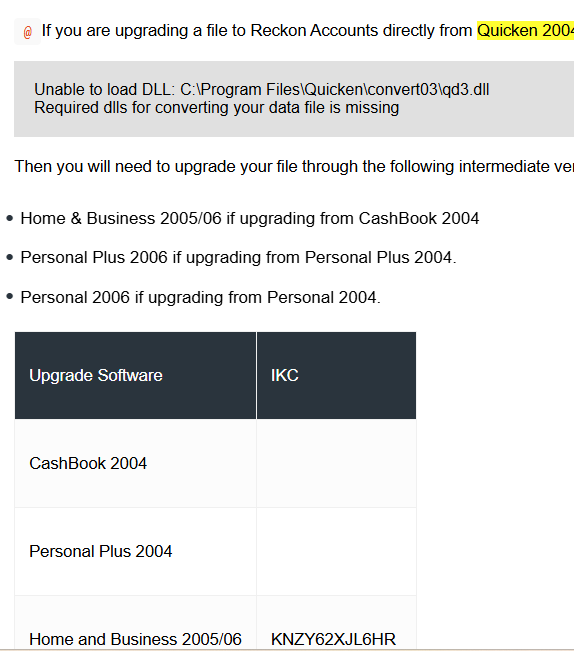
When i then try to open this upgraded file in Quicken 2009, i receive an error indicating qb3.dll could not be loaded
According to the information found at the link below i should install the trial of Home and Business 2005/06 using the license key supplied below.
When activating with the supplied license key the online activation fails and i then call quicken support for a telephone activation.
Support were unable to activate this for me, claiming that this is a personal copy and is licensed to someone else. Once the support agent realised what was happening he then redirected me to here
https://help.reckon.com/article/46sqcli2rv-46sqcli2rv-installation-upgrade-guide