Blank Popup Screen Asking to sign in with Quicken ID
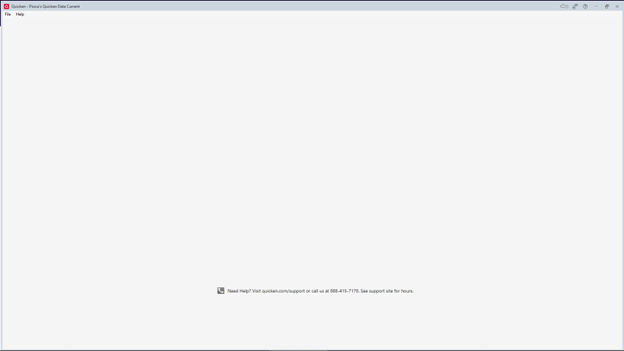
Recently, when I try to do One Step Update, a box pops up asking me to sign into my Quicken Account, but the box is blank. If I X out of this, I get the prompt to sign into my password vault, and that works fine, but then the blank Quicken Account sign in popup box reappears.
If I switch to the admin account on my computer, I can see the box and sign in, and then I can do the OneStep update. But when I return to the non-admin account, if I try to do the One Step update again, the blank sign in box reappears.
This never used to happen. While I have a fix, it is VERY frustrating to have to go back and forth between the accounts on my computer to do what I was able to do previously from the main account that I use. I use this non-admin account because I am trying to protect my computer.
I am using Quicken Classic, Version R64.19, Build 27.1.64.19 with Windows 10 Pro.
Answers
-
Hello @Professor M,
Thank you for reaching out and telling us about this issue!
If you haven't already, I suggest you try signing out of your data file completely and then signing back in to refresh the registration token for your Online Connected Services. However, I do recommend that you first please ensure you are on the latest version of Quicken (Help > Check for updates), and save a backup file prior to performing these steps.
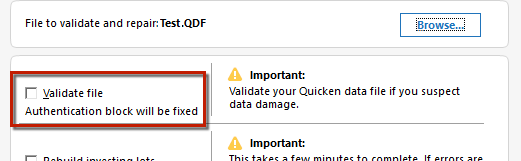
- Validate your data file by navigating to File > Validate and Repair File
- Check the Validate file box and click OK
- Navigate to Edit
- Preferences...
- Quicken ID & Cloud accounts
- Click Sign in as a different user (or it might say Sign in using a different Quicken ID)
- Follow the prompts to Sign Out
- Sign back in using your Quicken ID (email) and password (this screen is not a pop-up box)
Keep in mind that the blank sign-in pop-up dialog may continuously keep popping back up throughout this process, in which case you will need to continue closing it each time it pops up until you reach the full sign-in screen.
You can also find the above instructions in this support article.
I hope this helps!
-Quicken Anja
Make sure to sign up for the email digest to see a round up of your top posts.0 -
I did everything you recommended and it did not fix this.
When I tried to sing in as a different user on my non-admin account, and kept closing the pop ups each time, I just ended up with a very large blank screen rather than just a pop up blank screen.
I had to go back into the admin account to sign back in again.
0 -
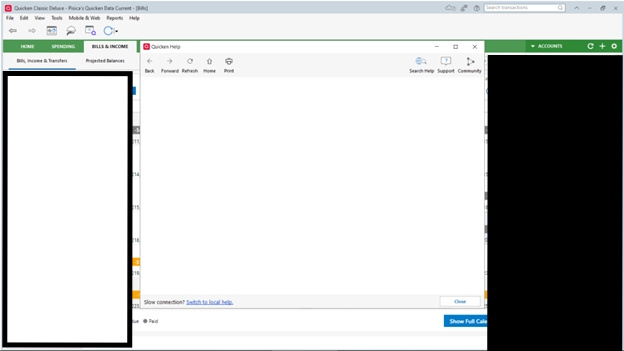
If this helps at all, I also get a blank popup screen when I try to open the Quicken Help box, so this is not just about sign in, it seems.
0 -
Thank you for following up!
Have you tried uninstalling/reinstalling Quicken? Please refer to the following support articles for instructions on uninstalling here and reinstalling here.
However, after you have uninstalled and before you proceed with reinstalling, please open your Windows File Explorer and navigate to This PC > C: Drive > Program Files (x86) and delete the folder titled "Quicken" (doing so does not affect your data files).
After you have deleted this folder, go ahead and try reinstalling.
Let us know how it goes!
-Quicken Anja
Make sure to sign up for the email digest to see a round up of your top posts.0 -
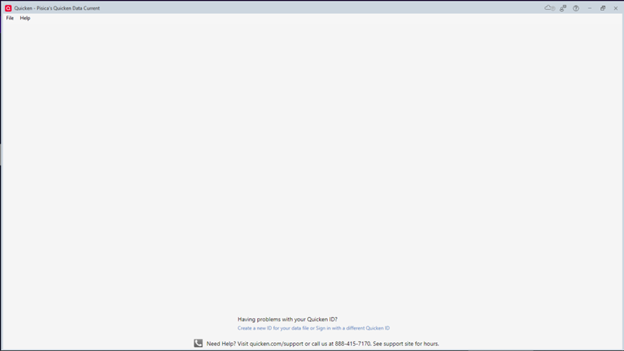
I uninstalled and reinstalled Quicken, but now in my non-admin account, Quicken doesn't open because I am STILL getting stuck with the blank sign in page (see below). Something is not allowing the sign-in boxes or help screens to appear. I am not sure what would be blocking these on my non-admin account but not my admin account.
0 -
P.S. I did go to my admin account and got Quicken working, and now it seems that it is not asking me to sign in again when doing One Step update, which is good.
0 -
Thank you for the detailed updates and screenshot!
Since this behavior only occurs on your non-admin account, please try the following step:
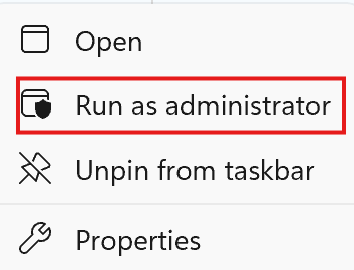
- Right-click the Quicken icon on your Desktop or Taskbar (while in your non-admin account).
- Select Run as Administrator.
Please give that a try and let us know how it goes!
-Quicken Anja
Make sure to sign up for the email digest to see a round up of your top posts.0 -
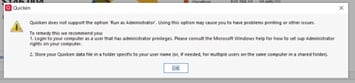
Thank you for the additional suggestion. When I tried running Quicken as an administrator, this box popped up:
I know that the image is hard to see, but basically, it says that Quicken does not support the option 'Run as Administrator.'
0 -
Thanks again for another update!
Next thing to check is whether security software or network filters are interfering with the Quicken sign-in window:
- If you’re running a VPN, please disable it and try again.
- Temporarily turn off your firewall to see if the sign-in screen appears normally.
- If you have a third-party antivirus program installed, try fully uninstalling it and then rebooting your computer. (We’ve seen cases where disabling alone doesn’t resolve the issue, but uninstalling/rebooting does.)
If Quicken starts working correctly after these changes, you’ll know the security software was the cause.
Let us know how this goes!
-Quicken Anja
Make sure to sign up for the email digest to see a round up of your top posts.0 -
I appreciate these suggestions, but again, this was not helpful. It did not change things.
The popup had not been showing up for a while, which explains the delay in my response. Just this morning, however, it happened again. I had to go into the admin account to do One Step Update. This is SO frustrating, and all the things you have suggested (which I had found in other threads) are not solving the problem.
There has to be something about what Quicken uses when it does the popup windows for help or sign in that is different between my admin and non-admin accounts. Do you know what architecture those pop up windows use? Is it somehow connected to another program (e.g., Edge)?
0 -
Thanks for following up!
I have sent you a direct message, please navigate to the inbox in the top right-hand corner of the Community page and check your inbox.
Thank you!
-Quicken Anja
Make sure to sign up for the email digest to see a round up of your top posts.0
Categories
- All Categories
- 60 Product Ideas
- 36 Announcements
- 219 Alerts, Online Banking & Known Product Issues
- 21 Product Alerts
- 704 Welcome to the Community!
- 671 Before you Buy
- 1.2K Product Ideas
- 53.9K Quicken Classic for Windows
- 16.4K Quicken Classic for Mac
- 1K Quicken Mobile
- 812 Quicken on the Web
- 115 Quicken LifeHub