I have Quicken Classic Deluxe. It will not link with my Fidelity accounts. Fidelity says it will only link with the last 3 versions. How do I know if I have the updated version needed for a link?
Hello @Lindajpat,
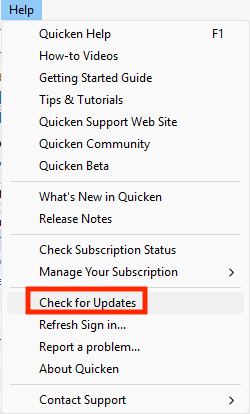
Thank you for reaching out to the Community with this issue. When you refer to versions, do you mean Quicken versions? If so, then you can make sure you are on a current version of Quicken by navigating to Help>Check for Updates.
If an update is available, you will be prompted to update. Otherwise, you'll get a message saying you're already using the current version.
Please provide more information about the connection issue you are having with Fidelity. You said that it won't link to your accounts. Are you seeing any error messages/codes? If not, then what is happening? Are these accounts that were previously connected and working in your Quicken, or accounts that you're trying to add to your Quicken file?
I look forward to your response!
I haven't seen a response from you. Do you still require assistance?
Thank you!