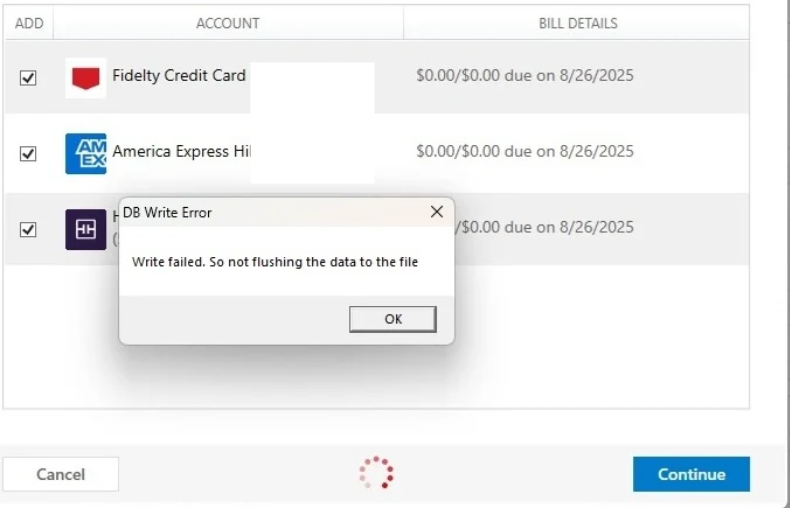
Noticed this today. If I try and select this feature the program completely locks up. I have to kill Quicken in the task manager. R63.21
The task manager says Quicken has 8% CPU usage during this time versus 0% at idle.
Hello @Bione,
Thank you for letting us know you're encountering this issue. Usually, freezing is caused by a program issue or a file issue. To start troubleshooting this issue, if you haven't already done so, please try re-installing R63.21. You can use this article for instructions and to download the patch:
Once you have reinstalled the patch, please restart your computer and test to see if the issue persists.
Please let me know how it goes!
This is the most horrible change I have ever seen with Quicken. I went and got the latest 64.19 version that made me install billers. The program hung and I had to kill the process.
Over half of my billers are not even there. Expletive withheld. Current owed amounts not filled in. I can only hope that the next billing cycle fills them in.
Thank you for your reply,
The new service provider doesn't cover as many billers currently, but is working to expand. For more information on the change, please see this article:
It sounds like you're still having issues with the program hanging on the Bills & Income section? If that is the case, the next step is to try validating your data file. Please save a backup file prior to performing these steps.
Validate: