Is there a way to avoid having the autofill function populate non-recurring fields like "memo/notes"? It's not useful to have previous entries automatically show up again on unrelated transactions.
I was about to post the same question! An example of the issue arises when making an entry in the Memos/Notes field with a retailer such as Amazon. The product purchased information doesn't flow into Quicken, so I use the field to note what was purchased. When the next Amazon transaction comes through, the memo/note is automatically filled in. It must be manually deleted or it will continue to auto populate every transaction with the same note going forward.
Is this a setting that can be changed?
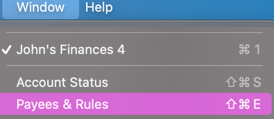
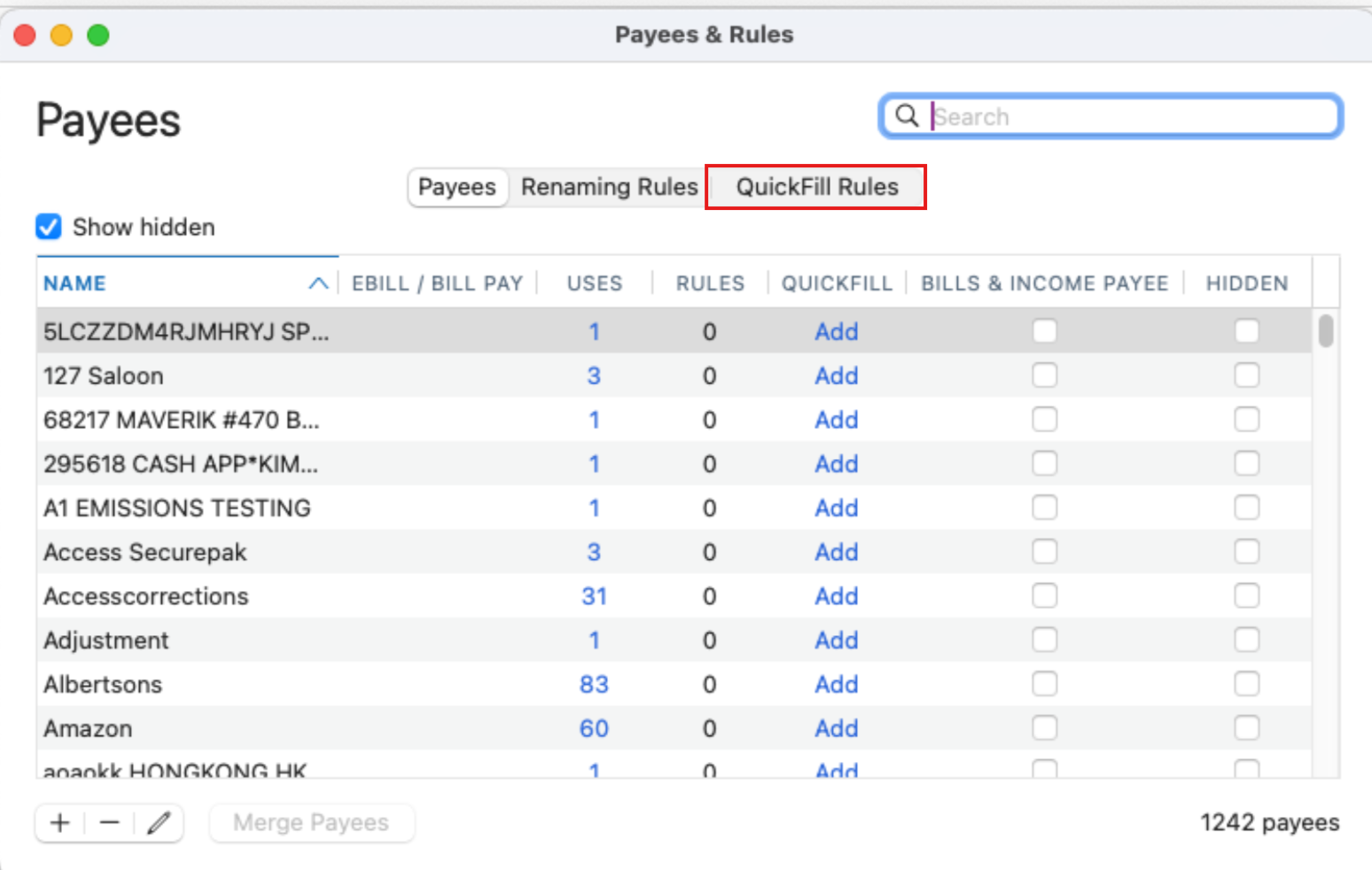
If in Quickfill ( Windows—Payees& rules—QuickFile )
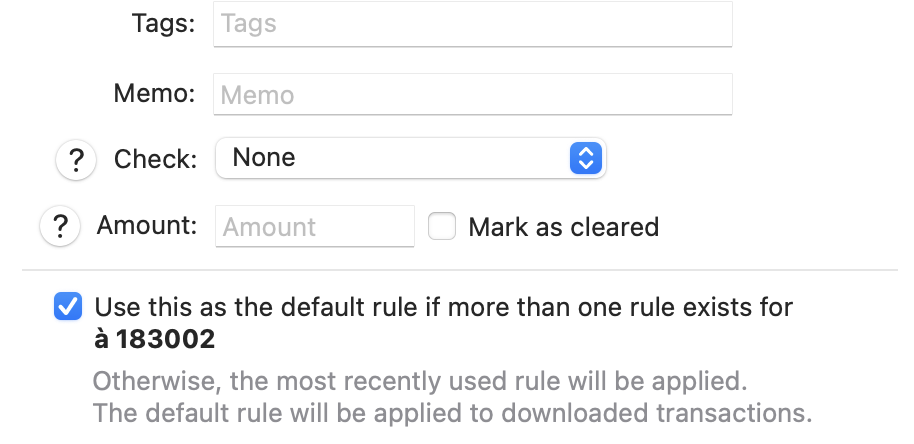
you select "use this as the default rule if more than one rule exists…."
and have the memo field empty as on the image, wouldn't it quicfill with no information in the memo field
Hello @Allan L. & @NorthernExposure,
I understand how having previous memo entries autofill in unrelated transactions can be frustrating. This usually happens because the information is saved in QuickFill Rules. To remove it:
After doing this, the autofill should no longer populate that field for unrelated transactions, giving you more control over what appears in your registers.
Additionally, here is also a Help Article on QuickFill Rules that you may find useful.
Hope this helps!
That is even better Anja
Thanks
Hi @Gilles9,
You're welcome, and I apologize, I didn’t notice that you had posted just a minute prior to me. Appreciate the additional information you provided—it is also accurate and helpful.
Thanks!
Anja ~ very helpful instructions and link - thank you. That did the trick!
@NorthernExposure You’re welcome! Glad to help.