Cannot add Wells Fargo account - says login password invalid

ShrewdOne
ShrewdOne Quicken Mac Subscription Member

I'm trying to add a new Wells Fargo account to Quicken Premier Mac Version 8.3.0 (Build 803.58807.100).

My username and password are correct. I can use them to login to the Wells Fargo web portal for my account. I am copying and pasting them into Quicken so I don't make a typo, but I showed the password just in case and it is correct. I've tried multiple times and this is not working.

I have 2 other Wells Fargo account connected in Quicken but I can't add this 3rd one.
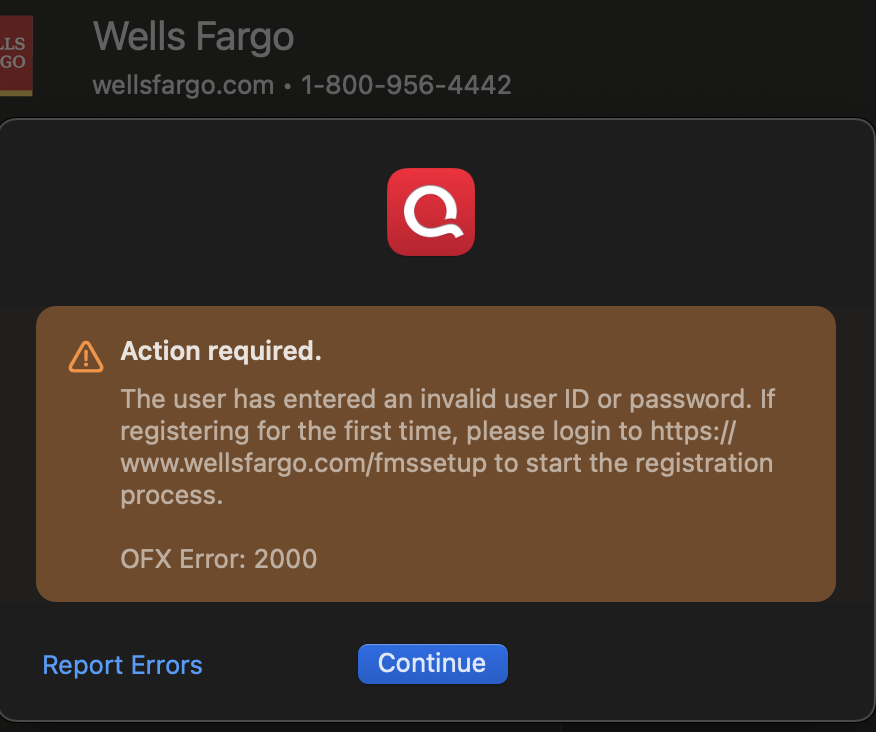
Screenshot 2025-09-02 at 4.00.58 PM.png

Comments

  • Quicken Anja
    Quicken Anja Moderator mod

    Hello @ShrewdOne,

    Thank you for sharing the details of the issue. Based on the error you’re running into when adding your Wells Fargo account, I recommend reviewing our Error 2000 (OFX 2000 / Care Code 2000) support article, as it explains what’s happening and how to resolve it.

    In short, this error is generated by the financial institution and includes specific instructions for the action required. In your case, the message indicates you’ll first need to log in at https://www.wellsfargo.com/fmssetup. Once logged in, Wells Fargo will provide a limited window of time (usually about 10 minutes) for you to go back into Quicken and try connecting the account again.

    Please give that a try and let us know how it goes!

    -Quicken Anja
    Make sure to sign up for the email digest to see a round up of your top posts.

This discussion has been closed.
