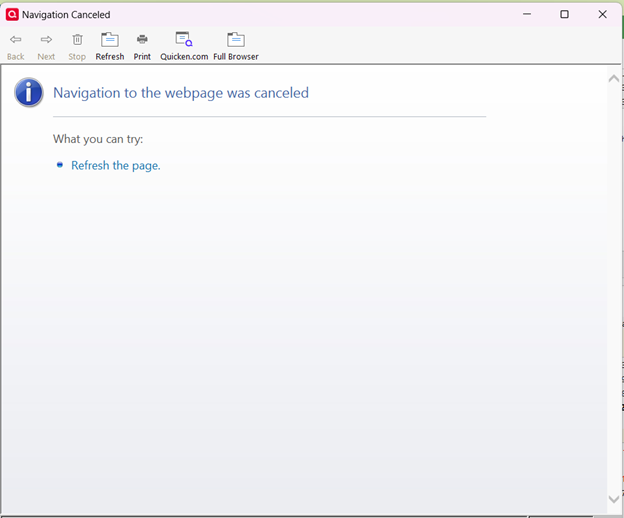
Navigation to webpage canceled
Over the last week or so I am routinely getting this "Navigation to the webpage was canceled" error when I try to open an account (any account) in Quicken. Once I get the error message, it doesn't matter which account I attempt to open, I get the error for every account. The only thing I can do is shut down & reopen the program, which sometimes helps and sometimes doesn't, in which case I just have to walk away & not work in Quicken. I see some other discussions about this, but am unsure what to do—I don't want to delete caches willy nilly. Would appreciate some help from Quicken.
Comments
-
Additional info would be helpful in trying to diagnose your issue.
What BUILD of Q and what PRODUCT are you running? This info is at HELP, About Quicken.
Also at the dialog, what's your 'Subscription Valid until …" date?
What is the full path to your Q data file? Starting with the drive letter thru ".qdf".
And, please explain in more detail what exactly you're doing when this occurs. What keystrokes?
Q user since February, 1990. DOS Version 4
Now running Quicken Windows Subscription, Business & Personal
Retired "Certified Information Systems Auditor" & Bank Audit VP0 -
Thank you for your response. I am running Quicken Classic Premier, version R64.23, build 27.1.64.23, subscription valid until 4/22/26. It also says Windows 11 Enterprise, though I'm a home user. Path to Q data file is C:\Users\name of my home computer\OneDrive\Documents\Quicken\QData.qdf.
When the error message occurs, I am using the mouse to select an account to open. Once the error message appears, it pops up regardless of the account I try to open.
0 -
Hello - Does anyone have thoughts on this issue? My Quicken is becoming almost unusable. Thanks.
0 -
We don't recommend keeping your active data file on OneDrive or any other cloud backup service due to possible conflicts. Move your Quicken folder to somewhere on C: which is not monitored by any such service and see whether that helps.
Quicken user since version 2 for DOS, as of 2025 using QWin Premier (US) on Win10 Pro & Win11 Pro on 2 PCs.
0 -
Concur with @Rocket J Squirrel. Don't store your Q data file ANYWHERE other than your physical harddrive.
Q's database technology isn't robust enough to survive even the slightest hiccup in accessing an online file.
You CAN safely store your backup files on OneDrive, and direct your backup's to the OneDrive folder on your harddrive … but don't store the QDF file itself there.
Such is only asking for trouble.
And don't bother to suggest that Q re-write it's entire DB technology. The QMac re-write took 10 years, and a QWin re-write would take even longer.
Q user since February, 1990. DOS Version 4
Now running Quicken Windows Subscription, Business & Personal
Retired "Certified Information Systems Auditor" & Bank Audit VP0
Categories
- All Categories
- 56 Product Ideas
- 36 Announcements
- 225 Alerts, Online Banking & Known Product Issues
- 22 Product Alerts
- 702 Welcome to the Community!
- 671 Before you Buy
- 1.2K Product Ideas
- 53.7K Quicken Classic for Windows
- 16.3K Quicken Classic for Mac
- 1K Quicken Mobile
- 812 Quicken on the Web
- 111 Quicken LifeHub


