Problems with importing RBC USA qfx file

I am trying to import the last couple of years of transactions on my RBC Bank Visa into Quicken Classic. I downloaded the transactions from the bank in the .qfx format — there are 43 transactions. From within Quicken, I:
• Choose: Import>Bank or Brokerage (OFX, QFX)...
• Select the file from my Downloads folder, click Open
• It asks for the target account, (RBC Visa, yup) I click OK
• it appears to be processing, even says that it is, but nothing is imported.
I have repeated the process a couple of times and looked to see if it was being imported into another account, but it doesn't seem to go anywhere in the Quicken file.
There are no follow up error messages saying it couldn't read the file, or import failed.
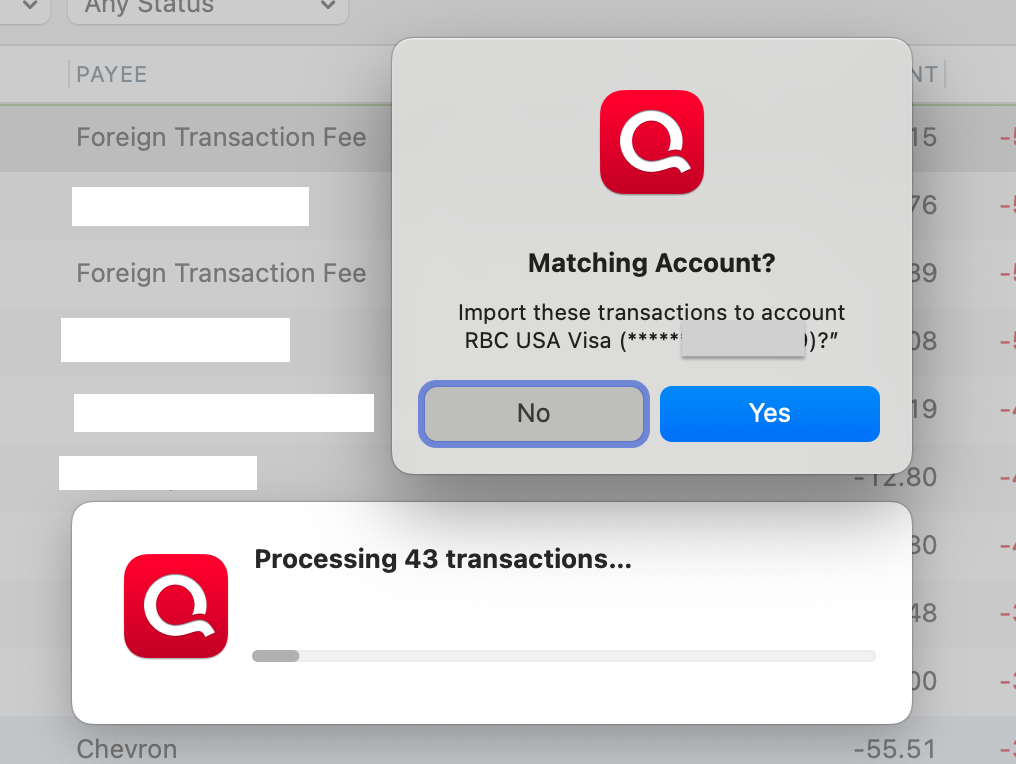
Same thing happens with my RBC USA MoneyMarket account. I looked inside the QFX file and it seems to be standard XML.
Any suggestions? Are there other ways to import into Quicken? I have downloaded the same set of transactions in a CSV file.
Thanks for any help.
Best Answer
-
Brilliant! That must be it, as I did delete some of them, thinking I would clean things up with a fresh import. I did as you said and I am back in business. Thanks very much for the help.
0
Answers
-
Howdy, @canadoug
It appears to be processing things correctly as indicated by the "processing 43 transactions". (If it warms your heart, you could confirm those transx are actually in the QFX file by opening it in any text editor-it's nothing but a text file.) But, I think they are. You alluded to already doing this.
I suspect that that these transactions have already been imported at one time in the past. (Quicken will ignore previously imported transactions, even if you have deleted them from your file-it keeps track of this via a unique transaction ID. Transaction import is a one time event to prevent duplicates.
I would repeat again, but let the import create a new account instead of linking to existing and see if they populate there. If so, you can drag the transactions into your existing account.
I could be wrong, but I have a hunch you are downloading QFXs to try to add back historical data-perhaps some of which you have deleted in the past.
1 -
Brilliant! That must be it, as I did delete some of them, thinking I would clean things up with a fresh import. I did as you said and I am back in business. Thanks very much for the help.
0
