Security lot assignment

Ajay Birla
Ajay Birla Member
edited October 18 in Investing (Mac)

Just converted from windows to mac and missing or doesn't know how to accomplish lot assignment for a security that I had and then I bought same security twice and sold them on the same date. Quicken for Mac automaticall take FIFO and assing my oldest lot to the new sell transactions. Where as in windows, it gave me an option to assign new sale to any of the lots. For ex: aecurity ABC had 100 shares bought on 9/1. Then bought 100 shares again twice on 9/11 and sold those those 100 shares twice on 9/11. Quicken for Mac does not show all thres lots like:

100 shares bought on 9/1 at 100$

100 shares bought on 9/11 at 120$

100 shares bought on 9/11 at 120$

Processing my sell transactoin for 9/11 it took the lot from 9/1. When I try to edit the lot it only showns me 100 shares from 9/1 and not 2 lots from 9/11

This is causing issue wtih long tern vs short term capital gain issues for me.

Any help or guidance will be much appreciated.

Best Answer

  • jacobs
    jacobs Quicken Mac Subscription SuperUser, Mac Beta Beta
    Answer ✓

    If you have two lots bought the same day, you should see them separately and be able to select the one you want. But how about this as a workaround if that's not working for you: could you change the date on one of the Buy transactions by one day? This probably won't affect anything in your long-term records, but if you don't want that one-day difference, will changing it temporarily so you can select the correct lot to sell, and then changing the date back to the original date get you where you want to be?

    Quicken Mac Subscription • Quicken user since 1993

Answers

  • John_in_NC
    John_in_NC Quicken Mac Subscription SuperUser, Mac Beta Beta

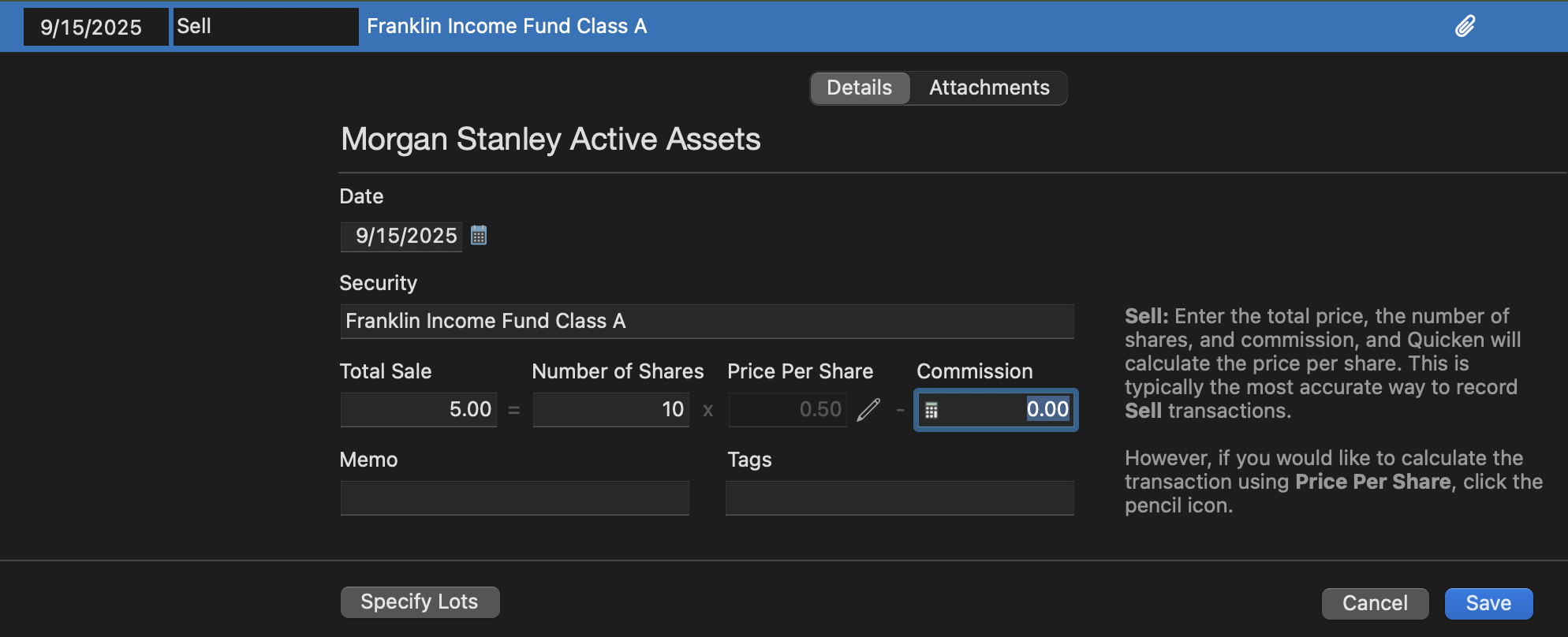
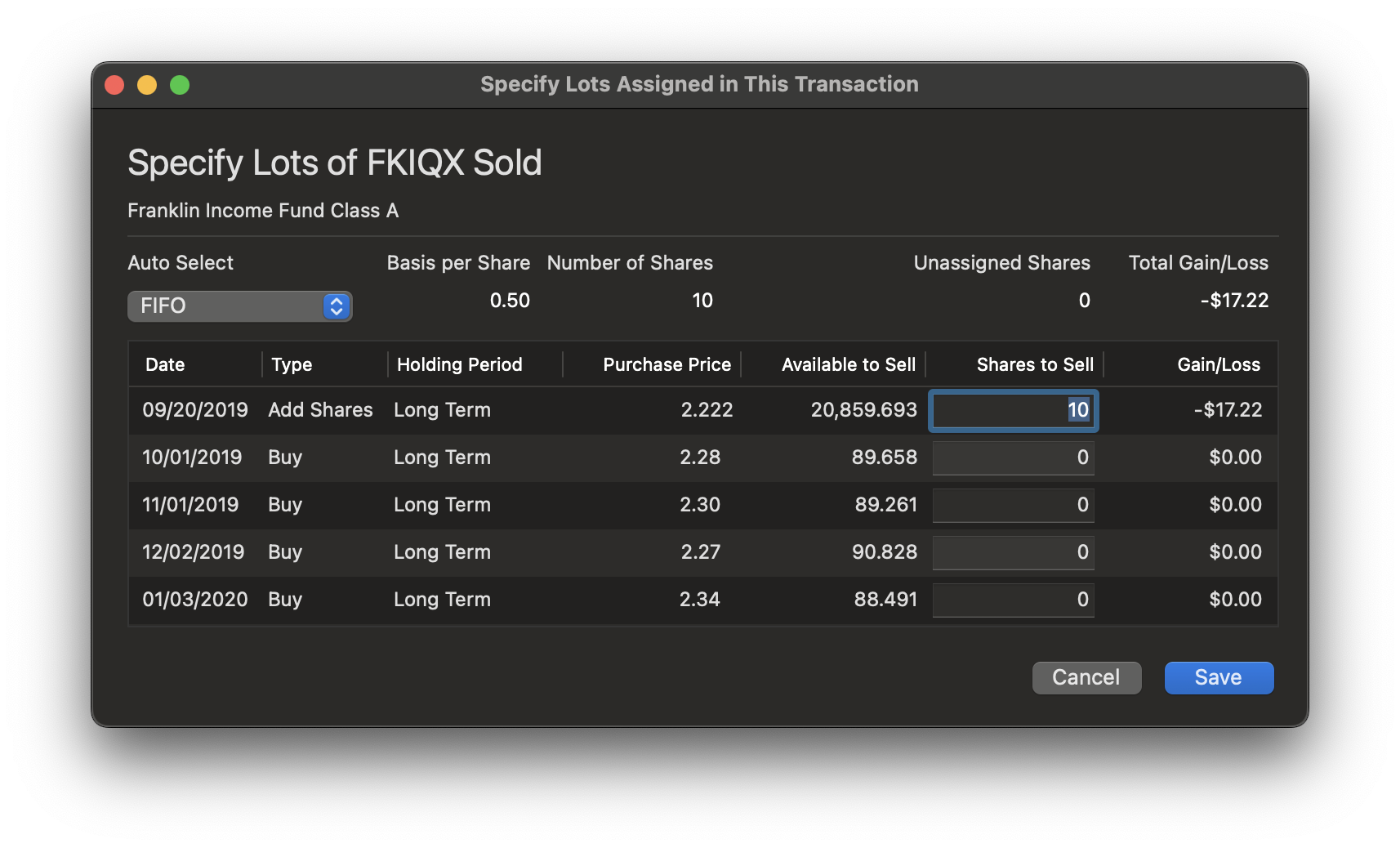
    When entering the Sell transx, look at the bottom of the window, and you should see a "Specify Lots" button. this will take you to the window where you can enter which lots to use for the sale.

    Screenshot 2025-09-15 at 6.22.50 PM.png Screenshot 2025-09-15 at 6.23.11 PM.png
  • I can use this and this work if the lots are bought on different date and sold on a different date. However, my question is: I have an old lot of the security, and then bought and sold on the same security on the same day, when entering the sell transaction and specify lot, the specify lot windows does not show same day bought lot. It only shows the old lot and assign the sell transaction to old lot (FIFO).

  • jacobs
    jacobs Quicken Mac Subscription SuperUser, Mac Beta Beta
    Answer ✓

    If you have two lots bought the same day, you should see them separately and be able to select the one you want. But how about this as a workaround if that's not working for you: could you change the date on one of the Buy transactions by one day? This probably won't affect anything in your long-term records, but if you don't want that one-day difference, will changing it temporarily so you can select the correct lot to sell, and then changing the date back to the original date get you where you want to be?

    Quicken Mac Subscription • Quicken user since 1993
  • Thanks for the work around… will try and let you know.

  • John_in_NC
    John_in_NC Quicken Mac Subscription SuperUser, Mac Beta Beta

    While the workaround should work, you should be seeing separate lots in the window for even same day transactions as Jacob noted.

    If you go into the Portfolio view, and navigate to the Security and expand to show lots, do you see each separate lot purchase there? You should. Do these same lots not show in the Sell Transactions Specify Lots view?

  • That's what baffling.. same day transactions (buy and sell) don't appear on the portfolio view when expanding that security.

  • John_in_NC
    John_in_NC Quicken Mac Subscription SuperUser, Mac Beta Beta
    edited September 17

    If you see these Buy and Sell transaction correctly in the register, but you are not seeing them correctly in the Portfolio/Specify Lot window, I am beginning to suspect you might have a placeholder transaction that is somehow offsetting one or more of your register transactions. Thus, you don't see them in the portfolio view correctly.

    I would take a look at the beginning of the register for placeholders for this security.

    I am not saying that this is the case, but definitely worthy of a look.

This discussion has been closed.