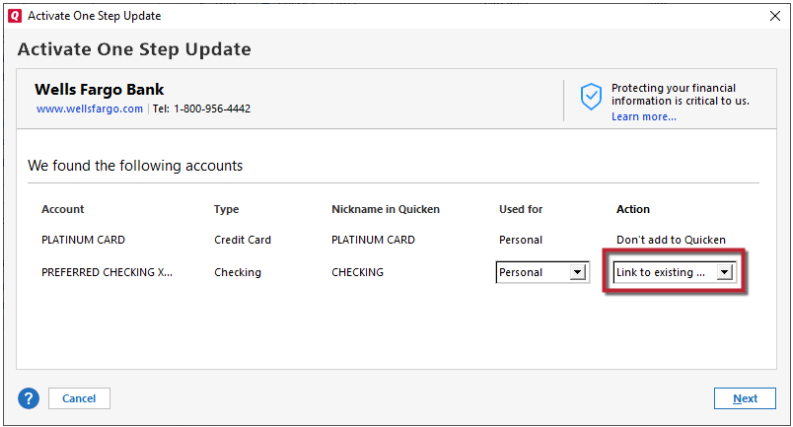
After several reminders to reauthorize with Fidelity (to download Fidelity transactions into Quicken Windows Premiere) I bit the bullet and initiated the reauthorization process.
Unfortunately, this process created 2 duplicate Fidelity accounts. The original accounts include transactions from when I first opened the account (many years ago), but the duplicates only show transactions from June 2025.
I also noticed the original accounts use "Direct Connect" and the duplicate account use "Express Web Connect +". I would like to retain the original accounts since they include ALL the transactions but want to make sure these accounts get updated online.
I would also like to get rid of the duplicate accounts. Not sure how best to do this.
BTW, I took all the default answers (during the reauthorization process) when it shows all the Fidelity Accounts with the pull-down menus where it gives options like "Add to Quicken" and "Link to Existing Accounts". I never know which one to select so I just took the default answers. I wish there was more of an explanation. What I most care about is stuff like (you won't lose any data or you will have duplicate transactions (or duplicate accounts) if you select this option.
Please advise.
[Edited - Readability]