Info in the Memo field doesn't appear on the printed check

Jonathan987
Jonathan987 Quicken Windows Subscription Member
image.png

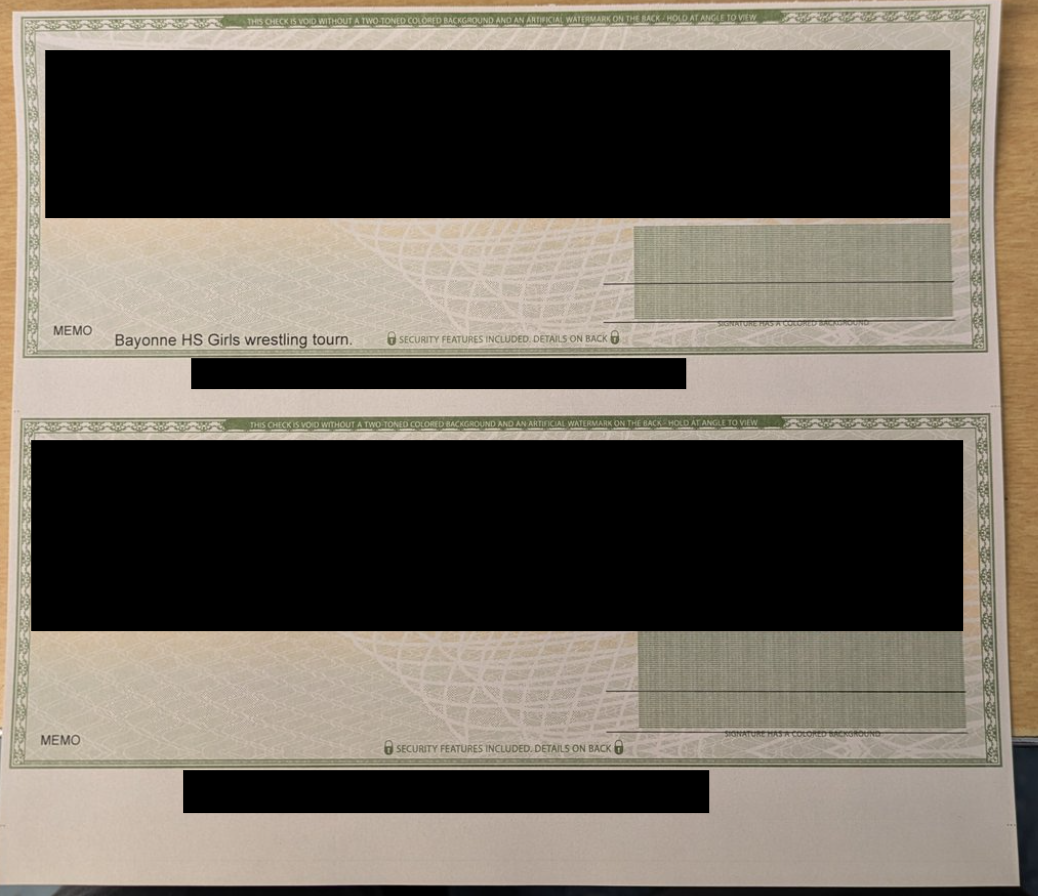
I'm using Classic, version R64.25. Sometimes I print 2 or 3 checks on 1 page. I'll put information in the Memo field for all the checks. However, often (intermittently) the Memo field on the last check on the page doesn't appear when I print the checks. I then have to write in the blank Memo field with a pen.

[Edited Screenshot to Remove Sensitive Info]

Comments

  • Rocket J Squirrel
    Rocket J Squirrel Quicken Windows Subscription SuperUser ✭✭✭✭✭

    Something is amiss with your check alignment settings. The printed date is too high and the printed memo is too low. I think the bottom memo fell below the check printing area. I suggest you go through your settings for printing checks and make sure they're correct for the checks you use.

    Quicken user since version 2 for DOS, as of 2025 using QWin Premier (US) on Win10 Pro & Win11 Pro on 2 PCs.

  • NotACPA
    NotACPA Quicken Windows Subscription SuperUser ✭✭✭✭✭

    Also, where did you get these checks? Are they certified as being "Quicken/Quickbooks" compatible?

    Incompatible checks could also be the reason for your issue.

    Q user since February, 1990. DOS Version 4
    Now running Quicken Windows Subscription, Business & Personal
    Retired "Certified Information Systems Auditor" & Bank Audit VP

  • UKR
    UKR Quicken Windows Subscription SuperUser ✭✭✭✭✭

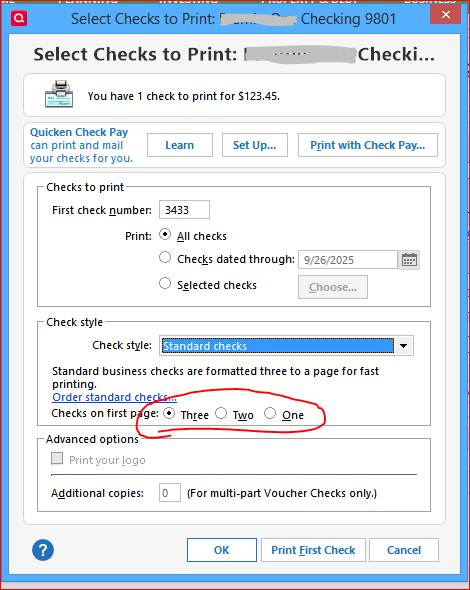
    Are you selecting the correct number of Standard Checks available on the first sheet? 3, 2 or 1 check left on the sheet?

    image.png

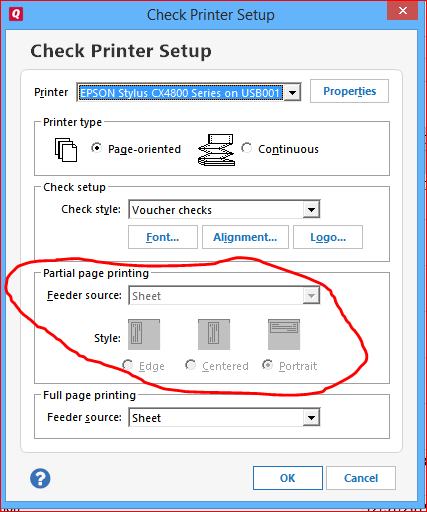
    Also be sure to choose and test the proper selections for how to print a partial page (1 or 2 checks left on sheet) in your printer … the settings to choose (e.g., horizontal vs. vertical feed) may depend on the make and model of printer that you use.

    cap16 check printer setup partial page.PNG
This discussion has been closed.