Davenport connection issue
First noticed this past Saturday…worked Friday…started getting an error when doing a 'One Step Update'. Figured it may be some system updates possibly being done, though Davenport is good about such notification, so decided to wait until Monday (today). Same issue this morning. I contacted the Davenport online help desk informing them and asking for help. They were apparently made aware by other users of a Quicken issue. On my side I tried 1) a reset of the account; and 2) I then deleted the connection and tried to reconnect. No joy, can not reconnect. I believe the tech folks at Davenport are working with Quicken but, because I did not see anything in the forums, wanted to add this as a record for future reference.
Comments
-
The error message I'm getting when trying to connect:
We encountered an error while connecting to your bank.
Quicken is having trouble connecting to Davenport & Company LLC.
An additional message from Davenport & Company LLC: [blank]Verify your credentials by logging into davenport.netinvestor.com. [done] If your credentials are correct, navigate to the Settings page and verify your Quicken device to link it to Quicken. For assistance, please contact us at [blank]
0 -
Hello @mcmillanmail,
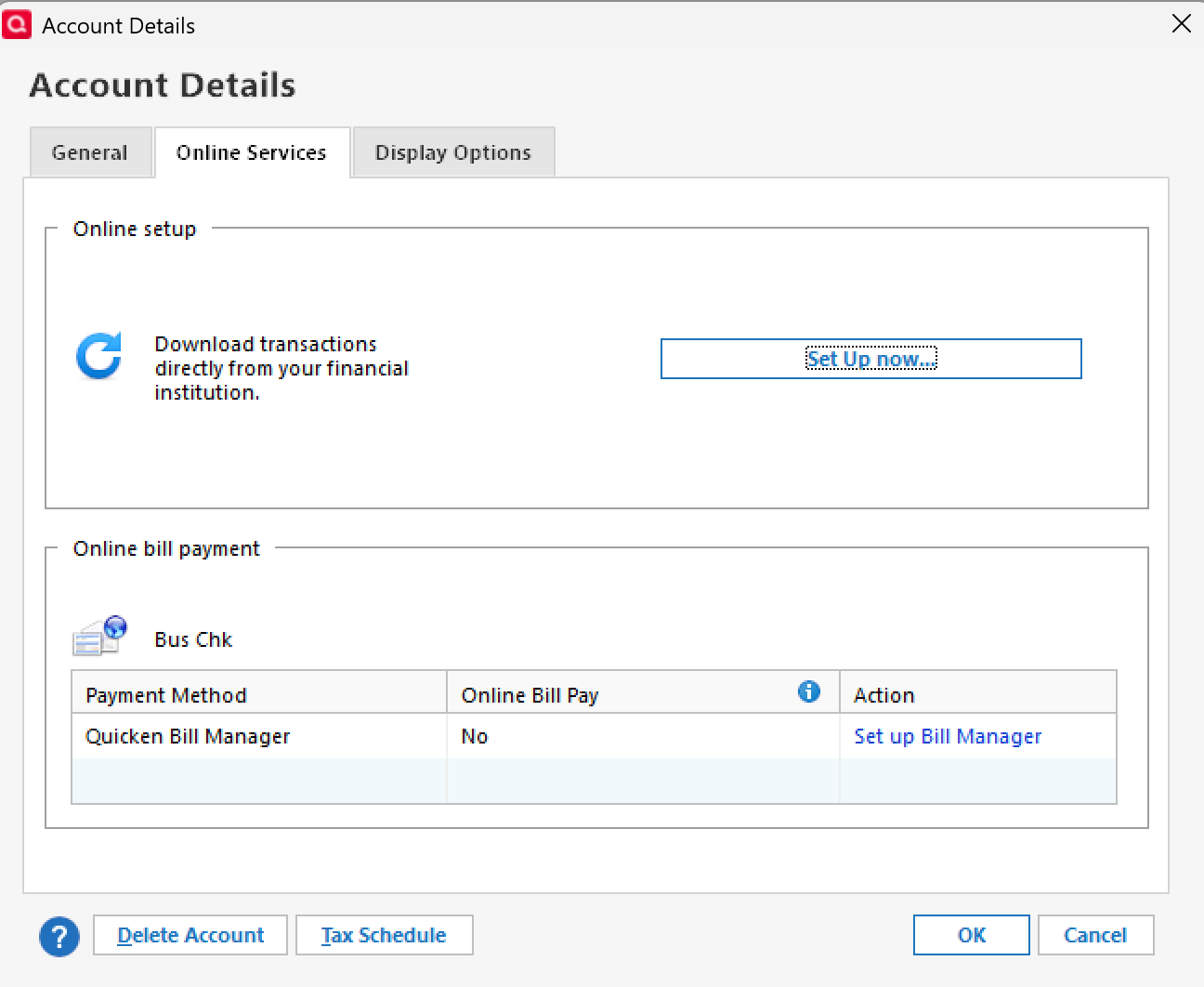
Thanks for sharing the details about your experience. To better understand what’s happening, could you clarify what you mean by you tried a “reset of the acount”? Specifically:
- Did you do this by clicking the Reset Account option under the Online Services tab, or did you deactivate and reactivate the account?
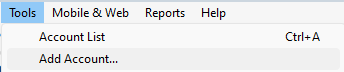
- If you deactivated and reactivated, when you reconnect, do you use Set up Now in the Online Services tab, or Tools > Add Account?
- Set up Now
- Tools > Add Account
Check back and let us know! Thank you.
-Quicken Anja
Make sure to sign up for the email digest to see a round up of your top posts.0 -
I am having Davenport connection issues on one step update as well for my accounts. This has worked for years and just stopped. Any suggestions?
Can you please leave a step by step suggestion on how to fix this. Thank you!
0 -
In answer to Quicken Anja, I did/attempted all things you mentioned. The reconnection did not succeed. That said, I have the answer below.
Davenport has added an additional layer of security to its Quicken access. Unfortunately, the folks in technology neglected to let anyone know BEFORE going live with the new step. To get your Davenport back up and running, you need to 1) Log into your Davenport netxinvestor page; 2) Go to your 'Settings and Logout' (upper right); 3) Click on 'Security Settings'; 4) Re-enter your password; 5) Click on the new "Quicken" link; 6) Approve giving access to your device.
0 -
I should add, it looks as if there's an expiration date for the approval so you'll need to reapprove again in the future when the current approval expires.
0 -
Hello @mcmillanmail & @CCampbell,
Thank you both for sharing these details!
@mcmillanmail—thanks for sharing this info and walking through the steps needed to reauthorize Davenport access. It’s really helpful to know about the new security layer and the device approval process, as well as the fact that approvals can expire in the future.
@CCampbell—based on this, I’d recommend following the steps outlined by @mcmillanmail to restore access to your Davenport accounts. If you continue to experience issues, please contact Davenport’s support for assistance with the device authorization, since Quicken can’t make changes to the bank’s security settings.
Thank you!
-Quicken Anja
Make sure to sign up for the email digest to see a round up of your top posts.0
Categories
- All Categories
- 56 Product Ideas
- 36 Announcements
- 224 Alerts, Online Banking & Known Product Issues
- 22 Product Alerts
- 702 Welcome to the Community!
- 671 Before you Buy
- 1.2K Product Ideas
- 53.7K Quicken Classic for Windows
- 16.3K Quicken Classic for Mac
- 1K Quicken Mobile
- 812 Quicken on the Web
- 111 Quicken LifeHub